Short answer
- Taking notes on printer paper means writing on loose, unbound sheets, usually standard letter size in the United States, then filing or scanning those sheets in an order you control.
- Plain paper works because it is flexible. You can turn it, divide it, reorder it, add a page in the middle, or remove a page no longer needed.
- Start each sheet with a topic, a date, and a source, such as a lecture title, a chapter, or a meeting name. That heading makes a loose sheet findable later.
- For lectures and reading, the Cornell layout is a strong default: record in a wide right column, add questions in a narrow left column after class, and write a short summary at the bottom.
- Write in short phrases in your own words, leave space between ideas, and mark anything uncertain so you can check it later.
- File by topic and date, number pages in each set, and scan finished sets. Keep the paper until you have checked the scan.
A blank sheet of printer paper looks too plain to be a study tool. It has no lines, no binding, and no tabs. That plainness is the point. A loose sheet can be turned sideways for a diagram, split into columns for a lecture, filed in a new order, or scanned later. This guide treats printer paper as a system: set up the page, write so you can read it later, file it so you can find it, and scan it for backup and search.
SHORT-ANSWER BOX
Why Plain Printer Paper Works
In the United States, the standard sheet is letter size. Rensselaer Polytechnic Institute lists U.S. Letter, also called ANSI A, as 8.5 by 11 inches, or 215.9 by 279.4 millimeters. That size gives room for a heading and a wide writing area, while fitting a standard folder, binder, or scanner bed. If you use a different size, keep one size for a set so filing stays simple.
A loose sheet offers three freedoms a bound book does not. First, orientation: portrait suits lists and lecture notes, while landscape suits timelines, tables, and diagrams. Second, order: you can insert, move, or pull out a page, instead of accepting the order fixed when you first wrote. Third, scale: a meeting may need one sheet and a chapter may need six, and the set grows one sheet at a time. Plain paper also has low friction: no device to charge, no file to open, and no password to remember.
What the Research Says, and What It Does Not Prove
It is tempting to claim that handwriting always beats typing, but the evidence is more careful. Pam A. Mueller and Daniel M. Oppenheimer published a 2014 study in Psychological Science, based at Princeton University and the University of California, Los Angeles, comparing longhand notes with laptop notes. Students who took notes on laptops performed worse on conceptual questions than students who took notes longhand. The authors linked that result to verbatim copying: laptop note takers tended to transcribe lectures word for word, while longhand note takers had to process and reframe ideas to keep up.
A later direct replication by Heather L. Urry and colleagues at Tufts University, published in Psychological Science in 2021, found a different pattern on the immediate quiz: only small, statistically nonsignificant differences by note taking medium. Like the original study, the replication found that typed notes contained more words and more verbatim overlap, and that verbatim overlap was associated with worse performance. Unlike the original, it found no relationship between medium and conceptual recall, and its mini meta-analysis supported no significant medium effect.
The Association for Psychological Science summary adds a key limit: students in both studies were not allowed to review notes before the quiz, so the results speak mainly to immediate encoding, not to studying over days or weeks. The more cautious lesson is therefore about method, not medium: in both studies, more verbatim overlap was associated with worse performance, so writing in your own words is the safer working habit, whatever tool you use, while the studies do not prove that wording alone causes the difference.
Before You Write: The Five Line Setup
A loose sheet fails most often at the top. Without a heading, a sheet found a week later is a mystery. Write five items at the top of the first sheet in a set: topic, date including the year, source such as a lecture title or chapter and page range, set number such as Sheet 1, and purpose. The purpose states what the notes must help you do, for example Explain the steps to a classmate, or List decisions and owners for follow up.
Purpose changes what you write. A set meant to explain a process needs steps in order and one worked example. A set meant to prepare for a test needs definitions, contrasts, and self test questions. A set meant to record a meeting needs decisions, owners, and deadlines.
If you know the layout, draw it before the session starts. A Cornell page needs a vertical line and a bottom line. An outline needs only a left margin. A mapping page needs a center title and room around it. Drawing the frame in advance saves time when the speaker moves fast. Keep extra blank sheets ready. Running out mid topic and continuing on an unrelated handout is a common way for notes to be filed in the wrong place. Write on one side only for notes you plan to scan or file, and use the back only for rough work labeled as rough.
Choosing Paper and Pens in Generic Terms
No special product is needed. Choices below are by category, not by brand, because category is what affects writing and reading.
Standard office paper suits pencil and most ballpoint pens. If you use a broad marker, a gel pen with wet ink, or a fountain pen, test one sheet first and check the back. If ink shows through strongly, use a heavier sheet for that pen, write on one side only, or switch to a drier ink. Very smooth heavy paper can feel slippery, while slightly textured paper can improve control. Test with your own hand.
White paper gives the highest contrast for dark ink and scanning. Lightly tinted paper can sort topics at a glance, but it can reduce scan contrast and make pencil harder to read. If you plan to scan, keep the main set white and use tinted sheets only as dividers.
A ballpoint pen is a reliable default: it dries quickly, rarely smudges, and scans well. A gel pen gives darker lines but can smudge and bleed through thin paper. A pencil allows erasing, but light pencil scans poorly, so press firmly for final notes.
A simple starting kit is enough: letter size white sheets, one dark ink pen that does not smudge for you, one pencil for diagrams and uncertain points, and one colored pen for marking after the first pass. Color is for review, not capture. Choosing colors during a fast lecture distracts from listening.
Layout Method 1: Cornell Notes on a Loose Sheet
The Cornell Note Taking System, from Cornell University Learning Strategies Center, is the best default for printer paper because it builds review into the page. Cornell describes five steps: record, questions, recite, reflect, and review. The page has a wide note taking column on the right, a narrower question and cue column on the left, and a summary area at the bottom.
Draw a vertical line about 2.5 inches from the left edge and a horizontal line about 2 inches from the bottom. Keep those measurements consistent across a set, so your eye learns where to look. Write topic, date, and source above the top line.
During the lecture, use the wide right column only. Record in telegraphic sentences and short phrases, as Cornell advises, meaning short, compressed notes that capture the idea without copying every word. Leave a blank line between main ideas so you can add a detail later.
As soon after class as possible, use the left column to formulate questions based on the right column notes. Cornell states that writing questions helps clarify meanings, reveal relationships, establish continuity, and strengthen memory, and sets up a strong stage for later study. Ask for explanations, contrasts, steps, or examples. Instead of writing Photosynthesis, write What are the inputs and outputs of photosynthesis, and why does each one matter?
Next, cover the right column and recite answers aloud in your own words, looking only at the cues. Then reflect: what do the facts mean, what principle do they rest on, how could you apply them, and how do they fit what you already know? Finally, review for at least ten minutes every week, as Cornell advises. Write the summary at the bottom in your own words, in two or three sentences that explain the page to someone who was not there.
Example: topic, How Rivers Shape Valleys. Right column: fast water cuts down, slow water deposits, bends erode the outer bank, the inner bank builds up, floodplain forms over time. Left column after class: Why does a bend erode one side and build the other? What changes when flow slows? Summary: A river shapes a valley by cutting down where flow is fast and depositing where flow slows, so bends and floodplains record that balance over time. That summary states a relationship, not just a list.
Cornell suits lectures, textbook chapters, and training where ideas build in sequence. It suits less well a brainstorm or unrelated facts that do not form questions easily. For those, use a layout below.
Layout Method 2: Outline, Mapping, and Charting
The outline method uses indentation to show hierarchy: main topic at the left margin, subtopic indented once, detail indented again. Number levels only if order matters, such as steps in a process. Outlines suit structured lectures and procedures. Their weakness is rigidity: if the speaker jumps back, leave space or add an insert sheet.
The mapping method starts with a central idea in the middle of a landscape sheet, with branches for related ideas and smaller branches for details. Mapping suits brainstorming, essay planning, and seeing connections and gaps. Its weakness is review, because the whole picture is visible at once. Fix it by adding a short summary on a second sheet, or by turning each main branch into a cue question.
The charting method uses a table: columns for features to compare, rows for items compared. Charting suits comparisons such as cell types, historical periods, or budget options. Draw the table before the session if you know the categories, and leave an extra blank column for notes that do not fit. If a new category appears, add it on an insert sheet rather than squeezing it into a margin.
Dartmouth College Academic Skills Center describes four stages: note taking, note making, note interacting, and note reflecting. Later stages add questions, link information, condense notes into a summary, and quiz yourself by covering one side and answering from the other. That staged view fits printer paper, because each stage can happen on the same sheet or on a new sheet added to the set.
Choose by task: Cornell for recall and explanation, outline for hierarchy, map for connections, chart for comparison. If unsure, start with Cornell, because its cues and summary give a review path even when material is messy.
Handwriting Legibility Under Time Pressure
Legible does not mean beautiful. It means you, a week later, can read every important word without guessing. Start with size and spacing: write slightly larger than your smallest comfortable handwriting, leave space between lines, and leave a blank line between main ideas, as Dartmouth advises, so corrections do not crowd the margin. Leave a wider left margin than you think you need, so filing or scanning does not hide the first word of each line.
Use abbreviations consistently, with a personal key on the first sheet if you invent any. Common forms include w/ for with, w/o for without, and b/c for because. Use symbols consistently too: a star for a key idea, a circled question mark for something to check, and a box around a definition. If a symbol changes meaning across a set, the system fails.
Write in phrases, not copied sentences. A phrase forces choice of important words. Instead of copying The process by which plants convert sunlight, water, and carbon dioxide into glucose and oxygen is called photosynthesis, write Plants: sunlight plus water plus carbon dioxide make glucose plus oxygen. The second version is shorter, easier to review, and easier to turn into a test question.
Mark uncertainty at once. If you miss a word, leave a clear gap marker and move on. If unsure of a spelling, number, or name, circle it and add a question mark. Guessing silently is the most expensive error, because a guessed fact in review looks as confident as a verified fact.
For diagrams, label directly and keep labels horizontal. Draw large enough to label, and add a caption in words underneath. Under a river bend sketch, write Outer bank erodes, inner bank deposits, channel moves sideways over time.
Organizing and Filing Loose Sheets
Without filing, loose sheets become a pile. With filing, they become a set you can search by hand. Use one folder or binder per course, project, or work area. Inside, use dividers for topics, and file sheets in date order within a topic, newest at the front or at the back, but consistently.
Number pages in each set: Sheet 1, Sheet 2, and so on, adding the total when complete, so Sheet 1 becomes Sheet 1 of 4. Page numbers reveal a missing sheet, restore order after a drop, and let you cite a sheet later, for example See Sheet 3 for the worked example. Label an inserted page clearly, for example Sheet 2A inserted after review.
Keep a one page index for any topic longer than about ten sheets: a front sheet listing each set, its date, topic, sheet count, and one line on coverage, for example Rivers and Valleys, 4 sheets, erosion and deposition, floodplain formation. Update the index when you add a set, not at the end of term.
Separate active notes from archive notes. Active sets are still being reviewed or added to, and belong in a slim daily folder. Finished sets belong in a larger folder or box at home. Moving a set to archive is a review moment: check completeness, update the index, and resolve or carry forward uncertain marks.
Protect sheets from common damage. Keep them flat, not folded, in a folder, box, or portfolio that shields them from light and dust. The United States National Archives advises that family papers last longer in a stable home environment, around 60 to 70 degrees Fahrenheit and 40 to 50 percent relative humidity, with clean air and good circulation, and that the central part of a home is safer than a hot attic, a damp basement, or a garage. Light damage is cumulative and irreversible and fades inks and dyes, so do not store valuable notes in direct light.
For long term storage, prefer a folder, binder clip, or sleeve over tape or glue. National Archives guidance for family papers warns against mounting with white glue, rubber cement, pressure sensitive tapes and films, staples, or hot glue, because those materials do not age well and can damage or discolor paper. A staple is fine for short term class use. For a set kept a year or more, a folder is better. Label any handout with the same topic and date and file it with its set, or it will be orphaned within a week.
Worked Examples: A Lecture Set and a Meeting Set
Lecture example: Introduction to Local Weather Patterns, purpose Explain fronts, pressure, and wind to a study partner. Sheet 1 is Cornell: heading, then right column phrases, high pressure sinks, air spreads out, clear skies often follow; low pressure rises, air converges, clouds and rain more likely; front is boundary between air masses. The left column stays blank during the lecture.
Sheet 2 is landscape, because the lecturer draws a warm front cross section. It holds a large diagram with horizontal labels: warm air rises over cold air, clouds form ahead of front, rain falls before front passes, plus a caption restating the sequence. It is labeled Sheet 2 of 4 so it stays in order. Sheet 3 outlines a cold front passage, with a circled question mark for a missed wind direction. Sheet 4, done that evening, fills the cues, adds a summary, and marks the wind question resolved.
Meeting example: purpose Record decisions, owners, and deadlines. Start with meeting name, date, attendees by role, and purpose. Use a landscape table with four columns: Item, Decision, Owner, Deadline. If a point has no decision, write No decision, follow up, and name the follow up owner. Read the table back at the end if possible, correct owners and deadlines on the spot, file by project and date, and copy action items to your task list the same day.
Digitizing Notes Later: Scanning, Naming, and Searching
Digitizing means making a second copy that can be searched and backed up, while paper stays as the original until the digital copy is checked. Prepare first: remove clips and staples that could jam a feeder, flatten folded sheets, and order the set by page number. If a sheet has writing on the back that matters, scan both sides and label the files so the back is not lost. For fragile sheets, use a flatbed scan rather than a feeder.
Choose settings for text, not photos. Library of Congress staff guidance on personal digital archiving explains that scanners create image files such as JPEGs and TIFFs and documents such as PDFs. For handwritten text, a bi-tonal setting, two tone black and white, is suitable in that guidance. Color helps only when color carries meaning. For resolution, the same guidance gives 300 to 400 dots per inch or pixels per inch as best for common photo sizes, and notes that each scanner has a sweet spot to test. For notes, test at a similar resolution and keep the setting that gives clear text without needlessly large files.
Keep a high quality master and a smaller working copy. The Library of Congress guidance explains that TIFF captures the maximum data and is lossless, meaning no data is lost in saving, while JPEG compresses data, reduces file size, and deletes some data, so JPEG is lossy. Edit the working copy only, so you can always remake it from the master.
Name files by date, topic, set, and page, for example 2026-11-02 Local Weather Patterns Set 01 Page 01. Use leading zeros so Page 10 does not sort before Page 2, and avoid vague names such as Scan 001. The file name should match the paper heading, so paper and digital copies point to each other.
Back up scans in at least two places, and keep paper until you have opened and checked them. Open first and last pages, check for cut off, upside down, or blank pages, and confirm the page count matches the paper set. Only then move paper to archive. Treat scans like paper for privacy: do not share a whole set when one page is needed.
Common Problems and a Weekly Routine
If you write everything and fall behind, switch to phrases, leave gaps, and fill them after class. If notes are unreadable a week later, review the same evening, rewrite only unreadable lines, and mark still unknown words for checking, rather than guessing. If sheets mix across topics, use one folder per course, file by topic and date, number pages, and put a topic line on every sheet.
If you never review, tie review to the set: use Cornell cues to test yourself, not just to reread. Cornell advises at least ten minutes of review every week, and Dartmouth notes that even five minutes of review is helpful, so a short daily habit beats a long monthly catch up. If scans are blurry or out of order, test one page first, check edges and order, and keep paper until the full scan check is complete. If color coding takes over, use one dark pen for capture and add color only in review.
Daily review takes ten minutes: fill cue columns, write summaries, resolve or carry forward circled questions, and file sheets. Weekly, test from cues and move finished sets to archive.
Keep sets you will revisit, recopy valuable but unreadable sets selectively, and discard rough sheets and outdated lists once their content has moved elsewhere. Check for sensitive content first, and securely dispose of sheets with personal details.
Frequently Asked Questions
Is printer paper good for taking notes, or should I use a notebook?
Printer paper suits notes when you value flexibility over binding: reorder pages, insert pages, use landscape for diagrams, and file by topic. A notebook suits a single chronological record, or conditions where loose sheets would be damaged.
What size paper should I use for notes?
In the United States, letter size is a practical default, listed by Rensselaer Polytechnic Institute as 8.5 by 11 inches, because it fits standard folders and scanner beds. Use one size consistently for a set.
Should I write on both sides of the sheet?
One side only is simpler for filing and scanning, because you never miss a back page. Two sides save paper. A practical compromise is final notes on one side only, and rough work on the back, labeled as rough and not filed as part of the set.
How do I stop loose sheets from getting lost?
Put a heading on every sheet, number pages in each set, file by topic and date, keep an index for long topics, carry active sets in a folder, and scan finished sets and check the scans before archiving paper.
Does handwriting on paper help memory more than typing?
Evidence is mixed and depends on how you take notes. Mueller and Oppenheimer found in 2014 that longhand note takers did better on conceptual questions, linked to less verbatim copying. Urry and colleagues found in 2021 only small, nonsignificant differences by medium on an immediate quiz. Both found more verbatim overlap in typed notes, associated with worse performance. Write in your own words and review from cues, whichever tool you use.
What is the Cornell method in brief?
Record in a wide right column in short phrases, add questions or cue words in a narrow left column after class, recite answers from cues with notes covered, reflect on meaning and application, review weekly, and write a short summary at the bottom in your own words.
How can I make handwriting more readable without slowing down much?
Write slightly larger, leave space between ideas, use consistent abbreviations and symbols, write in phrases in your own words, and mark uncertainty instead of guessing. Review the same evening and rewrite only unreadable lines.
How should I file notes for a long course?
Use one folder per course, dividers per topic, date order within a topic, page numbers within each set, and a one page index at the front of each topic section. Move finished sets to archive, keep active sets in a slim daily folder, and update the index when you add a set.
How do I scan handwritten notes so I can find them later?
Prepare the set in page order, test one page, scan text in a bi-tonal or grayscale setting as appropriate, keep a high quality master and a smaller working copy, name files by date, topic, set, and page with leading zeros, and add text recognition or a typed summary for search. Check scans before archiving paper.
Can I use colored paper or colored pens?
Yes, as a sorting and review aid, not a capture burden. White paper gives best scan contrast. Colored paper can sort topics at a glance but can reduce scan contrast. Add colored pens in review, when you know what matters.
What should I do with notes I no longer need?
Keep sets you will revisit, recopy valuable but unreadable sets selectively, and discard rough sheets and outdated lists once content has moved elsewhere. Check for sensitive content first, and securely dispose of sheets with personal details.
Licensed Image Suggestion
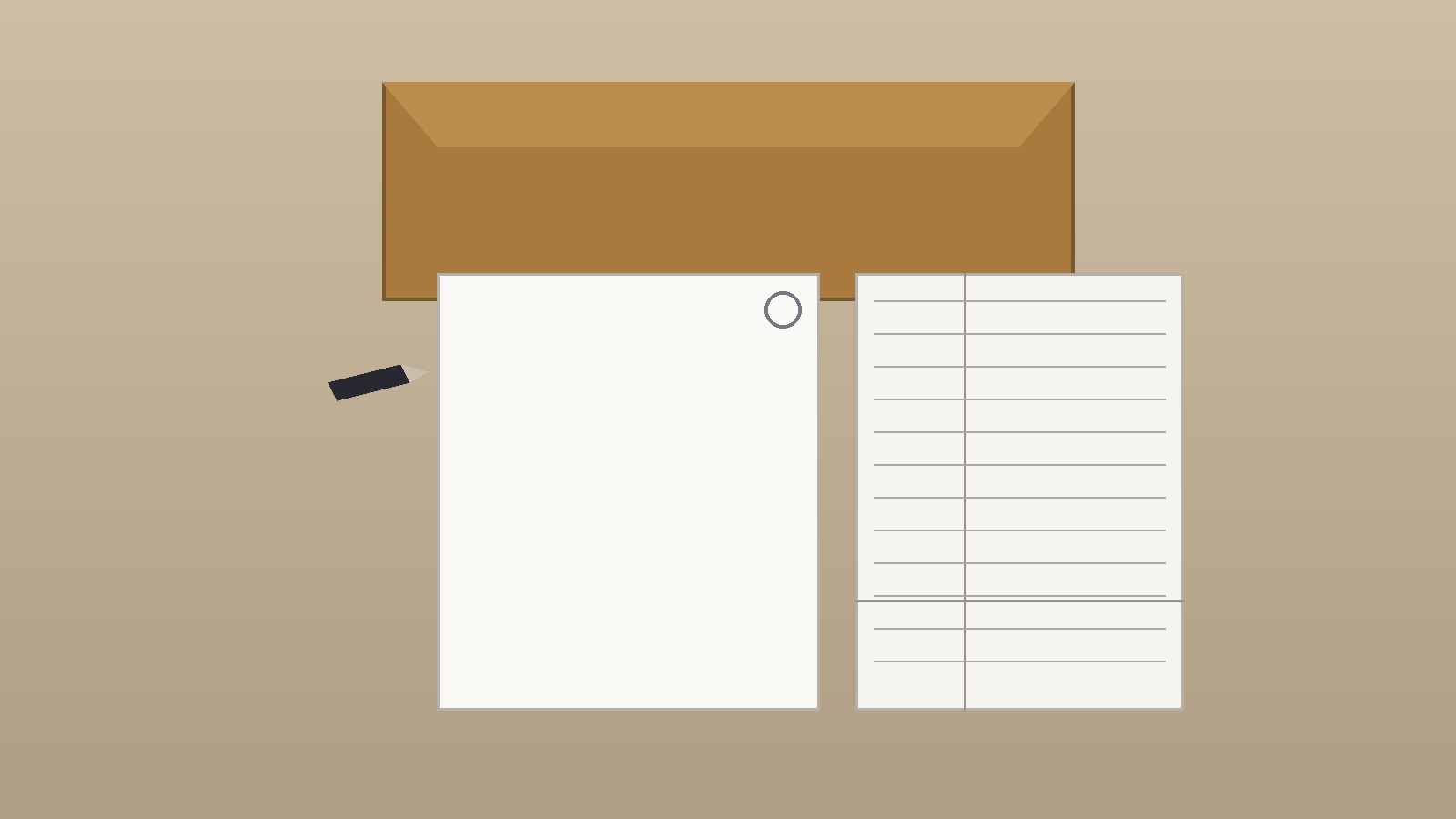
Licensed image suggestion, no hotlinking: a top down photograph of a blank letter size sheet on a plain desk, with a dark ink pen resting beside it, a second sheet showing a simple Cornell layout drawn in pencil, and a closed folder in the background. The image should be licensed from a stock library for editorial use, with the license recorded at publication. Suggested alt text: Blank printer paper sheet with a pen and a Cornell note layout on a desk. Do not embed an image from an external site by direct link.
Sources & references
- Cornell University, Learning Strategies Center. The Cornell Note Taking System. Steps: record, questions, recite, reflect, review. https://lsc.cornell.edu/notes.html
- Dartmouth College, Academic Skills Center. The 4 Stages of Note Taking. https://sites.dartmouth.edu/learning/2020/10/06/the-4-stages-of-note-taking/
- Mueller, P. A., and Oppenheimer, D. M. (2014). The pen is mightier than the keyboard: Advantages of longhand over laptop note taking. Psychological Science, 25(6), 1159-1168. https://doi.org/10.1177/0956797614524581
- Urry, H. L., et al. (2021). Do not ditch the laptop just yet: A direct replication of Mueller and Oppenheimer (2014) Study 1 plus mini meta-analyses across similar studies. Psychological Science, 32(3), 326-339. https://doi.org/10.1177/0956797620965541 , as summarized by the Association for Psychological Science. https://www.psychologicalscience.org/observer/writing-notes
- Rensselaer Polytechnic Institute, IT Services. Standard Paper Sizes. U.S. Letter (ANSI A): 8.5 by 11 inches, 215.9 by 279.4 millimeters. https://itssc.rpi.edu/hc/en-us/articles/360009806092-Standard-Paper-Sizes
- Library of Congress staff, via Public Libraries Online. Personal Digital Archiving: Scanning Simplified. Guidance on TIFF as lossless, JPEG as lossy, bi-tonal for handwritten text, and resolution testing. https://publiclibrariesonline.org/2014/01/personal-digital-archiving-scanning-simplified/
- United States National Archives. Preserving Family Documents and Photographs. Storage environment, light damage, and enclosure guidance. https://www.archives.gov/files/calendar/genealogy-fair/2012/handouts/preservation.pdf


