Short answer
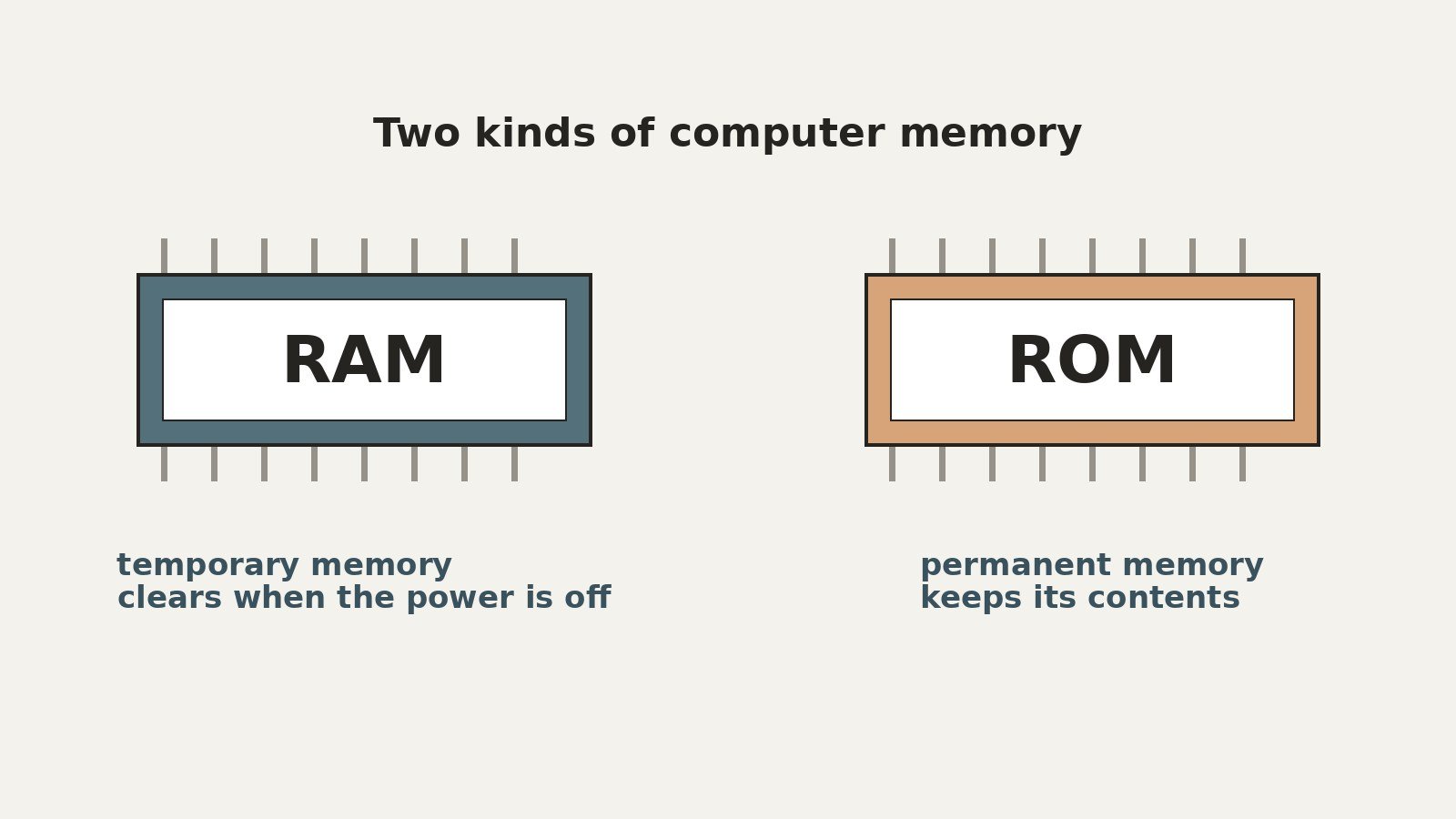
- RAM is volatile: it holds data only while power is on. ROM is non-volatile: it keeps data with the power off.
- In normal use, RAM is read and written constantly. ROM is read at startup and written rarely, only by a special update process.
- RAM is fast and relatively large, in gigabytes. Firmware ROM is small, in megabytes.
- Modern RAM is DRAM, usually DDR memory. Modern ROM is usually a flash chip, a descendant of EEPROM.
- A computer needs both: firmware in ROM starts the machine and loads the operating system into RAM.
The difference between RAM and ROM is what each one is for. RAM (random access memory) is a computer’s fast, temporary working memory: it holds the operating system, the apps you have open, and the files you are using, and it empties when the power goes off. ROM (read only memory) is non-volatile memory that holds firmware, the built in startup instructions a device needs before anything else can load, kept with the power off. One is a workspace. The other is the instruction sheet for starting it.
What RAM Is: The Working Memory
RAM stands for random access memory. The name describes how it is read: as Encyclopaedia Britannica explains, the processor can access any of its contents directly in a very short time, regardless of the order in which the data was recorded.
In modern machines, RAM is DRAM (dynamic random access memory). A DRAM cell stores each bit as charge in a tiny capacitor, and because the charge leaks, the cells must be refreshed many times per second. That is what “dynamic” means. The other main type, SRAM (static RAM), needs no refreshing and is faster, but takes more space per bit and costs more, so it is used in small amounts, mainly as processor cache.
A typical current machine uses a generation of DDR SDRAM. DDR stands for Double Data Rate: data is transferred twice per clock cycle, on both edges of the clock signal, instead of once. Generations DDR2 through DDR5 raised speeds while lowering power use.
RAM holds whatever the machine is actively doing: the operating system after it loads, every open application, and the data they work on. Kingston puts it in short term memory terms: at power on, the operating system is retrieved from storage and loaded into RAM, and more RAM means more apps open at once. When the power goes off, RAM is empty. It is volatile memory, built for speed, not for keeping.
What ROM Is: Memory That Keeps the Firmware
ROM stands for read only memory. It is non-volatile: it keeps its contents when the power is off, which is why it exists. A machine that wakes up with empty RAM still needs instructions somewhere, and they cannot live in memory that starts blank.
What ROM holds is firmware: low level software tied closely to the hardware, above all the startup program that runs at power on, initializes the hardware, finds the operating system, and hands over control to it. Britannica draws the same contrast: ROM stores data that normally cannot be modified during regular computer operation, while RAM is read and written freely. “Read only” described the original chips literally, and it still describes normal use: the machine reads from ROM constantly and writes to it almost never.
The ROM Family: From Mask ROM to Flash
ROM is a family, and each step solved the previous step’s inflexibility:
- Mask ROM. The data is built into the chip during manufacturing, set by the final mask step of fabrication. The Computer History Museum notes this gives the smallest cell and the lowest cost per bit, but the contents can never be changed.
- PROM (programmable ROM). The chip ships blank and the customer programs it once, permanently. No erasing: a mistake means discarding the chip.
- EPROM (erasable PROM). The chip can be erased by shining strong ultraviolet light through a window on the package, then reprogrammed. Erasing wipes the whole chip, so updates were workshop jobs.
- EEPROM (electrically erasable PROM). Erasing and rewriting happen electrically, in place, down to individual bytes. Firmware updates became practical.
- Flash memory. A form of EEPROM that erases and rewrites in larger blocks, making it faster and denser. Flash is what most modern “ROM” actually is: a motherboard’s firmware chip is flash, and the same technology, scaled up, powers SSDs and USB drives.
Firmware, BIOS, and UEFI
The general word for startup software is firmware, and it is the safest term to use, because the specific names belong to particular eras. On the IBM PC standard, the firmware was called the BIOS (Basic Input Output System), and “BIOS” became the everyday name for PC startup firmware. Its modern successor is UEFI (Unified Extensible Firmware Interface), which replaced BIOS on PCs. UEFI typically lives on a flash chip on the motherboard, which is why a “BIOS update” today is really a firmware update written to flash: official, but an occasional, careful operation. A listed “BIOS chip” size describes that flash ROM.
RAM vs ROM: Comparison Table
| Feature | RAM | ROM |
|---|---|---|
| Full name | Random access memory | Read only memory |
| Volatility | Volatile: contents lost when power goes off | Non-volatile: contents kept when power goes off |
| Main job | Working memory for the OS, open apps, and data in use | Holds firmware and startup instructions |
| Read and write in normal use | Read and written constantly, at full speed | Read freely; written rarely and slowly, only by a special update process in modern flash ROM |
| Speed | Very fast; the processor’s main working space | Much slower to access than RAM, and far slower to write |
| Typical size | Gigabytes: 8 GB, 16 GB, 32 GB and up; many current desktop boards support 64 GB or more in total | Firmware chips are small, in megabytes |
| Cost per GB | DRAM is cheaper per GB than SRAM, which is why DRAM is main memory and SRAM is only cache | Mask ROM was the cheapest semiconductor memory per bit, in tiny fixed quantities; firmware flash is small and cheap next to RAM |
| Example | DDR4 or DDR5 modules in a PC | The flash chip on a motherboard holding UEFI firmware; a game cartridge ROM |
How RAM and ROM Work Together: The Boot Sequence
At power on, the two memories take turns:
- RAM starts empty. It is volatile, so nothing survived the shutdown.
- The processor runs the firmware from ROM. It is still there, because ROM is non-volatile. It initializes and checks the hardware.
- The firmware finds the loader on a bootable device, such as an SSD.
- The operating system loads into RAM, and the firmware hands over control.
- RAM takes over. The system and your applications now run from RAM.
Neither memory can do the other’s job. ROM is too small and slow to run programs from, and RAM cannot hold the first instructions, because it forgets everything when power is cut.
RAM Is Not Storage, Either
A common mix up is to fold storage into this comparison, as if a slow drive were just slow RAM. It is not. Storage (an SSD or hard drive) is non-volatile and large: it keeps the operating system, applications, and your files permanently. RAM is volatile and smaller, and it is where work happens: programs load from storage into RAM to run.
Above all, RAM remains far faster than any drive. Britannica notes that drawing program data from even an SSD is impractical for executing programs because its transfer rate is much slower than the processor needs, which is why data is staged in RAM first. An SSD narrows the gap; it does not close it. A machine that feels slow with many programs open usually has too little RAM, not a slow drive.
A Concrete Picture: The Game Cartridge
The clearest illustration of classic ROM is a game console cartridge. The Computer History Museum describes how cartridges became a huge application for mask ROM, using hundreds of millions of chips of 16K and larger, and how production of Nintendo’s first Super Mario Bros. game for the NES alone exceeded 40 million units. The game, its code and graphics, was a ROM chip inside the cartridge, written once at the factory and never changed. The console read it at every insertion, while its RAM held the changing state of play: score, positions, and everything that resets at switch off. ROM keeps, RAM works.
A Related Mix Up: RISC and CISC Are Instruction Sets
RISC (Reduced Instruction Set Computer) and CISC (Complex Instruction Set Computer) are instruction set architectures: designs for the set of instructions a processor can execute. RISC uses a smaller set of simpler instructions, designed to execute quickly; CISC uses a larger set in which single instructions can do more complex work. Stanford’s RISC project, led by John Hennessy in the early 1980s, rested on the idea that a simpler instruction set processed in one clock cycle would beat the many cycles complex CISC instructions required. RISC and CISC are not memory technologies, and not usefully described as competing chip families: one manufacturer can build processors to different instruction sets, and one instruction set can be built by many manufacturers.
Frequently Asked Questions
Is RAM volatile and ROM non-volatile?
Yes, that is the core difference. RAM holds its contents only while power is supplied, and is empty at every start. ROM keeps its contents with the power off, which is why the firmware that starts the machine lives there.
Can ROM be changed or updated?
Original mask ROM could not: its contents were fixed at manufacture. Later family members relaxed that step by step: PROM, EPROM, EEPROM, then flash. On a modern machine the firmware sits on flash, so it can be updated with the maker’s official process, but updates are occasional and deliberate. That does not make ROM writable in the everyday way RAM is.
Why does a computer need both RAM and ROM?
Each covers the other’s weakness. At power on, RAM is empty, so the first instructions must live somewhere that survives shutdown: ROM. But ROM is small and slow, so it cannot be the working space for a system and applications: that is RAM’s job.
Is more RAM the same as more storage?
No. More RAM holds more open programs and data in the fast workspace at once. More storage keeps more files, programs, and media permanently. Adding one does not substitute for the other.
Is the BIOS stored in RAM or ROM?
In ROM, meaning non-volatile memory. Historically that was a ROM chip; on a modern board the BIOS’s successor, UEFI firmware, sits on a flash chip on the motherboard. That is why the startup program survives a shutdown, while everything in RAM does not.
Conclusion
RAM and ROM differ in volatility, purpose, and pace. RAM is volatile, fast, read and written constantly, and sized in gigabytes: the working memory where the operating system and open applications live, as DRAM, usually DDR memory. ROM is non-volatile, small, and read in normal use: it holds the firmware that starts the machine, and its history runs from fixed mask ROM through PROM, EPROM, and EEPROM to today’s flash chips. A computer boots because ROM remembers the instructions for starting, and it works because RAM forgets everything and starts fresh each time.
Keep reading: How to Speed Up a Slow Mac: Diagnose It First, Then Fix It in Order
Sources & references
- Encyclopaedia Britannica (britannica.com): RAM defined, DRAM and SRAM compared, volatility, DDR generations, and why program data is staged in RAM rather than read from an SSD
- Computer History Museum (computerhistory.org): semiconductor ROM history, mask ROM programmed during manufacture, cost per bit, and game cartridges as a major ROM application
- Kingston Technology (kingston.com): computer memory explained, DRAM and DDR definitions, the operating system loaded from storage into RAM, and RAM as volatile short term memory
- Engineering and Technology History Wiki (ethw.org): John Hennessy's Stanford RISC work, a simpler instruction set against the CISC architecture