Short answer
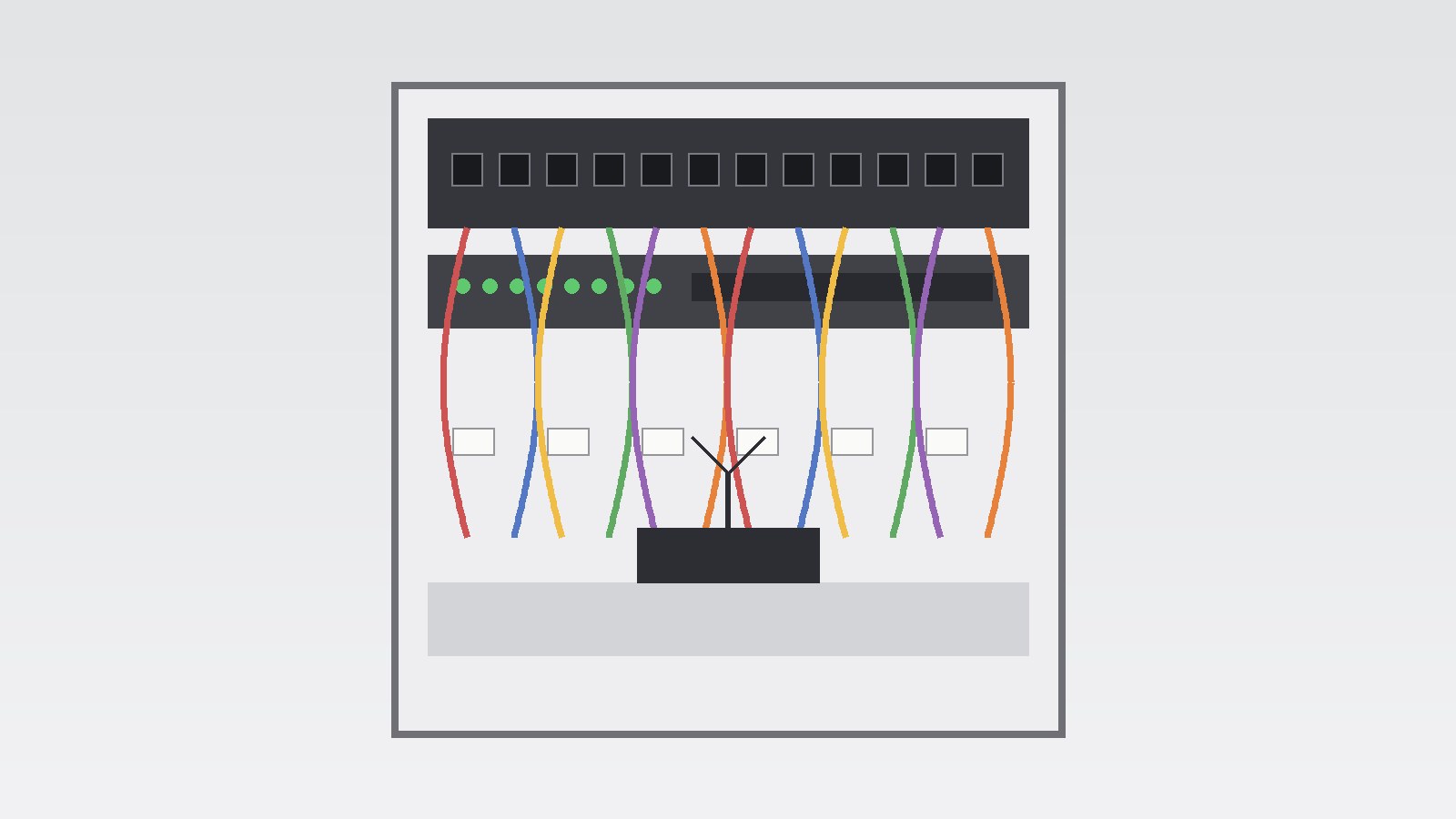
- To organize smart home wiring, start with a room by room plan that lists what each room needs to do, then bring network and low voltage cables together at one central, accessible, ventilated location. Keep mains power and low voltage cabling in separate, clearly identified groups, label both ends of every cable with the same room and outlet code, and keep a simple map and cable list that matches those labels. Choose cable types for the job they will do rather than for a single device. Ethernet cable is a common choice for fixed points such as a desk, a television location, a wireless access point, and a camera location, because a wired connection is often more stable than wireless for a device that stays in one place. Wireless connections remain useful for phones, tablets, portable speakers, and other devices that move around the home. During a renovation, add pathways and spare capacity while walls are open, even for rooms where you have no immediate device in mind. Empty conduit, extra outlet locations, and a larger central enclosure cost far less disruption at that stage than opening finished walls later. Photograph cable routes before walls are closed, and store those photographs with your cable map. Finally, have any mains electrical work completed by a licensed electrician under the code adopted in your area, and never treat a labeling project as a reason to open a live electrical panel or alter mains wiring yourself.
Introduction
A smart home can look simple from the outside. Lights respond to a voice command, a doorbell shows who is at the door, a thermostat adjusts itself, and music follows you from room to room. Behind that simple experience, however, there is often a tangle of cables, power supplies, network equipment, and control devices. When that hidden layer is planned well, adding a device, finding a fault, or changing a room layout is straightforward. When it is not planned well, every small change can turn into a search through unlabeled cables and forgotten connections.
Learning how to organize smart home wiring is therefore less about buying the newest device and more about making good decisions in the right order: decide how each room should work, bring connections together in one sensible central location, label everything clearly, and keep a record that a future homeowner, electrician, or installer can understand. Those habits matter whether you are building a new home, renovating a room, or bringing order to cables that have grown over several years.
This guide covers planning and organization only. It explains cable types in general terms, how to map rooms, how to plan a central hub, how to label and document cables, and how to plan renovation work so useful pathways are added while walls are open. It does not give step by step instructions for live electrical installation. Electrical work should be done by a licensed electrician, and local codes vary, so a qualified professional and the local code authority are the right sources for installation decisions in your area.
What Organized Smart Home Wiring Means
Organized wiring is not the same as tidy looking wiring, although the two often go together. A system can look neat and still be hard to maintain if cables are unlabeled, if the map does not match the labels, or if one cable carries several unrelated jobs. A useful test is this: if a new installer opened your central hub in five years, could that person work out which cable goes where, what it is for, and what can be changed safely? If the answer depends on the memory of the person who installed it, the system is not organized.
In most homes, smart home wiring falls into three broad groups: mains power for outlets, lighting circuits, and fixed appliances; low voltage network and control cabling, including Ethernet for data, cables for cameras and access points, and control cables for some lighting, shade, audio, and sensor systems; and the wireless layer, which still needs planning because access points, hubs, and repeaters need power and, ideally, a wired connection back to the central network. Keeping those groups distinct helps avoid confusion, especially where a single Ethernet cable supplies both power and data to a camera through Power over Ethernet. Your label and map should record both facts where they apply. Organization also means planning for change, because devices are replaced far more often than cables inside walls, so spare pathways, spare ports, and clear labels will last longer than a plan fitted only to today’s devices.
Start With a Room by Room Map
A room by room map is best drawn before any cable is bought or any wall is opened. Start with a simple floor plan for each level, marked with every room, outlet location, and central hub location in a way you can read later. For each room, write down what it needs to do now and what it might need to do in the next five to ten years. A living room might need a television location, a media console, a high wireless access point, and a camera view at an entrance. A home office might need two desk network points, a printer location, and a stable video call area. A kitchen might need a tablet and speaker location and lighting controls, while a bedroom might need bedside charging, a reading light control, and a desk or television network point.
Work through the home in a consistent order, such as clockwise from the front door on each floor, and give every planned outlet a short code, for example LIV-N-01 for the first point on the north wall of the living room. The exact code matters less than consistency. Use the same code on the floor plan, on both ends of the cable, on the patch panel or central enclosure, and in your written cable list. When those four places agree, tracing a cable becomes a matter of reading, not guessing.
Include points that are easy to forget: where an access point should sit for good coverage, where a camera can see an entrance without looking into a neighbor’s private space, where a video doorbell, smart lock, or garage controller might need power or network access, where motorized shades might need power at a window head, and where a thermostat avoids direct sunlight, drafts, and heat from nearby appliances. These are planning notes, not installation instructions, and final placement should be agreed with your installer or electrician.
Choose a Central Location for the Hub
Almost every organized smart home has one central location where cables meet, called by installers a wiring closet, media enclosure, structured wiring panel, or network rack. The name matters less than the qualities of the place. It should be accessible without moving heavy furniture, dry, reasonably cool, and close enough to the main service entry and to most rooms to keep cable runs practical. A utility room, a basement wall near the service entry, a dedicated closet, or a laundry room wall can all work, provided those tests are met.
Ventilation and power deserve early attention, because switches, routers, hubs, and storage devices produce heat, and a small closed closet can become warm enough to shorten equipment life or cause intermittent faults. Your plan should note that the hub needs airflow, space for maintenance, and power for its equipment. Ask your electrician about power, surge protection, and backup power in general terms, and record what is agreed. Do not add circuits, alter a panel, or work inside a panel yourself. Size the hub for growth: leave spare ports, spare space, and, where practical, a spare pathway into the attic or another part of the home. Group cables by room or function, use hook and loop ties that can be opened and reused for low voltage bundles, label the patch panel to match your room codes, keep a printed cable list near the panel and a digital copy elsewhere, and keep the location secure from casual disturbance, since it holds the core of the home network.
Labeling and Documentation That Stay Useful
A label should answer three questions at a glance: where does this cable go, what is it for, and which port or device does it serve? A code such as OFF-E-02 is useful only if the cable list explains that OFF means home office, E means east wall, and 02 means the second point on that wall. Keep the code system short, consistent, and written down, and label both ends of every cable, not only the central end. A cable labeled at the panel but blank at the wall outlet will still cause confusion when a device is moved or a wall plate is replaced. Use durable, printed labels rather than handwritten tape that fades or peels.
Color can help, but it should support labels, not replace them. Some households use one color for network points, another for cameras, and another for access points, or colored patch cords to mark critical links such as the main internet connection and the security system. If you use color, write the color key into your cable list, because colors fade and a future installer may not know your system.
Documentation should include four items: the floor plan with outlet codes marked; the cable list, with one row per cable showing code, room, wall, purpose, cable type in general terms, and patch panel port; photographs of cable routes and of the central enclosure before walls are closed; and a short change log, where every later addition, move, or removal is recorded with a date and brief note. That log prevents the common problem where a list is accurate on installation day and out of date within a year. Store documentation in two places, printed near the hub and digital elsewhere, and do not store passwords in the cable list. Passwords belong in a separate, secure password manager.
Cable Types in General Terms
Ethernet cable, usually described by category such as Cat5e, Cat6, and Cat6a, is the most common wired choice for home networks. Higher categories generally support higher speeds and offer more headroom for future use, but the right choice depends on distance, devices, budget, and installer advice. For a new run to a fixed point that will be difficult to replace, many planners choose a higher category than the minimum needed today, because the cable cost difference is often smaller than the cost of replacing it later.
Coaxial cable is still found in many homes for television and some internet services, and it may be worth keeping or adding at a television location during a renovation, even if you mainly stream today. Fiber optic cable is used for some internet connections entering the home and, in larger homes, for links between floors or buildings, but it requires different handling and termination from copper cable, so plan it with a specialist rather than treating it as a direct substitute for Ethernet. Low voltage control and sensor cabling varies greatly by manufacturer and protocol, and some systems use wireless links instead of a dedicated cable. Note which systems need a cable, which use wireless, and which need both power and data, and do not assume a cable for one system can be reused for another without checking compatibility, voltage, and manufacturer guidance.
Separation and routing are planning topics to raise with your installer. As a general principle, mains power and low voltage data cables are kept apart, and crossings and parallel runs are considered rather than left to chance. This guide does not state a universal separation distance, because requirements depend on local code, cable types, and installation method. Ask how separation will be handled, record the answer, and allow slack in the central enclosure: a cable pulled tight leaves no room to reterminate a damaged connector, while a neatly coiled service loop allows later maintenance without a new run.
Smart Home Wiring Renovation Ideas
Renovation is the best time to organize smart home wiring, because walls are open, routes are visible, and changes can be made without damaging finished surfaces. The ideas below are planning ideas, not a checklist for doing electrical work yourself. Discuss each one with a licensed electrician or qualified low voltage installer, and check local code and permit requirements.
Add conduit or spare pathways where they will be hardest to add later, such as from the hub to the attic, to a difficult room, or to an exterior camera location, so a future installer has a path without opening a wall. Even a short length of empty conduit behind a wall mounted television, down to a media console, can hide cables and allow a future device to connect cleanly. Plan for rooms that change use: a spare bedroom may become a home office and a garage may gain a workshop, so adding a network point and a power planning note during renovation is far easier than adding them after flooring and paint are finished. Use the renovation to improve the hub itself if it is cramped, poorly ventilated, or hard to reach, but photograph existing wiring first, label cables before they are moved, and keep the old list until the new list is complete and checked.
Coordinate with other trades, since lighting, heating, cooling, audio, security, and network work often share wall cavities, ceiling spaces, and the hub. A single coordinated plan, shared early with the electrician, heating and cooling contractor, and low voltage installer, prevents conflicts such as a duct blocking a cable route. Plan exterior and entry points during renovation, not as an afterthought: a video doorbell, exterior camera, smart lock, garage controller, and landscape lighting each need a different combination of power, network, and mounting considerations, and adding a pathway and mounting point during exterior work is easier than drilling finished siding later.
Power, Safety, and Local Codes
Safety is the part of smart home wiring organization that should never be improvised. Mains electricity can cause fire, serious injury, and death. This guide therefore draws a clear line: planning, mapping, labeling, and organizing low voltage documentation are homeowner planning tasks, while mains installation, panel work, and circuit changes are tasks for a licensed electrician working under the code adopted in your area.
The National Fire Protection Association publishes NFPA 70, the National Electrical Code, which is widely adopted in the United States, often with state or local amendments. A national code does not mean every home follows the same edition or amendments. Your local building department or code authority can confirm which edition applies and whether a permit or inspection is required. Ask early, because a plan that assumes one edition while the local authority enforces another can lead to rework. Raise safety topics with your electrician in general terms, without deciding them yourself: ground fault and arc fault protection, which apply in different locations and circuits and have changed over successive editions; outlet placement and circuit loading; and whether a box suits a smart switch or dimmer, especially in older homes where boxes may be shallow or a neutral conductor may be absent at a switch location.
The U.S. Consumer Product Safety Commission, in its home electrical safety guidance, highlights warning signs such as warm or hot outlet cover plates, flickering lights, and frayed cords, and advises that a warm cover plate or flickering lights can indicate an unsafe wiring condition that should be inspected by an electrician. Treat any such sign as a reason to stop and seek professional advice, not as a problem to investigate by opening outlets or panels yourself. Older homes deserve extra caution, since wiring methods, grounding, and panel capacity vary by age and previous alterations, and a device that works in a new home may not suit an older box or circuit without assessment.
Balance Wired and Wireless Connections
A common planning mistake is to treat wired and wireless as rivals, when a good home usually needs both. Wired connections are best for fixed points where stability, speed, and low delay matter, such as a desktop computer, a home office desk, a television or media console, a wireless access point itself, and a fixed camera. A wired connection for an access point is especially valuable, because it gives the wireless network a stable backbone and frees wireless capacity for mobile devices.
Wireless connections are best for devices that move, for devices where a cable would be impractical, and for temporary or seasonal uses, including phones, tablets, laptops used around the home, portable speakers, and many sensors. Some smart home protocols use low power wireless mesh networks rather than Wi-Fi, and those networks depend on good placement of mains powered devices that can relay signals. Note where relay devices will sit, and where a signal might be blocked by masonry, metal, a large appliance, or a long distance through several walls. A single router in a corner, behind a television, or inside a closed cabinet often gives uneven coverage, so plan one or more access points in central, elevated locations, each with a wired connection back to the hub, and ask your installer to consider construction materials, floor levels, and where people actually use wireless devices. Wiring the heaviest fixed users also frees wireless capacity when several video streams and a video call run at the same time.
Organize an Existing Home Without Opening Walls
Not every home needs a renovation to become more organized. In an existing home, the most valuable steps are often sorting, labeling, and documenting what is already there. Start at the central hub. Photograph the current state before you change anything, then work through cables one at a time, identifying each cable, labeling both ends where access allows, and recording it in your cable list. Do not disconnect a cable simply to find out what it does if it might serve a security device, a heating control, or a network link that others depend on. Trace it by its label, by its wall outlet, or with the help of an installer using proper test equipment.
At visible locations, such as behind a television, under a desk, or in a media console, use cable management that keeps power and low voltage cables in separate general groups, avoids tight bends, and allows a single cable to be removed without disturbing the rest. Short patch cords, a small cable tray or raceway, and hook and loop ties can transform a tangle into identifiable groups. Avoid running power cords under rugs or carpets on a permanent basis, and avoid using extension cords as a permanent substitute for an outlet. U.S. Consumer Product Safety Commission guidance notes both practices as hazards to avoid, and a licensed electrician can advise on adding an outlet where one is genuinely needed. For rooms where a new wired connection would require opening a wall, consider whether a wireless solution or a surface mounted raceway is acceptable, weighing speed, reliability, appearance, and cost. A raceway can be practical along a baseboard or inside a closet, while a wireless link may suit a low demand sensor but not a fixed camera that streams continuously. Record the tradeoff you chose and why.
Budget, Quotes, and Phasing
Organizing smart home wiring can be phased, and phasing is often the most sensible way to manage cost. Start with the map and the central hub, because those two items make every later phase easier. Next, tackle the most difficult or most valuable runs, such as a home office, a media wall, or a camera location that would be hard to add later. Later phases can add additional rooms, spare pathways, and device upgrades as budget allows.
When seeking quotes, give every installer the same room map, cable list, and list of questions, so quotes can be compared fairly. Ask what cable types are proposed and why, how labeling and documentation will be handled, how spare capacity is included, how separation between mains and low voltage cabling will be handled, and what testing will be done before handover. Ask whether permits or inspections are required, who will arrange them, and what is excluded, such as patching and painting after a wall is opened, or the cost of devices themselves.
Be cautious about quotes that promise a single device or wireless system as a substitute for infrastructure. A hub, mesh system, or voice assistant can be replaced in an afternoon. Cable inside a wall cannot. Spending on infrastructure first, and on devices second, usually gives better long term value, because infrastructure supports many generations of devices. That does not mean buying the most expensive cable for every run. It means spending where replacement would be hardest, and being more flexible where a cable is easy to reach and replace.
Mistakes That Create Future Mess
Several common mistakes turn a promising smart home into a maintenance problem. The first is labeling only one end of a cable, or labeling with a code that is not written down anywhere. The second is using the same color or code for different jobs, so a camera cable and a network cable cannot be told apart. The third is filling the central enclosure completely on installation day, leaving no spare ports, space, or pathway for the next device. The fourth is running cables without a map, on the assumption that the installer will remember the routes. Installers change, homeowners move, and memory fades.
A fifth mistake is treating mains and low voltage work as interchangeable. A low voltage installer is not automatically qualified to alter mains circuits, and a mains electrician is not automatically the best person to design a data network, although many professionals hold both qualifications. Ask about qualifications for each part of the work. A sixth mistake is buying devices before planning infrastructure, which often leads to a collection of hubs, bridges, and adapters that duplicate each other. Plan infrastructure first, then choose devices that fit it. A seventh mistake is the most human one: making a quick change and not recording it. Record the change on the day it happens, update the label if the purpose changes, and photograph the hub again if the patching changes. That habit is what keeps an organized system organized.
Frequently Asked Questions
What is the first step in organizing smart home wiring?
Start with a room by room map, then choose a central location where cables will meet. Label every outlet with a consistent code, used on the floor plan, on both ends of each cable, on the patch panel, and in your cable list.
Should I use wired or wireless connections?
Use both. Wired Ethernet suits fixed, high demand points such as a desk, television location, access point, and fixed camera. Wireless suits mobile devices such as phones, tablets, and portable speakers, and sensors where a cable would be impractical.
Where should the central hub go?
Choose a location that is accessible, dry, reasonably cool, and close to the service entry and most rooms, such as a utility room, basement wall, dedicated closet, or laundry room wall, with airflow, maintenance space, power, and room to grow.
How should I label smart home cables?
Label both ends with the same short code, and write the code system into your cable list, with room, wall, outlet number, purpose, cable type in general terms, and patch panel port. Color can support labels, not replace them, and the color key should be written down.
What cable type should I choose for a new network run?
For a hard to replace run, many planners choose a higher Ethernet category than the minimum needed today, since the cable cost difference is often smaller than replacement cost later. The right choice depends on distance, devices, budget, and installer advice.
Can I organize wiring during a renovation without doing electrical work myself?
Yes, for planning, mapping, labeling, and documenting. Draw the room map, choose outlet locations in planning terms, label low voltage cables where access allows, and photograph routes before walls close. Mains work, panel work, and circuit changes are for a licensed electrician under local code.
What should I do with existing tangled cables in a finished home?
Photograph the current state first, then work through cables one at a time, labeling both ends where access allows and recording each cable. Do not disconnect a cable to find out what it does if it might serve security, heating control, or a network link.
Do I need a permit to organize smart home wiring?
It depends on the work and local code. Adding circuits, altering a panel, or opening walls may require a permit or inspection. Confirm this with your local building department and licensed electrician before work begins.
How do I future proof smart home wiring?
Leave spare capacity at the hub, add conduit or spare pathways to difficult rooms and the attic while walls are open, choose a higher cable category for hard to replace runs where appropriate, and keep labels and documentation up to date.
Is it safe to work on smart home wiring myself?
Planning, mapping, and labeling low voltage cables where access is safe are homeowner planning tasks, but mains work is not. Never open a live electrical panel, alter mains wiring, or investigate warm outlet covers or flickering lights by opening outlets yourself. Call a licensed electrician for inspection.
Sources & references
- National Fire Protection Association, NFPA 70, National Electrical Code. The National Fire Protection Association publishes NFPA 70 as the benchmark for safe electrical design, installation, and inspection, and NFPA records show it adopted in all 50 states, with local adoption and amendments varying by jurisdiction. Used in this article only for the general scope of the code and for the advice to confirm the locally adopted edition and local amendments, not for specific installation rules.
- Telecommunications Industry Association, ANSI/TIA-570-E, Residential Telecommunications Infrastructure Standard, released 17 May 2024. The standard applies to telecommunications premises cabling systems and related pathways and spaces for single and multi dwelling residential buildings, including cabling within a single dwelling unit and backbone cabling, and it specifies cabling intended to support voice, data, video, security, audio, and control applications in the residential environment.
- U.S. Consumer Product Safety Commission, Home Electrical Safety Checklist and home electrical safety guidance. The guidance highlights hazards to avoid, including extension cords used on a permanent basis and cords buried under rugs and carpets, and warning signs such as warm or hot outlet cover plates and flickering lights that indicate a wiring condition an electrician should inspect.
- U.S. Department of Energy, Connected Thermostats Offer Gateway for Increasing Energy Savings. The article defines a connected thermostat as an internet enabled, programmable thermostat that allows wireless monitoring and control of heating and cooling equipment, and reports a Houzz and Custom Electronic Design and Installation Association survey finding that 45 percent of homeowners indicated they plan to install smart systems or devices as part of home renovation projects, with connected thermostats among the top three systems listed.


