Short answer
- A database is an organized collection of related data, stored so that it can be found, changed, and shared in a controlled way.
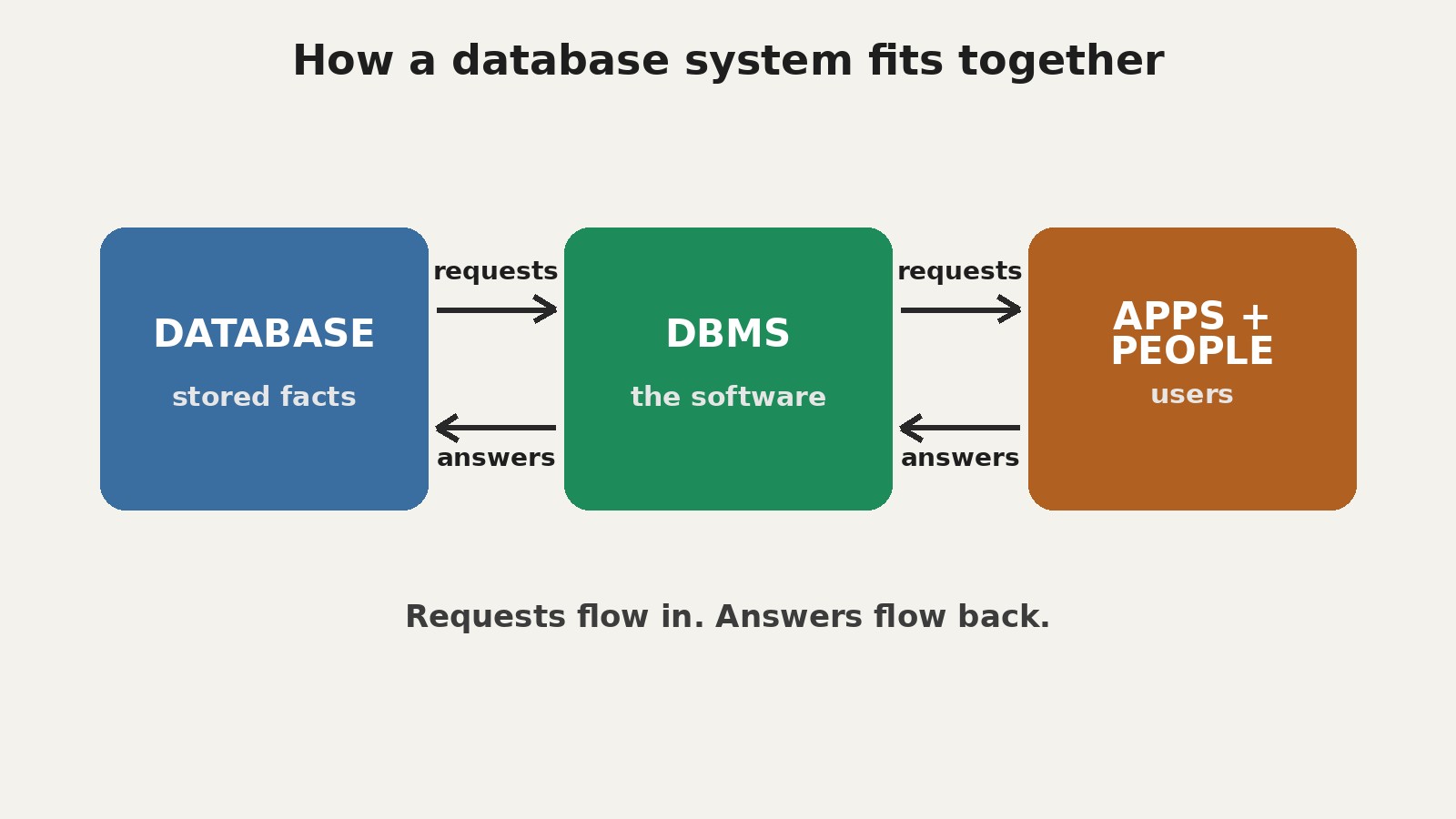
- A DBMS, short for database management system, is the software that sits between users and applications on one side and the stored data on the other. It accepts requests, checks permissions and rules, and carries out the storage, retrieval, and change of data.
- A database system is the whole combination: the database itself, the DBMS, the applications that use it, and the people and procedures around it.
- In everyday speech, people often use "database" loosely for any of the three. That looseness is normal in conversation, but it causes confusion when you are learning or designing a system, so this article keeps the three terms separate.
- The search phrase "database and database system" points at this exact confusion. Readers typing it usually want one plain explanation of what each term covers and how the parts relate.
- The most common model in use today is the relational model, in which data sits in tables of rows and columns and is queried with SQL, short for Structured Query Language.
Database, DBMS, and Database System: Three Terms, Untangled
Start with the smallest piece and build outward. A database is the data itself, organized under a structure. Think of a library catalog: each book has a title, an author, a publication year, and a shelf location, and the catalog records those facts in a consistent pattern so any book can be found by any of those facts. The pattern matters as much as the facts. A pile of facts with no shared structure is hard to search, hard to update safely, and hard to share, and that is why the definition of a database stresses organization, not mere storage.
A DBMS is the software that manages that organized data. It creates the structures, accepts requests to add, read, change, or remove data, enforces rules about what values are allowed, controls who may see or change what, and recovers the data after a failure. Without a DBMS, an application would have to handle all of that itself: finding bytes on a disk, locking records while two users edit at once, checking that a new record does not break a rule, and rebuilding data after a crash. The DBMS exists so that every application does not have to reinvent those jobs, and so that the jobs are done the same way for every application sharing the data.
A database system is the sum of the parts working together: the database, the DBMS, the applications that send requests, the hardware the whole thing runs on, the procedures people follow, and the people themselves, including users, application builders, and database administrators. Change any one part and the system behaves differently. A database on its own cannot answer a question. A DBMS with no data has nothing to manage. An application with no DBMS must manage storage itself. Only together do they form a working system.
| Term | What it is | A simple test |
|---|---|---|
| Database | The organized, related data itself | If you deleted the software but kept the stored facts and their structure, what remains is the database |
| DBMS | The software that manages the database | If you removed this, applications would have to find, lock, check, and repair stored data themselves |
| Database system | Database plus DBMS plus applications, hardware, procedures, and people | If you point at the whole working setup that a team actually uses, you are pointing at the database system |
Why the Phrase “Database and Database System” Reads Doubled
The banked search phrase behind this article is “database and database system,” and it reads awkwardly because it pairs a part with the whole that contains it, as if someone asked about wheels and cars. The literal phrase search confirms the intent behind it: the top results define all three terms together, explain that the database, the DBMS, and the associated applications can collectively be called a database system, and note that “database” is often used loosely for any of the three. Readers are not looking for two separate subjects. They are looking for the boundary between the two words.
That is why this article uses a cleaned headline, “What Is a Database System?”, while keeping the banked phrase in its metadata and answering it directly. The cleaned headline matches what the search results actually explain. If you arrived here by searching the doubled phrase, you are in the right place, and the short answer box above is the whole answer in miniature.
What a Database Actually Stores
A database stores facts about things a person or organization wants to track, and the relationships between those facts. A school might track students, courses, and enrollments. A shop might track products, customers, and orders. In each case, the database holds two kinds of content at once: the data itself, and metadata, the description of how that data is structured. Metadata says, for example, that a student record has a name field, that the name is text, and that every student has exactly one student number.
Data comes in three broad shapes. Structured data fits neatly into fixed fields, such as a price or a date. Semi-structured data carries its own labels but no rigid table shape, such as a document with named fields that vary from record to record. Unstructured data has no fixed internal pattern a DBMS can query field by field, such as a photograph, although a database can still store it and record facts about it. Different models suit different shapes, which is why there is no single model for every job.
Data is not the same as information. Data is the recorded fact, such as “42.” Information is what a reader understands when that fact is placed in context, such as “the order total is 42 dollars.” A database system stores data and, through queries, turns it into information on demand.
The Five Parts of a Database System
Textbook accounts of a database system usually name five components, and every later topic in this article touches one of them. Hardware is the physical equipment: servers or computers, processors, memory, and storage disks. Software is the DBMS itself, plus the operating system it runs on and the applications that talk to it. Data is the stored facts and the metadata describing them, the only component that grows in value the longer the system runs. Procedures are the documented routines people follow: how to add a new user, how to take a backup, and how to respond when the system slows down. People are end users who ask questions of the data, application builders who write the programs, and database administrators, often shortened to DBAs, who design the structure, grant access, tune performance, and plan backups.
Two organizations can run the same DBMS software and still have very different database systems, because their data, procedures, and people differ. Software alone is never the whole system.
How a DBMS Handles a Request, Step by Step
Follow one request through a DBMS. Imagine a librarian asking for every book by one author that is currently on loan. The request might be written in SQL, or it might come from an application screen where the librarian typed the author name. Either way, the journey has the same stages.
First, the DBMS checks that the person or application making the request is allowed to see the data it touches; an unauthorized request stops here. Second, it checks the request against the metadata: do the tables and fields named exist, and are the values of the right kind? Third, the query processor works out an efficient way to answer, perhaps using an index, a lookup structure like the index at the back of a book, to jump straight to matching rows instead of scanning every row. Choosing well here is called query optimization.
Fourth, the storage manager fetches the data from disk or memory, applying locks where needed so that another user changing the same record at the same moment cannot produce a half updated answer. Fifth, the DBMS assembles the result and returns it to the application, which presents it to the librarian. Throughout, the DBMS writes a log of changes, so that if the machine fails partway through a change, the system can roll the change back or replay it and leave the data consistent.
Two points matter most. The application never touches the stored files directly, so storage can change without rewriting the application. And the application states what it wants, not how to fetch it, so the DBMS is free to choose the fastest path.
Database Models: Different Shapes for Different Jobs
A database model is the logical shape in which a DBMS organizes data, and the rules for working with that shape. The main models a beginner meets are these. Relational: data sits in tables, with rows for individual records and columns for attributes, and relationships are expressed by matching values in shared columns. This is the dominant model for business data. Document: data sits in flexible documents, each carrying its own labeled fields, so two documents in the same collection need not have identical fields. This suits content that varies in shape, such as product descriptions with different attributes per product. Key value: data sits as pairs of a unique key and a value, like a labeled drawer. Lookup by key is very fast, but questions spanning many values are awkward, so this model suits caches and simple lookups. Graph: data sits as nodes connected by edges, which makes relationships themselves first class facts. This suits questions about connections, such as finding the shortest path between two people in a network. Column family: data sits grouped by columns rather than by rows, which suits very large analytic workloads that read a few columns across many rows. Hierarchical and network: these older navigational models link records by pointers that applications follow from record to record. They dominated the 1960s and 1970s and still appear in some legacy systems, but new work rarely starts with them, because following pointers by hand is brittle compared with asking a declarative question and letting the DBMS find the path.
No model is best in general. The right question is always: what shape is this data, and what questions will be asked of it most often? Large organizations commonly run several models side by side, one per job.
The Relational Model in Depth
The relational model, proposed by Edgar F. Codd in 1970, treats data as tables, called relations in the mathematics behind the model. Each table holds one kind of entity: customers, orders, books, students. Each row is one instance of that entity: one customer, one order. Each column is one fact about the entity: a name, a date, a price. The table below shows a tiny example.
| Customer ID | Name | City |
|---|---|---|
| 101 | Ana Reyes | Austin |
| 102 | Ben Carter | Denver |
| Order ID | Customer ID | Total |
|---|---|---|
| 5001 | 101 | 42 |
| 5002 | 101 | 18 |
| 5003 | 102 | 65 |
Two ideas make the example work. A primary key is a column, or combination of columns, whose value identifies each row uniquely. Customer ID plays that role in the first table: no two customers share one, so any reference to customer 101 means exactly one person. A foreign key is a column in one table that holds the primary key value of a row in another table. Customer ID in the orders table is a foreign key pointing back to the customers table, and it is how the system knows which customer placed each order, without storing the customer name again in every order row.
Relationships between tables come in three patterns. In a one to one relationship, each row on one side matches at most one row on the other, such as one person and one passport record. In a one to many relationship, one row matches many, such as one customer and many orders. In a many to many relationship, many rows match many, such as students and courses, where each student takes many courses and each course has many students. Many to many relationships are normally implemented with a third table in between, holding one row per pairing.
Normalization: Storing Each Fact Once
Normalization is the process of organizing tables so that each fact is stored once, in the right place, and can be updated in one spot. If a customer address is copied into every order row, then a move means updating many rows, and any row missed leaves the database contradicting itself. The standard stages have names, and the first three cover most everyday design. First normal form requires that each cell hold a single value, not a list. Second normal form requires, in addition, that every non key attribute depend on the whole primary key, not on only part of it. Third normal form requires that every non key attribute depend only on the key, not on another non key attribute. A classic example is storing a city and its delivery zone together in an orders table: the zone depends on the city, not on the order, so it belongs in a separate table keyed by city.
Normalization is a guideline with a cost, not a law: highly normalized designs can require many tables to be joined for one question, which can slow reporting. Practitioners sometimes denormalize deliberately, but knowingly, with a plan for keeping copies in agreement. The beginner rule is simple: normalize first, and only then consider documented exceptions, never accidental duplication.
SQL: The Language Most Relational Systems Speak
SQL, short for Structured Query Language, is the standard language for working with relational databases. It grew out of work at IBM Research in the 1970s, where Donald Chamberlin and colleagues defined SEQUEL, later renamed SQL, and it was adopted as an American national standard in 1986 and as an international standard, ISO/IEC 9075, in 1987, with revisions since. SQL is declarative: a query states what result is wanted, and the DBMS decides how to fetch it. That division of labor is what makes query optimization possible.
SQL statements fall into four broad groups. Data definition language, or DDL, creates and changes structures: creating a table, adding a column, or removing a table. Data manipulation language, or DML, works on the rows: inserting, updating, and deleting. Data query language, sometimes counted inside DML, retrieves rows. Data control language, or DCL, grants and revokes permissions. A short example shows the flavor:
SELECT Name, City
FROM Customers
WHERE CustomerID = 101;
Read it in plain language: from the customers table, return the name and city columns, but only for the row whose customer ID is 101. A join extends the idea across tables, matching foreign keys to primary keys to combine facts that live in different tables. Because SQL is standardized, the core of a query often moves between relational systems with little change, although each system adds its own extensions.
Transactions and ACID: Keeping Multi Step Changes Safe
Many real changes involve several steps that must succeed or fail together. Moving money between two accounts means subtracting from one and adding to the other. Recording a sale means reducing stock and creating an order. If the machine fails between the steps, the database must not be left half changed. The unit that groups such steps is called a transaction, and four properties, known by the acronym ACID, describe what a reliable transaction guarantees.
Atomicity. A transaction is all or nothing. Either every step is applied, or none is, even if the system crashes partway through. A failed transaction is rolled back, leaving the data as it was before the transaction began. Consistency. A transaction moves the database from one valid state to another, respecting every rule and constraint, such as “every order must name an existing customer.” A transaction that would break a rule is rejected rather than half applied. Isolation. Transactions running at the same time behave as if they ran one after another, even though they actually overlap. Without isolation, one transaction could read a half finished change from another and act on a value that never truly existed. Durability. Once a transaction is committed, meaning the DBMS has confirmed success, its changes survive later failures, including power loss, because the DBMS writes changes to durable storage and to a log before confirming.
Schemas, Views, and the Three Schema Architecture
A schema is a description of the structure of a database: its tables, columns, relationships, and constraints. A classic framework, the three schema architecture associated with the ANSI/SPARC committee, separates structure into three levels, and the separation explains a great deal about why database systems are built the way they are. The external level holds one view per user group or application. A view is a tailored window onto the data: an order entry screen sees customer names and order history but not distributor costs, while a finance report sees totals but not customer phone numbers. Views simplify work and support security, because a user can only reach what their view exposes. The conceptual level holds a single logical description of the whole database: every entity, attribute, relationship, and constraint, independent of physical storage. The internal level holds a single physical description: how records are stored, which indexes exist, and how data is laid out on disk.
Two mappings connect the levels: external to conceptual, and conceptual to internal. The benefit is data independence. Physical independence means storage can change without changing the logical model. Logical independence means the logical model can gain a column without breaking existing views that do not use it.
Files Versus a DBMS: Why Not Just Use Files?
For a single user with a small, stable list, files are often fine, and there is no shame in that choice. The case for a DBMS appears as soon as several people, or several programs, share data that changes. With separate files per application, the same fact is copied into many places, so an update in one copy leaves the others stale, a problem called data redundancy with its companion, inconsistency. There is no single authority for access control, so each program enforces its own rules, if it enforces any. There is no transaction mechanism, so a multi step change can be left half done by a crash. There is no shared query language, so each new question needs custom code that scans files by hand. And there is no central backup and recovery story, so each program must invent its own.
A DBMS centralizes those jobs: one copy of each fact under one set of rules, access controlled in one place, transactions grouping multi step changes, and backup and recovery planned for the whole database at once. The price is complexity. It is worth paying when data is shared, changes often, or serves many users, and usually not for a personal list that one person edits rarely.
Security, Backup, and Recovery
Security starts with authentication, proving who a user is, and authorization, deciding what that user may do. The principle of least privilege applies: each account gets only the access its job requires, and no more, so a compromised account or a mistaken query can do limited damage. Sensitive data calls for encryption, both while stored and while traveling over a network, and for audit records showing who changed what and when.
Backup means copying the database, regularly, to a place separate from the original, so that a disk failure, a mistaken deletion, or a malicious change does not mean permanent loss. Recovery means restoring from that copy, and, where the DBMS log allows, replaying changes made since the backup. A backup that has never been test restored is a hope, not a plan.
Where Database Systems Show Up, and Mistakes to Avoid
Database systems work quietly underneath everyday life. A bank account balance, a flight booking, a library loan, a hospital record, a university enrollment, and an online order are all, underneath, rows in tables, guarded by transactions and permissions. That breadth explains the durable career roles: database administrators, data analysts, and application builders.
Beginners make a handful of avoidable mistakes. First, storing the same fact in two places and updating only one; the cure is normalization. Second, designing tables around a screen layout rather than around the entities themselves; tables should model the world, and views should adapt the model to each screen. Third, ignoring keys: a table with no reliable way to identify each row uniquely cannot support trustworthy references from other tables. Fourth, treating a spreadsheet as a database system because it holds many rows; it lacks centralized access control, transactions, and a shared query language. Fifth, skipping backups until after the first loss. Sixth, assuming that a DBMS guarantees good design. It does not; it will faithfully enforce a bad design. Design remains a human job.
FAQ
What is a database in simple words? A database is an organized collection of related data, stored under a consistent structure so that facts can be found, changed, and shared safely.
What is a DBMS in simple words? A DBMS is the software that manages a database. It accepts requests from users and applications, checks permissions and rules, stores and retrieves data, handles simultaneous users, and recovers data after failures.
What is the difference between a database and a database system? A database is the organized data itself. A database system is the whole working setup: the database, the DBMS software, the applications that use it, the hardware it runs on, the procedures people follow, and the people who use and tend it.
What is the difference between a database and a DBMS? A database is data plus its structure. A DBMS is software. Deleting the software leaves the stored data, in principle, intact; deleting the data leaves the software with nothing to manage.
Is SQL a database? No. SQL is a language for working with relational databases, used to define structures, insert and update rows, and ask questions of the data. A database is the stored data; SQL is how you talk to the system that manages it.
What are the types of databases? Common types follow their model: relational databases organize data in tables; document databases store flexible labeled documents; key value stores pair unique keys with values; graph databases store nodes and their connections; and column family stores group data by column for large analytic workloads. Older hierarchical and network models link records by pointers and still appear in legacy systems.
What is a primary key? A primary key is a column, or combination of columns, whose value identifies each row in a table uniquely. It is what other tables reference when they need to point at one specific row.
What does ACID stand for? ACID stands for atomicity, consistency, isolation, and durability: the four guarantees that make a transaction reliable. Atomicity means all or nothing, consistency means one valid state to another, isolation means concurrent transactions do not interfere, and durability means committed changes survive failures.
Do I need a database system, or is a spreadsheet enough? A spreadsheet is enough for a small, mostly personal list that rarely changes and is edited by one person. A database system earns its complexity when data is shared, changes often, serves many users or programs, or must survive partial failures without being left half changed.
What should I learn after this article? Learn to design a small set of tables for a subject you know well, write basic SQL queries against them, including a join across two tables, and practice a transaction that must succeed or fail as a unit. That sequence turns vocabulary into skill faster than reading about further models.
Sources & references
- Wikipedia, "Database" (definitions of database, DBMS, and database system; history of the relational model and Codd 1970). Opened and verified 27 October 2026. https://en.wikipedia.org/wiki/Database_management_system
- PostgreSQL Documentation, Chapter 69, "SQL" (history of SEQUEL and SQL; ANSI standardization in 1986 and ISO adoption in 1987; ISO/IEC 9075:1992; the relational model as tables of rows and columns). Opened and verified 27 October 2026. https://www.postgresql.org/docs/7.0/sql.htm
- Relational Database Design, "Three-Schema Architecture [ANSI/SPARC Explained]" (external, conceptual, and internal schemas; external-conceptual and conceptual-internal mappings; logical and physical data independence). Opened and verified 27 October 2026. https://www.relationaldbdesign.com/database-design/module3/three-schema-architecture.php


