Short-answer box
A learning management system, usually shortened to LMS, is software that brings a course or training program together in one place. It holds the learning materials, organizes who can take part, delivers lessons and assignments, records progress and results, and gives teachers and managers reports they can act on. In a school or university, it is often the online home for a class: the syllabus lives there, assignments are submitted there, grades are posted there, and class discussion happens there. In a workplace, it often serves the same role for onboarding, compliance training, and ongoing skill development. An LMS is not a single course, not a video call, and not just a folder of files. It is the system that connects content, people, assessment, and records so learning can be planned, delivered, tracked, and reviewed in an organized way.
What an LMS is, in plain language
Imagine a course that exists only as scattered pieces: readings sent by email, assignments handed in through different tools, grades kept in a separate spreadsheet, and announcements posted somewhere else again. Learners waste time hunting for the current version of each item, teachers repeat the same instructions in several places, and nobody has a reliable record of who completed what. A learning management system is built to remove that scatter. It gives a course or training program one organized home, with a clear structure, controlled access, and a record of activity.
A useful definition, in the form used by technology reference sources, is that an LMS is a software application or web-based technology used to plan, implement, and assess a specific learning process. In its most common form, it has a server that performs the base functions and a user interface through which people interact with it. That definition points to three jobs at once. First, the LMS helps plan learning: courses are structured, materials are organized, and learners are enrolled. Second, it helps deliver learning: learners open lessons, take part in activities, and submit work. Third, it helps assess and record learning: quizzes can be marked, progress can be tracked, and results can be reported.
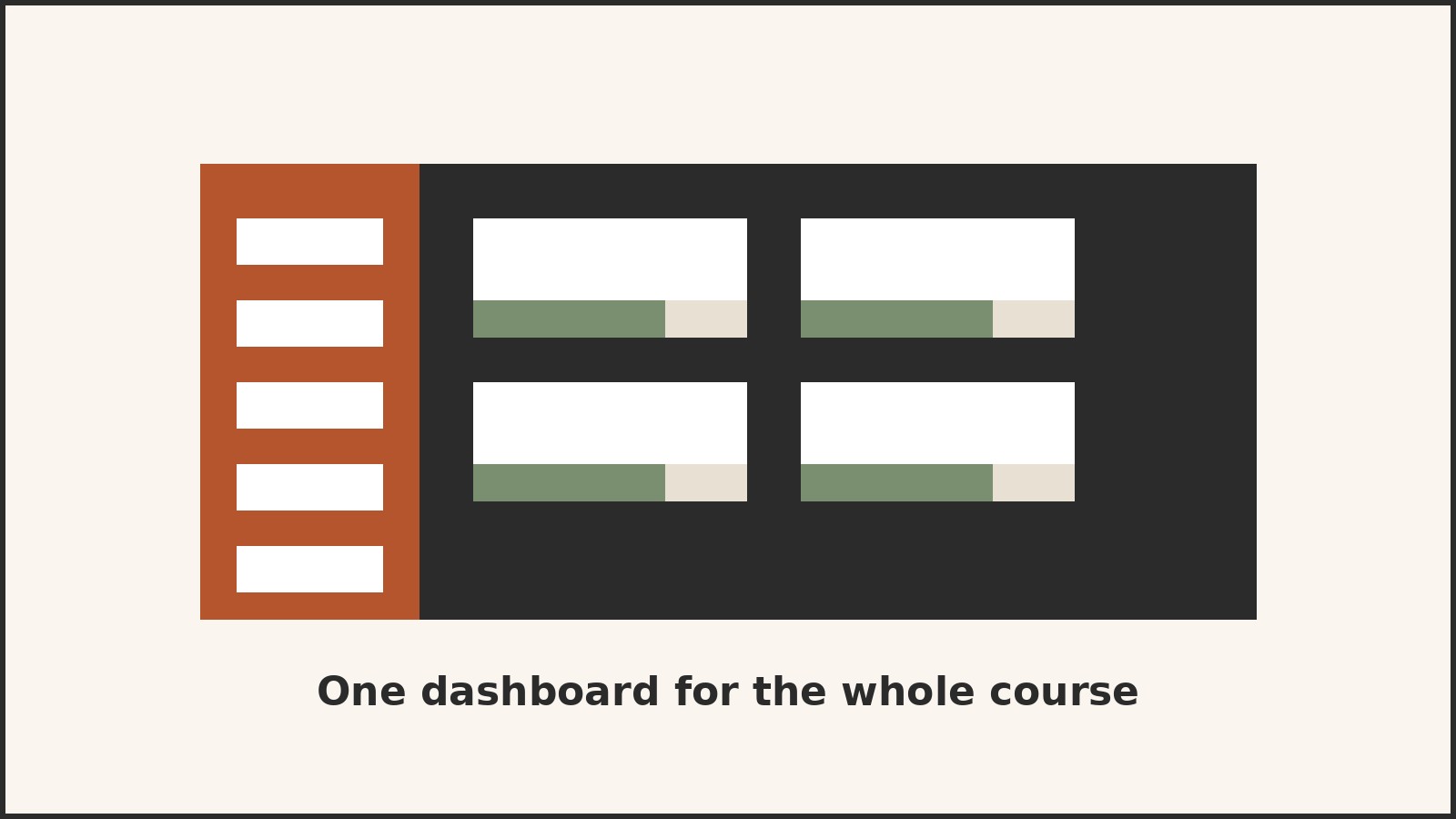
Another way to picture it is as a course hub. The University of Illinois Center for Innovation in Teaching and Learning describes an LMS as a software application that provides access to course resources such as a syllabus, a gradebook, discussion boards, and due dates. That list is a good test for whether a tool is really acting as an LMS. If learners still have to go elsewhere for the syllabus, the assignment, the grade, and the discussion, the system is not yet doing the hub job, even if it stores files well. The word “system” matters too. An LMS is a set of connected features that share the same course structure, the same list of users, and the same records, so a quiz result can appear in the gradebook, update a progress view, and feed a report without being retyped.
The parts of a typical LMS
Different products arrange their features differently, and no two LMS products offer exactly the same set. Still, most systems that deserve the name share a recognizable set of parts.
Course and content management is the foundation. Teachers and trainers create a course structure, usually as modules, units, or weeks, and place materials inside it: pages, documents, videos, links, and activities. A course catalog or course list then controls which courses are visible to which learners.
Enrollment and access control decide who can enter a course and what they can do there. An administrator or teacher enrolls learners, often in groups or cohorts, and assigns roles. A learner can usually view materials, take part in activities, and submit work. A teacher can usually create and edit content, grade work, and view progress. An administrator can usually manage users, courses, and settings across many courses.
Communication tools keep the course conversation in one place. Discussion boards let learners and teachers exchange ideas over time, rather than only during a live session. Announcements carry time-sensitive information, such as a changed deadline. Messages let a teacher contact a learner, or a learner ask a question, without moving to a separate email thread that loses its connection to the course.
Assessment and grading turn learning into checkable evidence. Quizzes and tests can be set with different question types, time limits, and attempts. Assignments accept file uploads or text entries, and teachers can return feedback and grades. A gradebook collects those results in one view, so a learner can see where they stand and a teacher can see where a class is struggling.
Progress tracking, reporting, and automation are what make an LMS a management system rather than just a delivery system. The system records enrollment, activity, completion, and scores, and turns those records into views and reports. A learner might see which modules are complete and which are still open. A teacher might see which learners have not started an assignment or which quiz questions most learners missed. A manager might see completion across a team for a required training program. Automation handles repetitive work behind the scenes, such as adding groups of users, opening a course on a set date, sending reminders before a deadline, or issuing a certificate when a course is complete.
Who uses an LMS, and for what
An LMS is used in education and in work, and the same core idea serves different goals in each setting. In schools, colleges, and universities, the LMS is usually tied to classes and terms. Teachers post syllabi, readings, and lecture materials, set assignments and due dates, run discussions, and post grades. Learners use one login to reach all their courses, check what is due, submit work, and see feedback. The LMS may also support blended learning, where classroom teaching is combined with online materials and activities, and fully online courses, where the LMS carries most of the teaching and interaction. In higher education, it can also support a flipped classroom, in which learners study materials before class and use class time for discussion and practice. The point is not to replace teaching. It is to give teaching a stable, organized online setting.
In workplaces, the LMS is usually tied to roles, programs, and requirements. Common uses include onboarding new employees, delivering product or process training, keeping required compliance training up to date, and supporting ongoing professional development. A new hire might work through a set sequence: company orientation, role training, safety modules, and assessments, with completion recorded at each step. An existing employee might be assigned refresher training when a policy changes or a certificate is due to expire. Managers can then see who has completed required training and who still needs to do it, which matters when training is linked to safety, legal, or quality requirements.
A learner’s view, and a teacher’s view
For most readers, the most useful way to understand an LMS is to walk through it as a learner. A learner usually starts by signing in with an account provided by the school, employer, or training provider. After signing in, they see a dashboard or course list: the courses they are enrolled in, what is due soon, and any announcements. That dashboard is the learner’s home base. Instead of searching email for the latest instructions, the learner opens the course and finds the current structure in one place.
Inside a course, the learner moves through modules or weeks in order, or dips into specific items as needed. A module might contain a reading, a short video, a discussion prompt, and a quiz. The learner reads or watches the material, joins the discussion, and completes the activity. When work is submitted, the system records the submission, and when grading is complete, the result and any feedback appear in the gradebook or on the assignment itself. Progress views help the learner stay oriented: a checklist or progress bar shows which items are complete, which are in progress, and which are overdue. That view answers the questions learners ask most often: What do I need to do next? What have I already finished? What is due soon?
From the teacher’s side, an LMS is both a publishing tool and a classroom management tool, and the work usually falls into three phases: building the course, running it, and reviewing results. Building means creating the structure and filling it with materials, activities, due dates, and grading settings, often from a blank course, a copied previous course, or an institutional template. A well-built course is easy to navigate: learners can tell what to do first, what is required, and what is optional, without needing to ask for directions that should have been in the course itself. Running means communication, monitoring, and feedback: announcements, discussion replies, grading, and adjustments when needed, all kept connected to the course. Reviewing means looking at patterns, not just individual grades: which items did most learners complete, which quiz questions were most often missed, and which learners have not engaged recently. Those patterns point to where teaching needs to change, but the LMS does not make those teaching decisions. It makes the evidence for them easier to see.
Types of LMS: deployment, licensing, and audience
The term LMS covers products that differ in important ways. Four distinctions help a reader sort them without getting lost in product names.
The first distinction is deployment: where the software runs and who maintains it. In a cloud-based LMS, the provider hosts the system and usually handles updates, maintenance, and infrastructure, and users reach it through a web browser or app with a username and password. In a self-hosted LMS, the organization installs and runs the software on its own servers, which gives it more control over customization and data handling but also makes it responsible for maintenance, updates, and security. A third-party hosted option sits between those two: another organization hosts the system on the customer’s behalf.
The second distinction is licensing and source code. A proprietary LMS is owned by a vendor, licensed under the vendor’s terms, and usually supported by that vendor. An open source LMS has source code that is shared under an open license, so an organization can inspect, adapt, and extend it, often with help from a community of users and developers. Open source does not always mean free in total cost: hosting, support, customization, and training can still cost time and money, even when there is no license fee for the software itself. Moodle is a widely cited example of an open source LMS, used in education and workplace settings for blended learning, distance education, and other online learning projects.
The third distinction is audience and emphasis. An academic LMS emphasizes course structures tied to terms, syllabi, gradebooks, and class discussion. A corporate or enterprise LMS emphasizes role-based training, compliance tracking, onboarding sequences, and reporting across teams. Many products serve both audiences, but their default language, reports, and workflows usually reveal which audience they were designed for first.
The fourth distinction is between an LMS and a learning content management system, often shortened to LCMS. An LCMS is built mainly for creating and managing learning content, especially reusable content objects that can be assembled into different courses. An LMS is built mainly for managing learners, enrollment, delivery, and records. In practice, many modern products combine both jobs.
What an LMS is not
Confusion about LMS products often comes from nearby tools that share some features. An LMS is not a website. A website can publish course information, but it does not normally enroll learners, track progress, grade work, and report completion in a connected record. An LMS is not a video conferencing tool. Live sessions matter, and many LMS products integrate with meeting tools, but the meeting is an event inside a course; the LMS holds the course structure, materials, assignments, and records around that event.
An LMS is also not a massive open online course platform by itself. A MOOC platform is a service that offers large, often open courses to many learners. It may run on LMS-like software, but its defining feature is the open, large-scale course offering, not the management system underneath.
An LMS is also not a learning experience platform, often shortened to LXP, although the two are often compared. An LXP typically emphasizes discovery and personalized recommendations: it suggests content based on a learner’s interests, role, or past activity, often pulling from many sources. An LMS typically emphasizes structured delivery and records: assigned courses, required sequences, grades, and completion reports. Some products blend both approaches, but the emphasis matters. If the main need is to assign required training and prove completion, structured management matters most. If the main need is to help learners discover relevant material on their own, discovery and recommendation matter more.
Standards that let courses move between systems
One of the least visible but most practical parts of LMS technology is standards: agreed ways for course content and systems to work together. Without standards, a course built in one tool might need to be rebuilt for another system, and results recorded in one place might not transfer to another.
The best-known standard is SCORM, short for Sharable Content Object Reference Model. The United States government’s Advanced Distributed Learning Initiative created SCORM to encourage standardization across LMS products. In practical terms, SCORM defines how learning content is packaged and how that content communicates with an LMS, so a conformant course can be launched in a conformant LMS and report back completion and scores. That portability is why SCORM remains relevant even as newer standards appear: organizations with large libraries of existing courses want those courses to keep working when systems change.
Two other standards are worth knowing by name. xAPI, sometimes called the Experience API, is designed to record learning experiences more broadly than a single LMS course, including activities that happen outside the LMS, such as reading an article, watching a video, or completing a simulation. LTI, short for Learning Tools Interoperability, is designed to let external tools plug into an LMS more cleanly, so a learner can open a third-party quiz, simulation, or publisher tool from inside the course without a separate login and with results flowing back. A reader does not need to master these standards to understand an LMS, but knowing their purpose helps when evaluating a product: ask what standards it supports, and what happens to courses and records if the organization later changes systems.
Synchronous, asynchronous, blended, and flipped learning
An LMS supports different rhythms of learning, and the vocabulary for those rhythms appears in almost every LMS discussion. Synchronous learning happens at the same time for teacher and learners, even if they are in different places. A live online class or a scheduled webinar is synchronous. The LMS organizes these events, holds the materials around them, and records attendance or participation where relevant, but the live interaction itself happens in real time.
Asynchronous learning happens at different times. Learners open materials, join discussions, and submit work when their schedule allows, within deadlines set by the course. Discussion boards are a classic asynchronous tool: a learner can reply thoughtfully hours after the original post, and the whole exchange remains visible for later review.
Blended learning combines classroom teaching with online learning tools. A teacher might teach in person and use the LMS for readings, assignments, discussion, and grades. The online part enriches the classroom part rather than replacing it. Flipped learning is a specific kind of blend: learners study materials, such as readings or recorded explanations, before class, and class time is used for discussion, problem solving, and practice. In both cases, the LMS is the stable online setting that holds the materials and activities around the face-to-face work.
Benefits, limits, and common problems
The benefits of an LMS are real, but they are best stated in plain terms, without promising outcomes the system alone cannot deliver. Centralization is the first benefit: courses, materials, communication, assessment, and records live in one organized place, so learners spend less time searching and teachers spend less time repeating instructions across separate tools. Consistency is the second: the same training can be delivered to many learners with the same materials, sequence, and assessment, which matters for quality and for compliance. Flexibility is the third: learners can often study at times and places that fit their schedules, and organizations can reach distributed learners without gathering everyone in one room. Record-keeping is the fourth: progress and completion are recorded in a form that can be reviewed, reported, and audited. Efficiency is the fifth: automating enrollment, reminders, grading of fixed-answer quizzes, and certificate issue removes repetitive work, although setting up those automations takes effort up front.
Each benefit has a matching limit. Centralization helps only if the course is well organized; a messy LMS course can be harder to navigate than a simple set of documents. Consistency helps only if the shared materials are good; delivering the same weak course to more people is not an improvement. Flexibility helps only if learners have reliable access and support. Record-keeping helps only if the records measure something meaningful; completion alone does not prove understanding. Efficiency helps only if automation is checked; an automated reminder sent at the wrong time, or a quiz graded by a flawed answer key, creates work rather than removing it.
Other limits deserve naming. Setup and integration take expertise: connecting an LMS to student or staff systems, setting roles and permissions, and migrating existing courses all require planning and testing. One system rarely fits every learning style, and courses that rely on only one format, such as long videos or only quizzes, will leave some learners behind. Reporting can also disappoint, since some systems offer detailed analytics while others offer only basic completion and grade views. Engagement is another limit: an LMS can record that a learner opened a page or completed a quiz, but it cannot record whether the learner understood, cared, or will remember the material next month.
Accessibility, privacy, and data handling are part of operating a learning system responsibly, not optional extras. Accessibility means learners with disabilities can use the LMS and its courses, including text alternatives for images, captions or transcripts for audio and video, sufficient color contrast, keyboard access, and a reading order that makes sense to a screen reader. Privacy means personal and learning data are collected only for legitimate learning and administrative purposes, kept only as long as needed, and visible only to people with a legitimate role.
Questions to work through before adopting an LMS
This article does not recommend a product, and it does not offer purchase advice. It does set out the questions that organizations usually need to answer before adopting any LMS, because those questions reveal whether an LMS fits at all, and which kind fits best. First, what is the main job? Is the priority structured courses with grades, required training with compliance records, onboarding sequences, open discovery of learning material, or some combination? Second, who are the learners and teachers, and in what settings will they use the system: how many learners, in how many locations, on what devices, with what access and support? Third, what content already exists, and what must happen to it: are there existing courses to migrate, in what format, and what would be lost if they had to be rebuilt? Fourth, what integrations are essential, such as a student information system, a human resources system, an identity system, or specific teaching tools, and which are needed on day one? Fifth, what reports and records are required, who needs to see them, and can the system produce them from real course data? Sixth, what support, training, and maintenance will be available, and who will administer the system, train teachers and learners, and keep courses current? Seventh, how will success be judged? Completion alone is a weak measure. Better measures combine completion with assessment results, learner feedback, teacher experience, and, where relevant, changes in workplace performance or later course outcomes.
Frequently asked questions
What is a learning management system in simple terms?
It is software that organizes a course or training program in one place. It holds the materials, controls who can take part, delivers lessons and assignments, records progress and grades, and produces reports. Think of it as the online home and record office for a course, rather than as a single lesson or video.
Is an LMS the same as an online course?
No. An online course is a unit of learning: its materials, activities, and assessments. An LMS is the system that hosts, delivers, and manages courses. One LMS can host many courses, and the same course idea can exist in different LMS products, although moving it between systems may require work, especially if it uses specific standards or tools.
Do learners need special software to use an LMS?
Usually not beyond a web browser and an account provided by the school, employer, or training provider. Many LMS products also offer a mobile app, but the core experience is normally through the browser. Learners should check the requirements for their specific course, since some activities, such as proctored assessments or specialized simulations, may need additional tools.
What is the difference between an LMS and a virtual learning environment?
In practice, very little, and the terms are often used for the same kind of system. Virtual learning environment, shortened to VLE, is more common in the United Kingdom and in education, while learning management system is more common in the United States and in workplace training. Compare features and purpose rather than relying on the label alone.
Can an LMS replace a teacher?
No. An LMS can automate administrative tasks, deliver materials, mark fixed-answer quizzes, and record results, but it cannot design a course, judge open-ended work with the same care as a teacher, respond to a learner’s confusion with the same judgment, or motivate a class. Its value is in giving teachers a reliable setting and useful evidence, so teaching time can go to the work that needs human judgment.
What does SCORM do, and do I need to understand it as a learner?
As a learner, you do not need to understand SCORM. It works behind the scenes. SCORM is a set of specifications that lets learning content packaged in a standard way run in a conformant LMS and report back results such as completion and scores. It matters mainly to course authors and administrators, because it affects whether a course can move between systems without being rebuilt.
Is an open source LMS free?
The software itself may be available at no license cost under an open license, but running it still takes work: hosting, setup, maintenance, updates, support, and training. Some organizations run an open source LMS themselves, others pay a provider to host and support it. The honest comparison is total cost and effort over time, not license cost alone.
What should a first-time LMS user do first?
Start with the dashboard and one course, not with every feature. Find where materials live, where assignments are submitted, where grades and feedback appear, and where announcements and discussions happen. Then complete one small activity end to end: open a module, submit a practice item if one is available, and check that the submission and any result appear where expected. That short walkthrough answers most first-week questions before they become problems.
Sources & references
- TechTarget, "What is a Learning Management System (LMS)?" Opened and read October 25, 2026. Definition of an LMS as a software application or web-based technology used to plan, implement, and assess a specific learning process, with a server and user interface; instructor tools for creating and delivering content, monitoring participation, and assessing performance; student features including threaded discussions, video conferencing, and discussion forums; users including businesses, government agencies, and traditional and online schools and higher education institutions; management of user registration and access, content, calendars, communication, quizzes, certifications, and notifications; Advanced Distributed Learning Initiative creation of SCORM; examples of educational LMS products including Blackboard Learn, Canvas LMS, and Moodle, and enterprise examples including Cornerstone LMS, Docebo Learn LMS, LearnUpon, and TalentLMS; deployment types including cloud-based, self-hosted, third-party hosted, desktop, mobile, custom-built, and open source; LCMS distinction; features including reports and analytics, catalog and course management, content interoperability through SCORM and xAPI, certification and compliance support, social learning, gamification, automation, localization, and artificial intelligence; use cases including onboarding, development and retention, sales training, and blended learning.
- University of Illinois Center for Innovation in Teaching and Learning, "What is a Learning Management System?" Opened and read October 25, 2026. Definition of an LMS as a software application providing access to course resources such as a syllabus, gradebook, discussion boards, and due dates; Illinois campus examples including Blackboard Learn, Moodle, and Canvas, with Compass 2g retired in June 2022 and Canvas becoming the primary LMS.
- EDUCAUSE, "The Learning Management System Evolution" and related LMS resources, as found in search results October 25, 2026. Description of an LMS as the course hub for management and administration, communication and discussion, creation and storage of materials, and assessment of subject mastery. Note: the EDUCAUSE report page itself was located through search, and its hub description is used only for that general framing; detailed EDUCAUSE findings are not cited as verified in this draft.


