Short answer
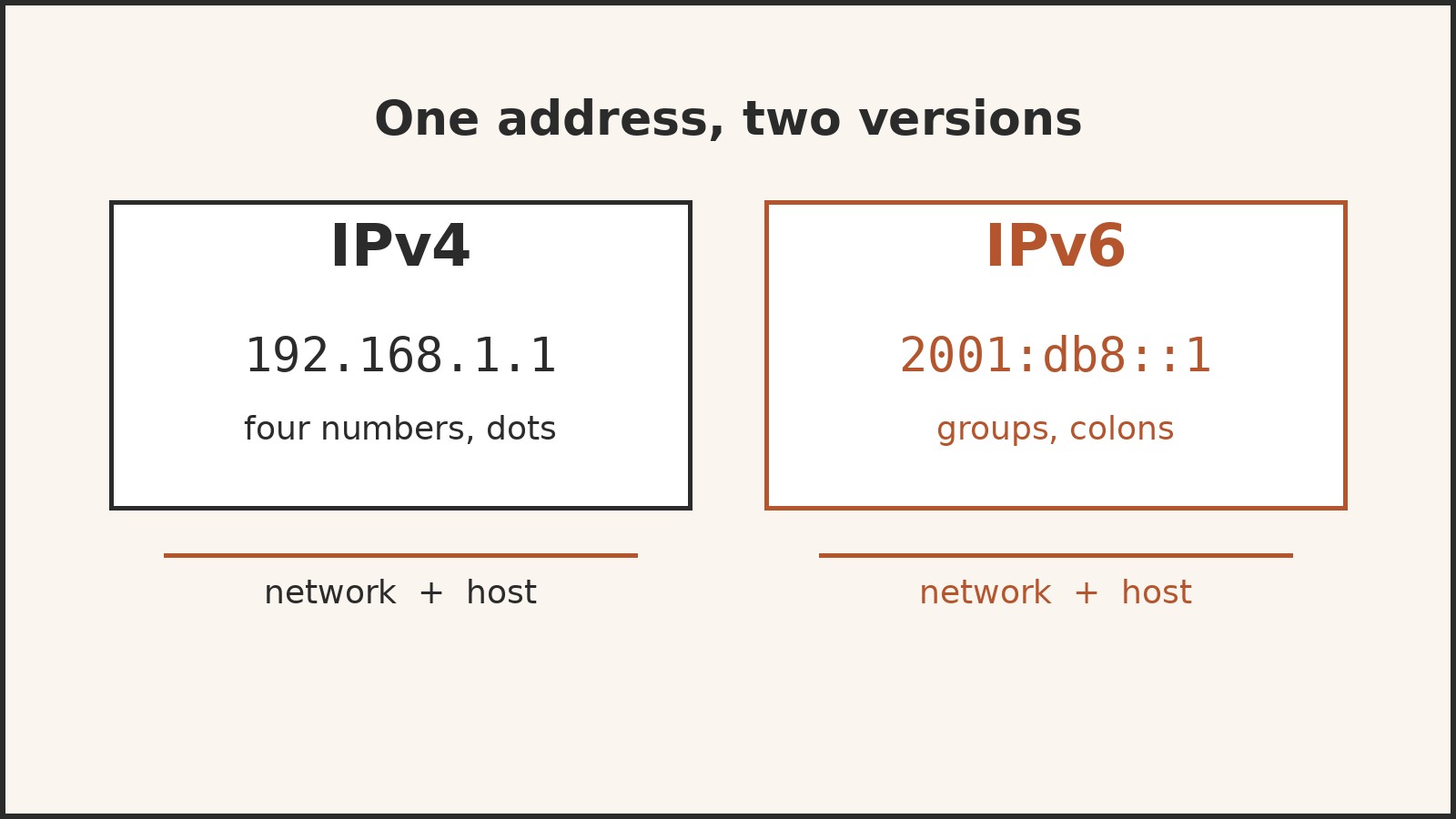
- An IP address is a number assigned to a device on a network that uses the Internet Protocol, and it does two jobs at once: it identifies the device's network connection, and it gives the location of that connection on the network so data can be routed to it. Think of it as a postal address for the internet: without one, a message has no destination, and replies have nowhere to go. The older and still common form, IPv4, looks like 192.168.1.1, four numbers separated by dots. The newer form, IPv6, looks like 2001:db8::1, groups of hexadecimal characters separated by colons, and it exists because the world ran short of IPv4 numbers.
The postal analogy, and where it breaks
The postal analogy is the easiest way into the subject, and it is worth using carefully because it breaks in one instructive place. A street address identifies a building, and mail carriers use it to route letters from sorting office to sorting office until the letter reaches the right door. An IP address works the same way for data: a message is broken into packets, each packet carries the destination IP address in its header, and routers pass the packet from network to network until it arrives.
Where the analogy breaks is permanence. A house keeps its street address for decades. An IP address, by contrast, is often lent rather than owned. Your home network may receive a different public address from your internet service provider (ISP) from one week to the next, and the devices inside your home get their own local addresses from your router. The address identifies a connection at a point in time, not a person or a machine forever.
A second difference is that a postal address is meant for humans to read and remember. An IP address is meant for machines. People use names instead, which is why you type amberaisle.com rather than a string of numbers.
The two jobs of an IP address
Every IP address serves two principal functions, and keeping them separate clears up a lot of confusion.
First, identification. The address identifies a network interface, which is the connection point where a device joins a network. Strictly speaking, the address belongs to the interface rather than to the device itself: a laptop with both a wired connection and a wireless connection has a different address on each.
Second, location addressing. The address also encodes where that interface sits in the network, so routers can work out which direction to send a packet. This is why an IP address is not just a random serial number. Its early digits point to a network, and its later digits point to a device within that network. A router does not need to know every device on Earth; it only needs to know which neighboring network is one step closer to the destination network.
IPv4: the four number address
Internet Protocol version 4, IPv4, is the original version of the protocol that was first deployed for production use in 1983, and it remains widely used today. It is defined in IETF publication RFC 791, published in September 1981. An IPv4 address is a 32 bit number, which means it is made of 32 binary digits. That gives 2 to the power of 32 possible addresses, or 4,294,967,296 in total. When the internet was young, four billion addresses sounded inexhaustible. It turned out not to be.
Humans almost never see the 32 bit binary form. Instead, IPv4 addresses are written in dot decimal notation: the 32 bits are split into four groups of 8 bits, each group is written as a decimal number from 0 to 255, and the groups are separated by dots. Each 8 bit group is called an octet. So 192.168.1.1 is four octets: 192, 168, 1, and 1.
The best known IPv4 example is also one you probably already have at home: addresses beginning 192.168 are used inside private networks, and 192.168.1.1 is a common address for a home router itself. The numbers themselves carry no meaning in isolation; their meaning comes from which network they belong to, which the next section explains.
Network part and host part: reading an address
An IPv4 address is always read as two parts. The first part, the network prefix, identifies the network. The second part, the host identifier, identifies a particular device within that network. Which bits belong to which part is decided by the subnet mask or by CIDR notation, and understanding that split is the key to reading any IPv4 address.
Take the example 192.0.2.1 with a subnet mask of 255.255.255.0. In CIDR notation, the same thing is written 192.0.2.1/24, where the 24 means that the first 24 bits are the network part and the remaining 8 bits are the host part. The mask 255.255.255.0 says the same thing in older notation: the 255s mark the network portion, the 0 marks the host portion. Under this split, every address from 192.0.2.1 to 192.0.2.254 belongs to the same network, and the last number picks out one device on it.
In the early internet, this split was rigid: networks were handed out in fixed classes called A, B, and C, with the split always falling on an octet boundary. That system wasted enormous numbers of addresses, because an organization that needed 300 addresses had to take a block of 65,536. Classless Inter-Domain Routing (CIDR), introduced in 1993, replaced the fixed classes with variable length prefixes like /24, /16, or /8, so blocks could be sized to fit need. The old class names survive only as jargon and as default settings in some equipment.
Two special addresses in every IPv4 network are worth knowing. The first address in a network, with all host bits set to zero, is the network address itself, and the last address, with all host bits set to one, is the broadcast address used to send a message to every device on that network at once. Neither can be assigned to an ordinary device. In a /24 network such as 192.168.0.0/24, that means 192.168.0.0 is the network address, 192.168.0.255 is the broadcast address, and 254 addresses remain for devices.
IPv6: the longer address
IPv6 is the successor to IPv4, and it was designed for a world in which four billion addresses are not enough. The current specification is RFC 8200, published in July 2017 as Internet Standard 86, replacing the earlier RFC 2460 from 1998. An IPv6 address is 128 bits long, four times the length of an IPv4 address. That gives 2 to the power of 128 possible addresses, about 340 undecillion, a number so large that the practical problem of running out simply disappears. It is often said that IPv6 provides enough addresses for every device imaginable; strictly, the number is finite, but for planning purposes it is effectively inexhaustible.
IPv6 addresses are written in hexadecimal, which uses the digits 0 to 9 and the letters a to f. The 128 bits are split into eight groups of 16 bits, each group written as up to four hexadecimal characters, and the groups are separated by colons. A full example is 2001:0db8:0000:0000:0000:8a2e:0370:7334. That is long to type, so two shortening rules exist. Leading zeros in any group can be dropped, and one run of consecutive all zero groups can be replaced by a double colon. Applying both rules, the example shortens to 2001:db8::8a2e:370:7334. The double colon can only be used once in an address, because otherwise the shortened form would be ambiguous.
IPv6 also changes some behaviors. It has no broadcast addressing: the job broadcast did in IPv4 is handled by multicast, sending to a defined group of receivers, including a special all nodes address. And it was designed so that devices can configure their own addresses automatically from information advertised by the local router, a process called stateless address autoconfiguration.
IPv4 and IPv6 side by side
| Feature | IPv4 | IPv6 |
|---|---|---|
| Address length | 32 bits | 128 bits |
| Total addresses | 4,294,967,296 | About 340 undecillion (2 to the power of 128) |
| Written form | Four decimal octets, dot separated, for example 192.168.1.1 | Eight hexadecimal groups, colon separated, for example 2001:db8::1 |
| Defining specification | RFC 791, September 1981 | RFC 8200, July 2017 (Internet Standard 86) |
| First production deployment | 1983 | Commercial deployment from the mid 2000s |
| Broadcast | Yes, including 255.255.255.255 | No, replaced by multicast |
| Address configuration | Usually DHCP or manual | Autoconfiguration plus DHCPv6 |
| Private address space | Three ranges reserved by RFC 1918 | Unique local addresses, fc00::/7 |
The two versions are not compatible with each other: an IPv4 only device cannot talk directly to an IPv6 only device. Networks therefore run both at once, a setup called dual stack, and translation or tunneling mechanisms bridge the gap where one side is missing. That coexistence is expected to last for many years, which is why learning both formats is worthwhile rather than treating IPv6 as a distant future.
Public and private addresses
Not every IP address is visible on the public internet. A public IP address is globally unique and globally routable; it is the address your ISP assigns to your home network, and it is the address the rest of the internet sees when your household goes online. A private IP address is used only inside a local network, such as a home or office. Private addresses are not routed on the public internet, and they need no coordination with any registry, because they only have to be unique within their own network. That is why your laptop can be 192.168.1.20 and millions of other laptops around the world can be 192.168.1.20 too: the addresses never meet, because each one stays inside its own home.
Three IPv4 blocks are reserved for private use by RFC 1918, published in February 1996:
| Block | Address range | Number of addresses |
|---|---|---|
| 10.0.0.0/8 | 10.0.0.0 to 10.255.255.255 | 16,777,216 |
| 172.16.0.0/12 | 172.16.0.0 to 172.31.255.255 | 1,048,576 |
| 192.168.0.0/16 | 192.168.0.0 to 192.168.255.255 | 65,536 |
Home routers almost always use the 192.168 range by default, typically 192.168.0.0/24 or 192.168.1.0/24, which is why those numbers feel familiar. Large organizations tend to use the much bigger 10 range, which holds more than sixteen million addresses.
IPv6 has its own private equivalent, called unique local addresses, in the prefix fc00::/7. These include a 40 bit pseudorandom number, which makes it unlikely that two organizations that later merge will have chosen the same private addresses and collide. IPv6 also defines link local addresses, beginning fe80::, which are automatically assigned to every interface for communication on its own local link only. Link local addresses are never routed on the public internet. An older IPv6 private form, site local addresses beginning fec0::, was deprecated and must not be used in new systems.
NAT: how one public address serves a whole household
If every device in a home has only a private address, how does it reach the public internet? The answer is Network Address Translation, NAT. Your router holds the household’s single public address on its internet facing side and hands out private addresses on the home side. When a laptop sends a request outward, the router rewrites the packet’s source address to the public address and notes which internal device and port number the reply should go back to. When the reply arrives, the router reverses the translation and delivers it to the right device.
This is why a website sees one address for your whole household, and why devices inside the home cannot be reached directly from outside unless the router is deliberately configured to forward traffic inward.
NAT is not the same as security on its own. It blocks unsolicited inbound connections by default, because an incoming packet with no matching translation entry has nowhere to go, but it does not inspect content or authenticate anything.
Who hands out addresses: from IANA to your router
No single company owns IP addresses. They are handed down through a hierarchy of registries, and tracing that chain explains both who controls the system and why addresses can run out.
At the top sits the Internet Assigned Numbers Authority, IANA, which maintains the global registries of IP address space. IANA allocates large blocks to the five Regional Internet Registries (RIRs), each responsible for a geographic region: ARIN for North America and parts of the Caribbean, RIPE NCC for Europe, the Middle East, and parts of Central Asia, APNIC for the Asia Pacific region, LACNIC for Latin America and the Caribbean, and AFRINIC for Africa. The RIRs in turn allocate blocks to local registries, typically ISPs and large organizations, which assign addresses to their customers and end users. The global policy governing the allocation of the remaining IPv4 space from IANA to the RIRs was set out by ICANN, which operates IANA, and it describes an exhaustion phase in which each RIR receives a final reserved block once the central pool is empty.
Static, dynamic, and sticky addresses
Within a network, an address assignment is either static or dynamic. A static address is configured deliberately and does not change unless someone changes it. Routers, mail servers, and other infrastructure are typically given static addresses, because other devices and services need to find them reliably at the same place every time.
A dynamic address is assigned automatically when a device joins the network, and it may change. The most common mechanism is the Dynamic Host Configuration Protocol, DHCP. When a device connects, it asks the network for configuration, and a DHCP server offers an address together with a lease, an expiry period after which the device must renew. If the lease is not renewed, the address can be given to another device.
Between the two sits an informal middle category, the sticky address. A sticky address is technically dynamic, but the DHCP server is configured to offer the same address to the same device, identified by its hardware address, every time it asks. It usually stays the same, but there is no guarantee: unlike a static address, a sticky address can change if the server’s rules or pool change.
IPv6 adds its own automatic mechanism alongside DHCPv6. In stateless address autoconfiguration, a device listens to router advertisements on its local link and builds its own address from the advertised prefix plus its interface identifier. If no static or dynamic configuration is available at all, a device can fall back to a link local address, which at least lets it communicate with neighbors on the same link.
What happens when you visit a website
Putting the pieces together, here is what happens, in simplified form, when you type a web address and press enter.
First, your device asks DNS to translate the name you typed into an IP address, which might be an IPv4 address, an IPv6 address, or both. Second, your device builds packets addressed to that destination address, with your own address as the source. Third, your router, applying NAT if you are on a private network, forwards the packets toward your ISP using its public address. Fourth, routers along the path read only the destination address in each packet header and forward the packet one hop closer to the destination network. Finally, the destination server sends its reply back along the reverse path, and your browser reassembles the replies into the page you see.
Two points in that journey are worth pausing on. The first is that routers do not care about the contents of your message; they care about the destination address, which is why the address structure, network part first and host part second, matters so much. The second is that your device’s own address appears in every packet it sends, which is why an IP address can reveal, in broad terms, which network a request came from. It is not a name, and on its own it does not identify a person, but it is not nothing either.
Why IPv4 ran out, and why IPv6 took so long
IPv4 exhaustion was predicted for years before it arrived, because the arithmetic was never in doubt: 32 bits gives about 4.3 billion addresses, and the internet added devices far faster than anyone in the 1980s imagined. Three techniques stretched the supply. CIDR made allocation efficient instead of wasteful. Private addresses and NAT let whole networks share single public addresses. And registries tightened their rules, requiring stronger justification for new blocks.
Even so, IANA’s central pool of unallocated IPv4 blocks reached exhaustion in the early 2010s, and new public IPv4 addresses now mostly come from recovered, returned, or transferred space rather than from a central pool.
If IPv6 solves the problem so cleanly, why did adoption take decades? The honest answer is that switching costs are real and the benefit is collective. IPv4 and IPv6 are not compatible, so every network, device, and service along a path has to support the new version before it can be used end to end. ISPs, businesses, and equipment makers each faced upgrade work whose payoff depended on everyone else upgrading too. The transition therefore proceeded gradually, with dual stack operation letting the two versions coexist, rather than as a single switchover.
What an IP address is not
Several lookalike concepts cause persistent confusion, so it is worth separating them plainly.
An IP address is not a MAC address. A MAC address is a hardware identifier built into a network interface by its manufacturer, and it operates at a lower layer of networking, identifying a device on its local link. An IP address operates at the network layer and can change when a device moves networks; a MAC address normally travels with the hardware.
An IP address is not a domain name. A domain name is a human readable label, and DNS maps it to one or more IP addresses. One name can map to several addresses, for load balancing, and one address can serve many names, in shared hosting.
An IP address is not a precise location. Geolocation databases estimate a location from an IP address, usually by recording where the ISP or organization that holds the block is registered, and the result is often a city or region rather than a street address. Estimates can be wrong, especially where addresses are shared through NAT or assigned from a distant pool. An IP address can suggest a broad area; it cannot reliably place a person at a door.
An IP address is not an identity document. Because most home addresses are dynamic and shared through NAT, a single public address may represent a whole household, a whole business, or many customers of a mobile network over the course of a day. It is evidence about a network connection at a time, not proof of who sat at the keyboard.
Finding your own address, and when it changes
For everyday purposes, the address most people mean by “my IP address” is their public address, the one their ISP assigned to their home network. Operating systems also display the private address of each interface in their network settings, which is the address the local router assigned inside the home.
Expect both to change sometimes. A router restart, a new ISP, a move to a different network, or the expiry of a DHCP lease can all produce a new address. A change of public address is normal and is not, on its own, a sign of a problem. If a service that depends on a fixed address stops working, such as remote access to a home server, a changed address is one of the first things to check.
IP addresses and privacy
Because an IP address appears in every packet a device sends, it is treated as personal data in some jurisdictions. The European Union treats IP addresses as personal data under the General Data Protection Regulation where they can identify a person, and in March 2024 the Supreme Court of Canada decided that IP addresses are protected private information under the Canadian Charter of Rights and Freedoms, so police need a warrant to obtain them.
For the ordinary reader, the practical point is modest. Your public IP address is visible to every website and service you contact, in the same way a return address is visible on a letter. That visibility is inherent to how the internet routes replies, not a defect or a leak. It is also limited: on its own, without additional records from an ISP, an address does not name you, and dynamic assignment plus NAT mean it often does not even single out one device.
Frequently asked questions
What is an IP address in simple terms?
An IP address is a number that identifies a device’s connection on a network and shows other devices where to send data for it. It works like a postal address for internet traffic: packets carry a destination address, routers use it to forward them, and replies use the sender’s address to come back.
What does an IPv4 address look like?
An IPv4 address is four decimal numbers from 0 to 255 separated by dots, for example 192.168.1.1. Each number is an octet, an 8 bit group, and together the four octets make a 32 bit address. IPv4 gives 4,294,967,296 possible addresses in total, before reservations for special purposes.
What does an IPv6 address look like?
An IPv6 address is eight groups of up to four hexadecimal characters separated by colons, for example 2001:db8::8a2e:370:7334. The double colon stands for one run of all zero groups, and leading zeros in a group can be dropped. IPv6 addresses are 128 bits long, giving about 340 undecillion possible addresses.
What is the difference between a public and a private IP address?
A public IP address is globally unique and routable on the internet; it is the address your ISP assigns to your home network. A private IP address is used only inside a local network, is not routed on the internet, and can be reused in millions of homes. The three private IPv4 ranges are 10.0.0.0 to 10.255.255.255, 172.16.0.0 to 172.31.255.255, and 192.168.0.0 to 192.168.255.255.
How is an IP address assigned?
Addresses flow down a hierarchy: IANA allocates large blocks to five Regional Internet Registries, the registries allocate to ISPs and large organizations, and ISPs assign addresses to customers. Inside a home, the router assigns private addresses to devices, usually automatically through DHCP, which leases an address for a period, or through IPv6 autoconfiguration. Infrastructure such as routers and servers usually uses a static address that does not change.
Does my IP address change?
Often, yes. Most home public addresses are dynamic and can change when the router restarts, the DHCP lease expires, or the ISP changes its assignments. A static address stays the same until deliberately changed, and a sticky address is dynamic but usually reissued to the same device. A changed address is normal and is not by itself a sign of trouble.
Is an IP address the same as a MAC address?
No. A MAC address is a hardware identifier for a network interface, used on the local link, and it normally stays with the device. An IP address is a network layer address that identifies the interface’s place on a network and can change when the device moves to another network. The two work at different layers and serve different purposes.
Can someone find my exact location from my IP address?
No, not reliably. Geolocation from an IP address gives a broad estimate, often a city or region, based on where the address block is registered. It can be wrong, especially where addresses are shared through NAT or assigned from a distant pool. An IP address does not give a street address or identify a person on its own.
Sources & references
- IETF, RFC 1918, "Address Allocation for Private Internets," February 1996, full text read October 25, 2026: the three private IPv4 blocks, the rule that private addresses need no coordination with IANA or a registry, the statement that private hosts cannot have IP connectivity outside the enterprise, and the warning that routing information about private networks must not be propagated between enterprises.
- Wikipedia, "IP address," read October 25, 2026: definition and two functions of an IP address, IPv4 32 bit size and 4,294,967,296 total, dot decimal notation and octets, CIDR example 192.0.2.1/24 and subnet mask 255.255.255.0, IPv6 128 bit size and about 340 undecillion addresses, IPv6 private and link local prefixes fc00::/7 and fe80::/10, DHCP and leases, sticky addresses, NAT behavior, multicast and anycast ranges, and the reference list naming RFC 791 (September 1981), RFC 2460 (December 1998), and RFC 8200 (July 2017, Internet Standard 86).
- American Registry for Internet Numbers (ARIN), "As Internet runs out of IPv4 addresses, web-enabled businesses must act now," July 27, 2010, read October 25, 2026: definition of an IP address, IPv4 described as conceived in 1981 with just over four billion addresses, IPv6 as a newer numbering system with an immensely larger pool, domain names mapping to IP addresses, and ARIN's service region.
- Internet Corporation for Assigned Names and Numbers (ICANN), "Global Policy for the Allocation of the Remaining IPv4 Address Space," read October 25, 2026: IANA allocation of IPv4 space to the Regional Internet Registries, reservation of one /8 per RIR, and the exhaustion phase triggered when a request cannot be fulfilled from the remaining IANA pool.


