Short answer
- A regular HTML element, the kind the HTML standard calls a normal element, is written with two tags: a start tag and an end tag, with the content between them.
<p>Hello</p>is one start tag, one piece of content, and one end tag. - The word "regular" is not the standard's term. The WHATWG HTML Standard divides elements into six syntax categories: void elements, the
templateelement, raw text elements, escapable raw text elements, foreign elements, and normal elements. "Regular" maps to the last group. - Some normal elements can be written with fewer visible tags. Void elements such as
imgandbrtake exactly one tag, a start tag, and end tags must not be written for them. - Several normal elements have optional tags. A
pend tag can be left out before certain elements, andhtml,head, andbodytags can often be omitted entirely. The element still exists in the page's document model; the tags were simply implied. - Foreign elements from SVG and MathML take two tags, or one self-closing start tag. The trailing slash in
<br />is ignored by the parser in HTML and does not make anything "self-closing."
Most introductions to HTML blur two words together: tags and elements. The blur is understandable, because the words describe two views of the same thing. Tags are the markup you type. The element is the thing the markup creates. Once you separate those ideas, the question answers itself, and the interesting part is where the simple answer stops working.
The Direct Answer: Two Tags, Three Parts
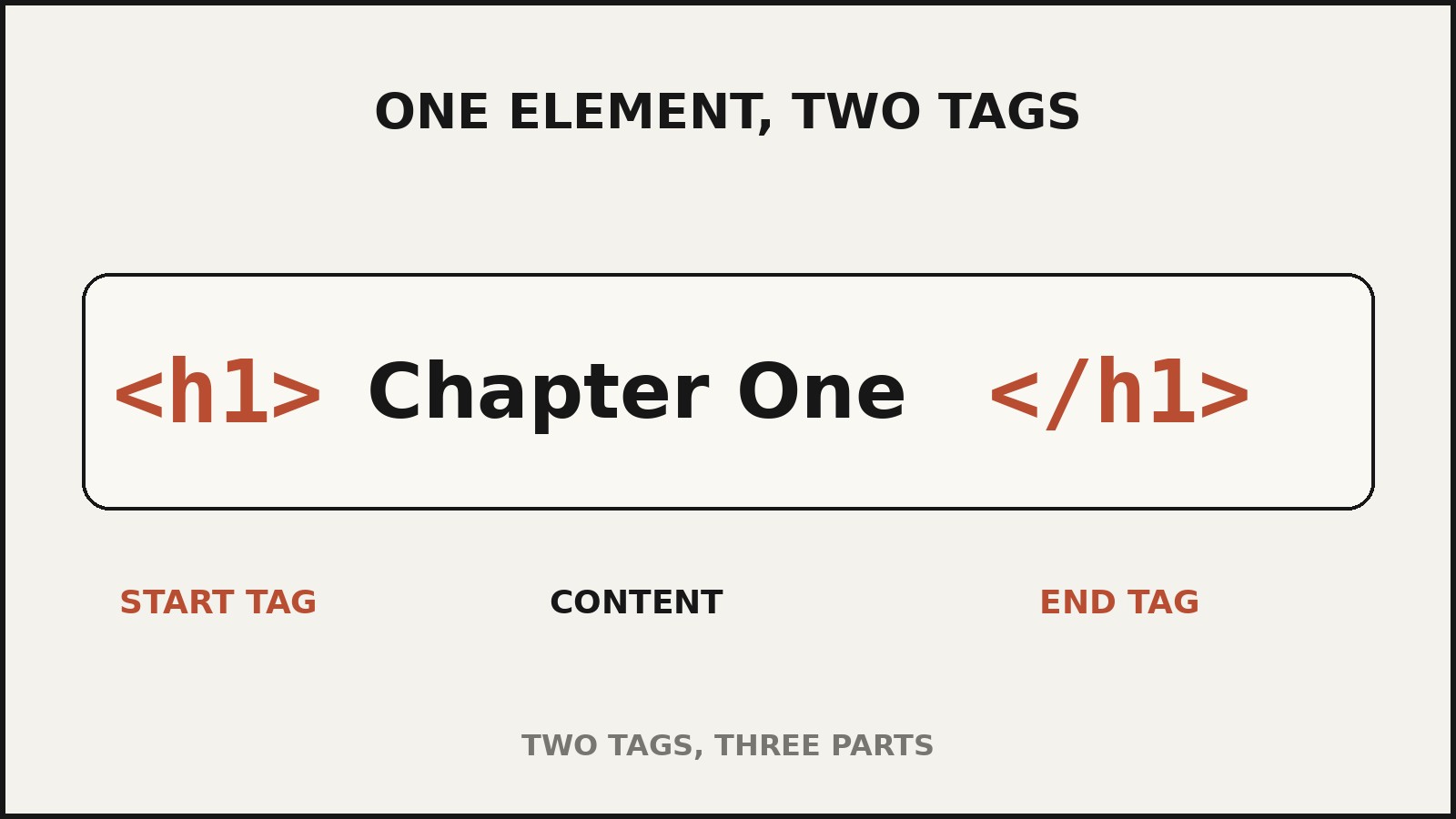
A regular HTML element is made of two tags: a start tag and an end tag. Between them sits the element’s content. In <h1>Chapter One</h1>, <h1> is the start tag, “Chapter One” is the content, and </h1> is the end tag. The slash in the end tag is the only visual difference between the two tags, and it is the piece beginners most often mix up.
You may see the answer phrased as “three” in some tutorials: start tag, content, end tag. That phrasing counts three parts, not three tags. Content is not a tag. A tag is specifically the bracketed markup, the part between < and >. Saying an element has three tags is the kind of small imprecision that causes real confusion later, so this article keeps the words strict: two tags, three parts.
The MDN Web Docs glossary, a widely used developer reference, puts it the same way: a typical element includes an opening tag with some attributes, enclosed text content, and a closing tag. It also stresses the deeper distinction that matters for everything below. Tags begin or end an element in the source code you write; the element itself is part of the DOM, the document model the browser builds when it displays the page.
Why “Regular” Means “Normal” in the HTML Standard
Here is the terminology wrinkle behind the keyword. Neither the WHATWG HTML Standard nor the W3C HTML specifications use the phrase “regular element.” The standard’s own word for the ordinary case is normal element, defined simply as every allowed HTML element that is not in one of the other categories. When tutorials and learners say “regular element,” they mean “the usual kind, with a start tag, content, and an end tag,” and that is exactly the spec’s normal element.
The standard lists six kinds of elements in its syntax section, each with its own rules about how many tags it takes. Knowing the list is the whole point of this article, because the two-tag answer is only true for the normal kind.
| Kind of element | Examples | How many tags it takes |
|---|---|---|
| Normal elements | p, div, h1, a, span, ul | Two: start tag and end tag (some tags can be omitted) |
| Void elements | img, br, hr, input, meta, link | One: start tag only; an end tag must not be written |
| Raw text elements | script, style | Two: start tag and end tag |
| Escapable raw text elements | textarea, title | Two: start tag and end tag |
The template element | template | Two: start tag and end tag (its content is stored specially) |
| Foreign elements | SVG and MathML elements such as svg, circle, math | Two, or one self-closing start tag |
The Anatomy of a Normal Element
Before meeting the exceptions, it helps to see the standard case in full detail, because every piece has a rule attached to it.
The start tag
A start tag opens with <, then the element’s tag name, then an optional sequence of attributes, then >. Attributes always live inside the start tag, never in the end tag and never floating between the tags. In <a href="https://amberaisle.com" rel="noopener">, the start tag is the entire stretch from < to the first >, and it carries two attributes, href and rel.
Two rules from the standard are worth knowing here. First, an element must never have two attributes whose names match case-insensitively, so <input name="x" NAME="y"> is non-conforming. Second, HTML tag names are case-insensitive, so <P>, <p>, and <P> all mean the same element. Lowercase is the universal convention, and every example in this article uses it.
The content
The content is everything between the end of the start tag and the beginning of the end tag. It can be text, other elements, or nothing at all. Normal elements are allowed to be empty, and an empty normal element still takes both tags: <div></div> is one element with two tags and no content. This is a common point of confusion. An empty element is not the same thing as a void element. A void element is defined by the standard as taking only a start tag; an empty normal element is a normal element whose content happens to be empty.
The end tag
An end tag opens with </, then the tag name, then optional whitespace, then >. It carries no attributes. The end tag’s job is to tell the parser exactly where the element’s content stops, which is why leaving it out (where the standard does not allow omission) can merge content into the wrong element.
The Six Categories, and What Each Does to the Tag Count
Normal elements: two tags
This is the default. If an element is not a void element, not template, not a raw text or escapable raw text element, and not from the MathML or SVG namespaces, it is a normal element, and it takes a start tag and an end tag. The vast majority of the elements you will ever write are normal elements: headings, paragraphs, links, lists, tables, forms, divisions, and spans.
Void elements: one tag
Void elements cannot have content, and the standard says this explicitly: since there is no end tag, no content can be placed between a start tag and an end tag. There are thirteen void elements in the current standard: area, base, br, col, embed, hr, img, input, link, meta, source, track, and wbr. Writing an end tag for one of them, such as </br> or </img>, is non-conforming. They each take exactly one tag.
Most void elements are one-shot instructions to the browser rather than containers: img pulls in an image, br inserts a line break, input creates a form control, meta carries metadata. Their attributes do the work that content does for normal elements. The src and alt attributes of img, for example, carry the image location and its text alternative because there is no content slot to hold them.
Raw text elements: two tags, with raw content
script and style are raw text elements. They take a start tag and an end tag, like normal elements, but their content is treated as raw text: the parser does not interpret markup inside it. That is why a JavaScript snippet containing < characters can sit inside a script element without the parser trying to read it as tags. The content has restrictions (it must not contain anything that looks like the element’s own end tag), but the tag count is the ordinary two.
Escapable raw text elements: two tags, with text plus character references
textarea and title take a start tag and an end tag, and their content is text in which character references such as & are still processed. Hence “escapable”: unlike fully raw text, you can escape your way out of the raw interpretation with character references. The text must not contain an ambiguous ampersand. Again, two tags.
The template element: two tags, with separately stored content
The template element takes a start tag and an end tag, but its content is not treated as ordinary children of the element. The standard specifies that template contents are stored in a DocumentFragment associated with a different document, so the markup inside a template does not render and does not interfere with the main page until a script clones it into place. It is the standard’s odd one out, which is why it gets its own category.
Foreign elements: one or two tags, with a genuine self-closing option
Elements from the MathML and SVG namespaces, such as svg, circle, path, math, and mfrac, follow their own rule: they must have either a start tag and an end tag, or a start tag marked as self-closing, in which case they must not have an end tag. <circle cx="50" cy="50" r="40" /> inside an SVG block is the real self-closing syntax, and it is only valid for foreign elements. This is the one place in HTML where the trailing slash genuinely means something.
Optional Tags: When the Answer Can Be Zero Visible Tags
The most surprising corner of the standard is its section on optional tags. Certain tags may be omitted, and omitting a start tag does not mean the element is gone. The element is implied and still exists in the document model. The standard’s own example: an HTML document always has a root html element, even if the string <html> never appears in the markup.
The rules are precise, and they reward careful reading:
- An
htmlstart tag may be omitted if the first thing inside the element is not a comment. Its end tag may be omitted if the element is not immediately followed by a comment. - A
headstart tag may be omitted if the element is empty or if the first thing inside it is an element. Its end tag may be omitted if it is not immediately followed by whitespace or a comment. - A
bodystart tag may be omitted if the element is empty or if the first thing inside it is not whitespace or a comment, with exceptions formeta,noscript,link,script,style, andtemplate. Its end tag may be omitted if it is not immediately followed by a comment. - A
pend tag may be omitted when the paragraph is immediately followed by one of a long list of block-level elements (address,article,aside,blockquote,details,dialog,div,dl,fieldset,figcaption,figure,form, headings,hgroup,hr,main,nav,ol, anotherp,pre,search,section,table,ul), or when there is no more content in the parent element. - An
liend tag may be omitted before anotherlior at the end of the parent list.dtandddend tags have similar omission rules inside description lists. - Tables are the biggest winners from omission:
colgroup,thead,tbody,tfoot,tr,td,th, andcaptionall have tag-omission rules, which is why hand-written table markup often drops half its end tags.
The standard demonstrates how far this goes with a minimal document:
<!DOCTYPE HTML><title>Hello</title><p>Welcome to this example.That single line is a complete document. The parser implies the html, head, and body start tags and the p end tag, producing exactly the same document model as the fully tagged version. Counting visible tags in that line gives four (<!DOCTYPE HTML> is a required preamble, not an element tag, plus title start and end tags and the p start tag), yet the document contains five elements: html, head, title, body, and p. Visible tags and actual elements are two different counts, and the document model always wins.
This is why the short answer needs its footnote: a normal element is defined by two tags, but the standard allows you to leave some of those tags unwritten, and the element is still there.
The Self-Closing Slash: Three Different Meanings
Few details in HTML cause more confusion than the / before the > in a start tag, because it means three different things in three different contexts.
On void elements, it means nothing. The standard states that the slash on a void element “does not mark the start tag as self-closing but instead is unnecessary and has no effect of any kind.” <br /> and <br> are identical to the parser. The standard adds a caution: the slash should be used carefully, because if it directly follows an unquoted attribute value, it becomes part of the value instead of being discarded. Writing <img src=photo.jpg/> sets the src to photo.jpg/ with a trailing slash in the filename, which is a genuine bug, not a style choice.
On foreign elements, it means self-closing. As noted above, a start tag of an SVG or MathML element marked with the slash genuinely closes the element, and no end tag may follow.
On normal elements, it is ignored, and that is a trap. Because the slash is only meaningful for void and foreign elements, writing <div /> does not create a self-closed division. The parser reads it as an ordinary <div> start tag and then waits for content and an end tag, which can swallow the rest of the page into the div. In XHTML, served as XML, <div /> really is self-closing, which is why developers moving between the two syntaxes get bitten. In HTML, there is no such thing as a self-closing normal element.
Empty Elements Are Not Void Elements
The vocabulary deserves one more pass, because tutorials mix these terms freely:
- A void element is a standard-defined category: thirteen specific elements that take only a start tag.
- An empty element is any element with no content.
<div></div>is an empty normal element. Every void element is necessarily empty, but not every empty element is void. - A self-closing tag is meaningful only for foreign elements in HTML. Calling
<br>“self-closing” is the most common misuse of the term;brsimply has no closing tag to write.
Case Sensitivity and Other Small Rules
HTML tag names are case-insensitive: <SECTION>, <Section>, and <section> are the same element to the parser. The convention, followed by the standard’s own examples and by every major style guide, is lowercase throughout.
The DOCTYPE deserves a mention because it looks like a tag but is not one. <!DOCTYPE html> is a required preamble for legacy reasons; without it, browsers fall back to a quirks rendering mode that is incompatible with parts of the specifications. It is not an element, has no end tag, and is not counted in any element’s tag tally.
Common Misconceptions, Corrected
“An element has three tags.” It has two tags and three parts. Content is not a tag.
“<br/> is the self-closing form of <br>.” The slash is ignored. Both are a single start tag of a void element.
“Void elements are called empty elements.” Related but not identical. Void is the standard’s category; empty describes any element without content.
“You can self-close a div with <div />.” In HTML you cannot. The slash is ignored, and the parser treats it as an opening tag.
“Block-level and inline are the element kinds.” No. Block and inline describe how elements are rendered by CSS. The standard’s six syntax kinds describe how elements are written in markup. A div is a normal element syntactically and block-level in rendering; an img is a void element syntactically and inline-level in rendering. The two classifications answer different questions.
“Omitting a tag removes the element.” The element is implied and still present. The standard is explicit: omitting the start tag does not mean the element is not present.
Frequently Asked Questions
How many tags are in a regular HTML element?
Two: a start tag and an end tag, with the content between them. The HTML standard calls this kind a normal element. <p>Text</p> contains the start tag <p>, the content “Text,” and the end tag </p>.
What is the difference between a tag and an element?
A tag is the bracketed markup you write, such as <p> or </p>. An element is the complete unit the markup defines: the start tag, the content, and the end tag together. Per MDN, tags begin or end an element in source code, while the element itself is part of the DOM the browser builds.
How many tags does a void element have?
One. Void elements take only a start tag, and the standard forbids writing an end tag for them. <img src="photo.jpg" alt="A photo"> is a complete element with a single tag.
Which elements are void elements?
The thirteen void elements are area, base, br, col, embed, hr, img, input, link, meta, source, track, and wbr.
Is <br /> correct HTML?
Yes, but not for the reason many people think. The trailing slash on a void element has no effect, so <br /> parses exactly like <br>. It is allowed but unnecessary. Be careful with unquoted attribute values: in <img src=photo.jpg/>, the slash becomes part of the attribute value.
Can I leave out end tags?
Sometimes. The standard’s optional-tags rules allow omitting specific tags in specific situations: p end tags before certain elements, li end tags before another li, many table tags, and the html, head, and body tags under stated conditions. The omitted element still exists in the document model.
Do SVG elements follow the same rules?
Mostly, with one addition. Foreign elements from the SVG and MathML namespaces may use either a start tag plus an end tag, or a single self-closing start tag such as <circle />. This self-closing form is valid only for foreign elements, not for normal HTML elements.
Are HTML tags case-sensitive?
No. Tag names are case-insensitive in the HTML syntax, so <P> and <p> are equivalent. Lowercase is the universal convention.
Keep reading: When Was the Internet Invented — and Who Invented It?
Sources & references
- WHATWG HTML Standard, section 13.1 "Writing HTML documents," including 13.1.2 "Elements" (six element kinds, tag rules for each kind, start tag and end tag formats, attribute rules, case-insensitivity) and 13.1.2.4 "Optional tags" (tag omission rules, implied elements). Read at on 24 October 2026.
- MDN Web Docs, "Element" glossary entry (typical element structure; tags versus elements; elements as part of the DOM). Read at on 24 October 2026.
- MDN Web Docs, "Content categories" guide (content categories such as flow, phrasing, metadata, and embedded content, consulted to distinguish content categories from the syntax element kinds). Read at on 24 October 2026.


