Short answer
- A cascading style sheet, usually called CSS, is a style sheet language that controls how a document looks. It sets presentation such as typeface, color, spacing, and layout, while the markup document itself carries the content and structure.
- The standard name is plural: Cascading Style Sheets. The singular search phrase "what is cascading style sheet" points to the same subject, and CSS is the usual short form.
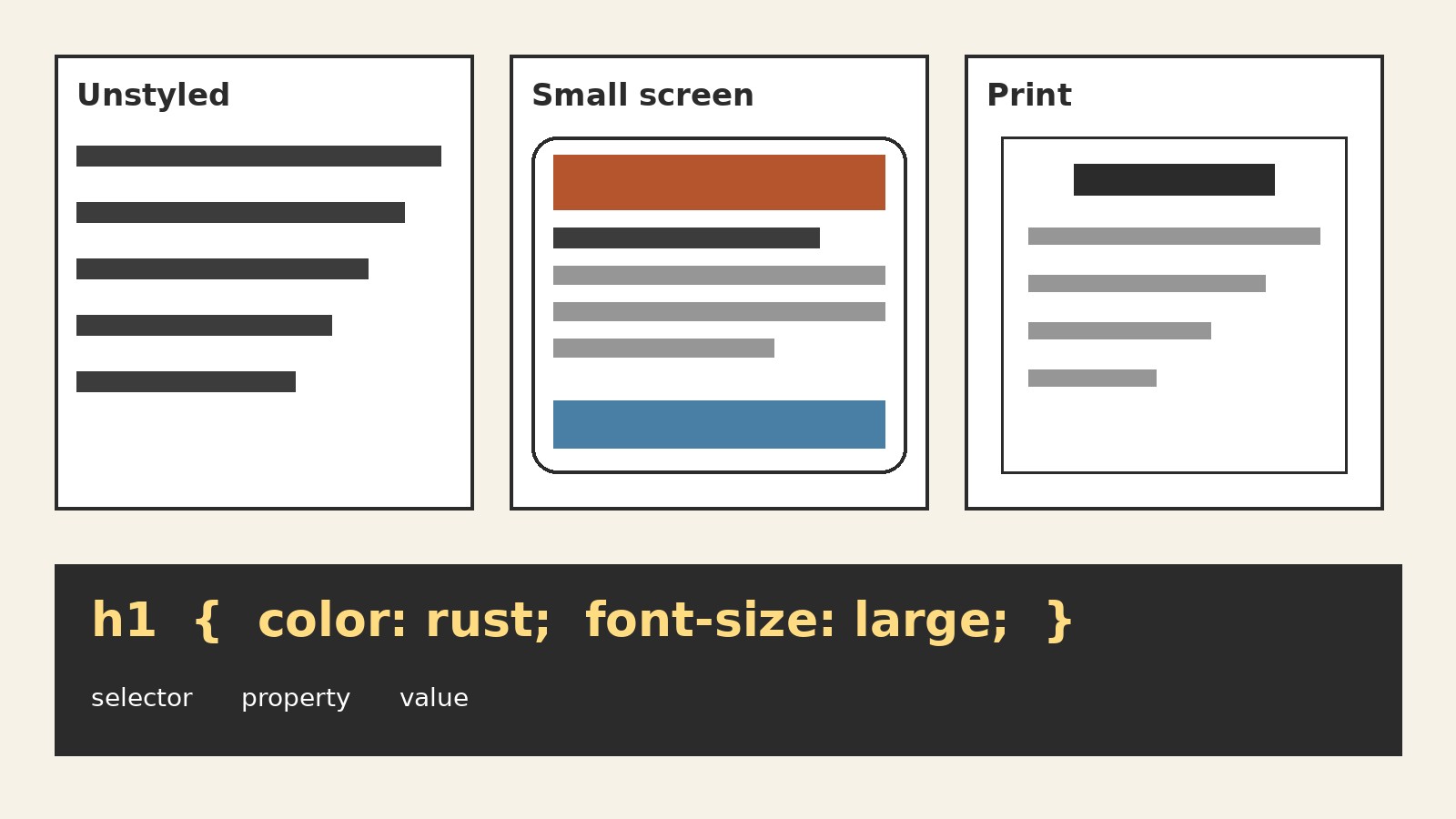
- A CSS rule has a selector and a declaration block. The selector says which parts of the document the rule targets. Inside the block, each declaration pairs a property, such as
color, with a value, such asblue. - "Cascading" describes the set of rules that decides which declaration wins when more than one rule targets the same element and property. After relevance, origin and importance come first, then specificity, then scoping proximity, then order of appearance (see the Cascade section for the full five steps).
- CSS is normally written in a separate stylesheet file, in a style block inside a page, or directly on one element. The separate file is the usual choice when the same look should be shared across many pages.
- CSS does not create the content of a page and does not give that content its meaning. Changing a stylesheet changes presentation, not the words, headings, or links themselves.
What CSS Is, in Plain Language
Imagine a page of text with no styling of its own. The words are readable, and a browser supplies basic default styling, but nobody has chosen a typeface, spacing, or layout. CSS is the layer where those presentation choices are made. It is a declarative language, which means an author writes what the result should look like, rather than writing step by step instructions for drawing it. The browser then applies those declarations to the matching parts of the document.
MDN Web Docs describes CSS in the same terms: it is a declarative language that controls how web pages look in the browser, and the browser applies style declarations to selected elements so they display as intended. That covers three beginner ideas: CSS is about appearance, works by selection, and the browser does the applying.
Keep CSS separate from two neighboring jobs. The document itself, usually written in HTML, holds the content and its structure. A separate scripting language can change behavior and interaction. CSS does not decide that a line is a heading, and it does not decide what happens when a button is clicked. It decides how the heading looks, how much space sits around it, and how it looks on hover or keyboard focus. The same document can therefore be shown in different ways.
CSS and HTML: Two Jobs, One Page
Ask two questions about any part of a page. First: what is this, and what does it contain? That is the document’s job. Second: how should this look? That is CSS’s job. A heading is still a heading if its color changes from black to dark blue. A paragraph is still a paragraph if its line spacing grows. The meaning does not change when the style changes, and the style does not change when the meaning changes. That independence is what makes a stylesheet reusable.
This article does not re-teach HTML structure. The companion Amberaisle article on HTML elements covers that side in detail, and the closing note at the end of this article records the suggested link. Here, only the boundary matters: HTML supplies elements for CSS to select, and CSS supplies declarations for those elements to display. If a page had no CSS of its own, a browser would still show it using its own default styles, with headings larger than body text and links shown in a distinct way. Author styles then build on top of those defaults.
CSS can also style documents written in other markup languages, such as SVG or XML, but the common case for a reader is HTML. Think of the browser as reading two inputs at once: the document, which says what is on the page, and the stylesheet, which says how it should look. Because CSS controls presentation only, it cannot fix a badly structured document. Making text large and bold with CSS does not turn it into a heading in the document’s structure, and software that reads structure still relies on the document itself.
The Anatomy of a Rule
Almost everything in CSS is built from one pattern: a rule. A rule has two parts. The selector comes first and names the target. Then comes a declaration block, wrapped in curly braces, holding one or more declarations. Each declaration has a property, a colon, a value, and usually a semicolon at the end. A short rule looks like this:
p {
  color: darkblue;
  line-height: 1.6;
}
Read it in plain language. The selector p targets paragraphs. The first declaration sets the color property to the value darkblue. The second sets the line-height property to 1.6, which means each line is 1.6 times the font size in height. The closing brace ends the rule.
A property is a named aspect of presentation, such as color, font-size, margin, or background-color. A value is the setting chosen for that property. Declarations are independent inside a block: if one declaration is invalid, the browser typically skips that declaration and keeps the rest of the rule. Comments in CSS sit between /* and */ and are ignored by the browser. A rule can also group selectors: writing h1, h2, h3 as one selector list applies the same declarations to all three heading levels, and a later, more specific rule can override one of them, with the cascade deciding the result.
Selectors Readers Meet First
A selector is a pattern. The browser checks each element in the document against the patterns in the stylesheet, and every element that matches a pattern receives that rule’s declarations. Beginners meet a small set of selector types first, and those types cover most ordinary styling.
| Selector type | How it is written | What it targets |
|---|---|---|
| Element selector | p | Every paragraph in the document |
| Class selector | .note | Every element marked with the class note |
| ID selector | #main | The element marked with the ID main |
| Descendant selector | article p | Every paragraph inside an article element |
| Group selector | h1, h2 | Every heading of level 1 or level 2 |
| Universal selector | * | Every element in the document |
| Pseudo-class | a:hover | A link while a pointer rests on it |
Element selectors suit sitewide defaults, such as the base typeface for paragraphs. Class selectors are the workhorse for repeated design pieces. A class is a label an author adds to elements that should share a treatment, such as a callout box or a caption. Many elements can share one class, and one element can carry several, so classes describe design roles.
ID selectors target one specific element, such as a main content area. An ID is unique, so it carries more weight than a class or element selector. Use IDs sparingly, since many are hard to override. Descendant selectors add context: article p styles only paragraphs inside an article element, not every paragraph on a page. Pseudo-classes describe a state: a:hover applies while a pointer rests on a link, and a:focus applies when a link has keyboard focus. A visible focus style tells a keyboard user where they are on the page, so removing focus styles without providing a replacement harms readers who do not use a mouse. Prefer short selectors: the universal selector can surprise, and long chains make overrides harder.
How a Stylesheet Reaches a Page
CSS reaches a page in three ways, and the difference is mainly about where the rules live and how widely they are shared.
| Method | Where the rules live | Best for |
|---|---|---|
| External stylesheet | A separate .css file linked from the page | A look shared across many pages |
| Internal stylesheet | A style block in the page head | Styles used by one page only |
| Inline style | A style attribute on a single element | A one-off exception for one element |
An external stylesheet is the normal choice for a site design. The same file can be linked from every page, so changing the file once changes every linked page, and the file contains only CSS, no document content. An internal stylesheet sits inside a style block in the head of a single page and suits a treatment no other page uses. Its weakness is scope: repeating the same internal block across many pages duplicates work and invites drift, where copies slowly stop matching each other.
An inline style sits in a style attribute on one element, like this:
<p style="color: darkred;">This paragraph is an exception.</p>Inline styles are the narrowest tool. They affect one element only, they cannot be reused, and they hide inside the document rather than living with the rest of the styles. They suit a genuine one-off exception, but they are a poor way to build a whole design, which needs a single place where its look can be reviewed and changed. When more than one method is in play, the cascade still governs. A common beginner summary says inline styles beat internal styles, which beat external styles. That is useful as a first approximation for author styles, but origin, importance, and specificity all come before simple source order, as the next sections explain.
The Cascade in Plain Language
“Cascading” is the word that gives CSS its name, and it answers a simple question: when several rules could style the same element in the same way, which one wins? Real pages always have overlapping rules. A browser supplies defaults, a site supplies a shared stylesheet, a page may add its own block, and a reader may have personal settings. Without a defined order, the result would be guesswork. The cascade is that defined order.
MDN describes the cascade algorithm as a sequence of filters. First comes relevance: only rules whose selector matches the element, and whose media conditions apply, stay in the running. Then comes origin and importance: rules are sorted by where they come from and whether they are marked important. Then comes specificity: among rules still tied, the most specific selector wins. Then comes scoping proximity: for scoped rules, the rule whose scope is closest to the element wins before order is considered. Then comes order of appearance: if everything else is tied, the later declaration wins. That sequence explains nearly every “why did that style not apply?” puzzle a beginner meets.
Origins are the three sources of styles. User agent styles are the browser defaults. User styles are the reader’s own settings, where a browser allows them. Author styles are the styles written by the page designer, and they are the most common type. For ordinary, non-important declarations, author styles beat user styles, which beat browser defaults. Importance reverses part of that order: for important declarations, the author and user order reverses: user important beats author important, and user-agent important declarations rank above user important declarations. The full important-declaration rank, from highest to lowest, is therefore user-agent important, then user important, then author important. The reversal exists so a reader who needs a particular presentation, for example for readability, can insist on it. It also explains why authors should use !important sparingly: a stylesheet full of important declarations becomes rigid and hard to influence.
For example, if a shared stylesheet makes every paragraph dark gray and a page block makes article paragraphs dark blue, specificity decides: article p beats p, so the article paragraph is dark blue. If two rules had the same selector and weight, the later rule would win. Cascade layers are ordered inside the origin-and-importance step: normal styles in layers rank below normal unlayered styles in the same origin, regardless of order and specificity, and that layer order reverses for important declarations.
Specificity Without Fear
Specificity is the cascade’s tiebreaker for selectors. Think of a selector as a set of conditions. The more distinctive those conditions are, the higher its specificity. An ID condition counts most, a class or attribute condition counts next, and an element name condition counts least. The universal selector counts for nothing on its own. When two rules compete, compare their conditions from the strongest kind to the weakest, and the first difference decides the winner.
p { color: gray; }
.note { color: darkgreen; }
#intro { color: darkred; }
If one paragraph carries both the class note and the ID intro, all three rules match it, but only one color can apply. The ID selector wins, because an ID condition outranks a class condition, which outranks an element condition, so the paragraph is dark red. If the ID were removed, the class rule would win, and the paragraph would be dark green. If both were removed, the element rule would apply, and the paragraph would be gray.
Specificity is compared by kind, not by adding up a single score in a naive way. Counting systems that assign points, such as 100 for an ID, 10 for a class, and 1 for an element, are teaching aids that usually give the right answer for simple cases, but the kind-by-kind comparison is the safer mental model. When specificity ties exactly, scoping proximity decides for scoped rules, and order of appearance decides otherwise. The practical lesson is restraint: keep selectors short, use classes for design roles, and let source order override broad defaults. When a style refuses to apply, check specificity first: a more specific rule somewhere else is the usual culprit.
Inheritance: What Travels Down and What Does Not
Inheritance is separate from the cascade, and confusing the two is a common beginner mistake. The cascade decides which declaration wins for one element. Inheritance decides what happens when no declaration targets an element at all. Some properties pass their values down from a parent element to its children automatically. Others do not, and each child falls back to its own initial value instead.
Text properties usually inherit. If a parent element sets a typeface, a text color, or a line height, its descendants normally use those values unless a rule targets them directly. That is why setting a base typeface on the body of a document can shape most of the text on a page with a single declaration. Layout and box properties usually do not inherit. A border, a margin, a padding, or a background set on a parent does not automatically give each child its own border, margin, padding, or background. Each child would need its own declaration for those properties.
A direct rule always beats an inherited value. Suppose a container sets its text color to dark blue, and a rule targets paragraphs inside it with a color of dark gray. The paragraphs are dark gray, because a declaration aimed at the paragraph itself outranks a value merely inherited from its container. Inheritance is a fallback, not a competing rule. Authors can also control it explicitly: the keyword inherit tells an element to take the computed value of a property from its parent, even for a property that would not normally inherit, and the keyword initial resets a property to its default value. Use both sparingly, with a comment explaining the exception.
What CSS Controls: Type, Spacing, Layout, and Response
A stylesheet organizes presentation into a few broad families. Typography covers typeface, size, weight, line height, letter spacing, and text alignment. Color covers text color, background color, and border color. Spacing covers the box around each element. Layout covers how elements sit relative to each other. State covers how elements look when a reader interacts with them, such as on hover or focus. Decoration covers details such as underlines, shadows, rounded corners, and list markers.
The box model ties several of those families together. Every element is treated as a rectangular box with layers from the inside out: the content itself, then padding, then a border, then a margin. Padding is space inside the border, between the content and the border. Margin is space outside the border, between the element and its neighbors. A simple rule makes the distinction visible:
.callout {
  padding: 16px;
  border: 2px solid darkblue;
  margin: 24px 0;
}
In plain language, the callout gets 16 pixels of breathing room inside its border, a 2 pixel solid dark blue border, and 24 pixels of space above and below it, with no extra space on the left or right from this rule. Naming the layer out loud, “inside the border” or “outside the border,” resolves most spacing confusion.
Responsive design is the same set of tools applied conditionally. A media query wraps rules in a condition about the display, such as its width or whether the output is a screen or print. Rules inside the query apply only when the condition is true:
@media (max-width: 600px) {
  .columns {
    display: block;
  }
}
Read it as: when the display is no wider than 600 pixels, elements with the class columns use block layout instead of whatever layout the wider-screen rules gave them. The width value is a choice for the design, not a universal standard. Print styles work the same way, giving a page a plainer treatment when it is printed, without changing the screen version.
What CSS Does Not Do, and Common Misunderstandings
A clear explainer should also say what a tool does not do, because the misunderstandings around CSS are predictable.
| Misunderstanding | The correction |
|---|---|
| CSS adds content to a page | CSS styles content that already exists in the document. It does not create headings, paragraphs, or links. |
| Making text look like a heading makes it a heading | Visual size and weight are presentation. Document structure is a separate property of the document itself. |
| A later rule always wins | Later wins only when origin, importance, specificity, and scoping proximity tie. A more specific or more important earlier rule still wins. |
| Inheritance and the cascade are the same thing | The cascade picks a winning declaration for one element. Inheritance fills in a value when no declaration targets that element. |
| Inline styles are the best way to style a page | Inline styles suit one-off exceptions. Shared design belongs in a stylesheet where it can be reviewed and changed in one place. |
| CSS alone makes a page accessible | CSS affects readability and focus visibility, but accessibility also needs sound document structure, meaningful text, and keyboard support. |
CSS also cannot guarantee identical rendering everywhere. Browsers share standards, but they differ in defaults and in support for newer features, and readers differ in screen size, settings, and preferences. A good stylesheet aims for a sound result across those differences, not identical output on every device.
Reading CSS When You Meet It, and a Complete Example
Most readers of this article will meet CSS before they write much of it: in a template, in a tutorial, or in a page they are trying to adjust. Start with the selector and ask what it targets. Then read the declarations as a list of choices, naming each property in plain language, then its value. Next, check where the rule lives. If the result differs from the rule, run the cascade checks in order: relevance, origin and importance, specificity, scoping proximity, then order of appearance.
A small complete example pulls the whole article together:
<article class="welcome">
  <h1>Welcome</h1>
  <p class="note">This is a short note.</p>
</article>
article {
font-family: Georgia, serif;
line-height: 1.6;
}
.welcome h1 {
color: darkblue;
}
.note {
padding: 12px;
background-color: lightyellow;
}Read the stylesheet as three decisions. The first rule gives every article element a serif typeface and comfortable line height, and those text values are inherited by the heading and paragraph inside it. The second rule targets only headings inside an element with the class welcome, and colors that heading dark blue. The third rule gives every element with the class note padding and a pale yellow background, properties that do not inherit, so only the note itself gets them. Changing the stylesheet changes only the look.
CSS rewards learning in layers: reading a rule, writing a selector, and predicting a cascade outcome already covers the core of the language. When a style does not apply, first find the winning rule and why it wins; properties can be looked up, but that judgment lasts.
Frequently Asked Questions
What is a cascading style sheet in simple words?
A cascading style sheet is a set of written style rules that tells a browser how a document should look. It controls presentation such as typeface, color, spacing, and layout, while the document itself holds the content. The usual short form is CSS, and the standard name is plural: Cascading Style Sheets.
Is CSS a programming language?
CSS is best described as a style sheet language, not a general purpose programming language. It is declarative: an author states the desired appearance and the browser applies it, rather than writing step by step procedures. It does not define document content or meaning.
What is the difference between CSS and HTML?
HTML supplies the document: its content and structure. CSS supplies the presentation: how that content looks. A heading remains a heading when its color changes, and a paragraph remains a paragraph when its spacing changes.
What are the three ways to apply CSS?
The three ways are an external stylesheet file linked from the page, an internal style block in the page head, and an inline style attribute on a single element. The external file suits a shared site look, the internal block suits one page only, and the inline attribute suits a one-off exception.
What does “cascading” mean in CSS?
Cascading means conflicting style rules are resolved by a defined order, not by chance. The cascade filters for relevance, then sorts by origin and importance, then by specificity, then by scoping proximity, and finally by order of appearance.
What is specificity in CSS?
Specificity is the measure of how narrowly a selector targets an element. An ID selector outranks a class selector, which outranks an element selector, when they compete for the same property on the same element. When specificity ties, scoping proximity decides for scoped rules, and otherwise the later declaration wins.
Why is my CSS not working?
Check in cascade order: the rule may not match the element, a higher priority origin or important rule may win, a more specific selector may win, or a later rule with equal weight may win. Also check that the stylesheet is linked and that selector and property names are spelled correctly.
Do I need to learn HTML before CSS?
A basic understanding of HTML helps greatly, because selectors target document elements. A reader need not master HTML first, but should know elements, classes, and IDs.
Can one stylesheet style a whole website?
Yes, that is the main advantage of an external stylesheet. One file linked from many pages can set the shared typeface, colors, spacing, and layout, while pages add their own styles where needed.
Does CSS affect accessibility?
Yes, in both directions. Good CSS supports readability through comfortable type sizes and line spacing, clear color contrast, and visible focus styles for keyboard users. CSS alone cannot make a page accessible.
Sources & references
- MDN Web Docs, CSS Glossary. Definition of CSS as a declarative language that controls how web pages look, and the rule example with selector, properties, and values. https://developer.mozilla.org/en-US/docs/Glossary/CSS
- MDN Web Docs, Introduction to the CSS Cascade. Cascade algorithm steps, origin types, author and user agent stylesheets, importance, specificity, and order of appearance. https://developer.mozilla.org/en-US/docs/Web/CSS/Cascade/
- CSS Working Group, Cascading Style Sheets Level 2 (CSS 2.2 draft, derived from CSS 2.1). Style sheet origins, separation of presentation from content, and cascade principles. https://drafts.csswg.org/css2/
- World Wide Web Consortium, Selectors specification material. Specificity counted by ID attributes, then other attributes and pseudo-classes, then element names. https://www.w3.org/TR/2001/WD-css3-selectors-20010126/
- web.dev, Inheritance lesson. Properties inherited by default include color, font family, font size, line height, and text alignment; other properties are not inherited by default; the inherit keyword takes the parent computed value. https://web.dev/learn/css/inheritance


