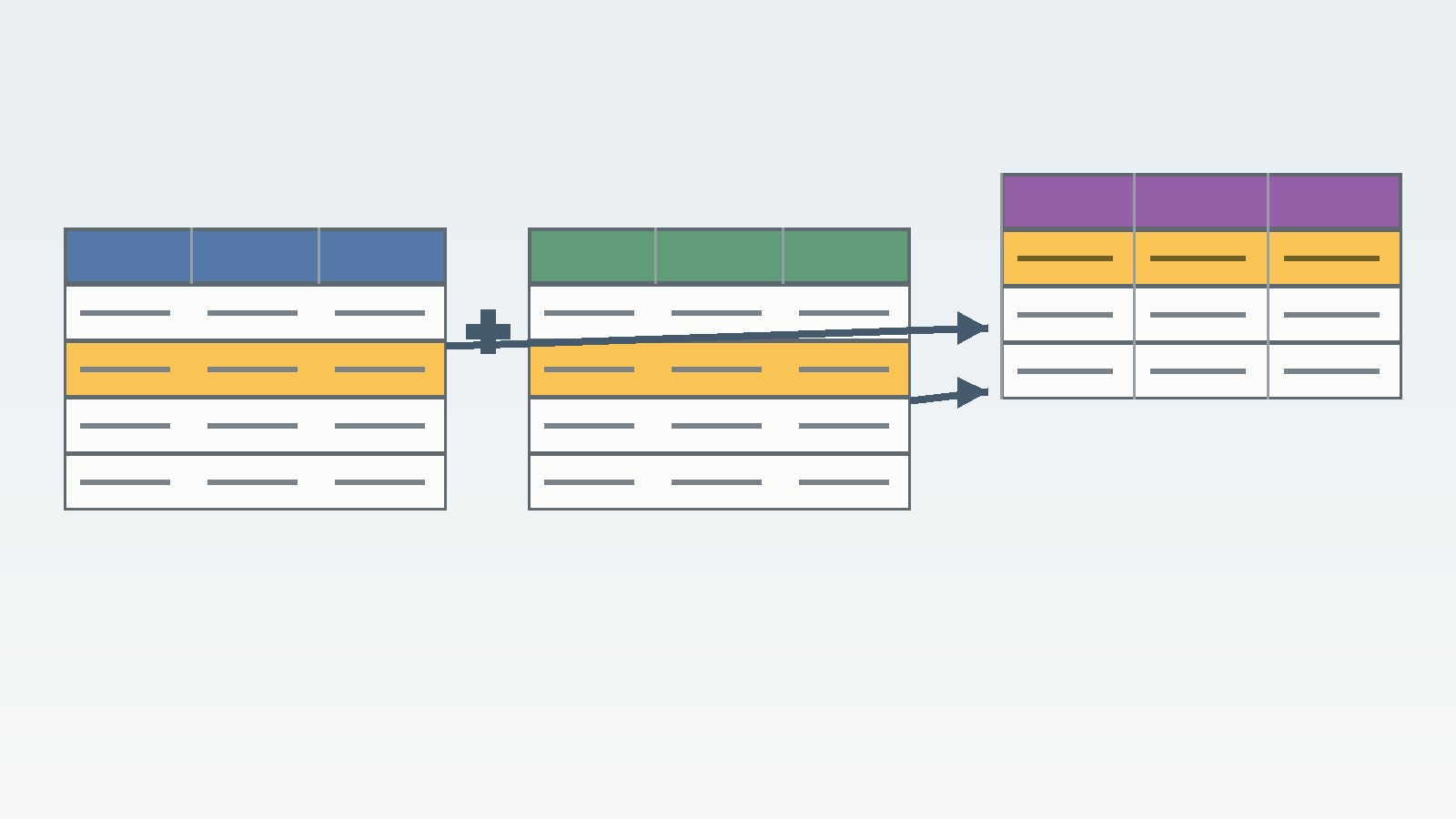
Short answer
- An inner join in SQL returns only rows where the join condition is true in both tables. A row with no match in the other table does not appear in the result at all.
- The basic form is SELECT columns FROM first_table INNER JOIN second_table ON first_table.key = second_table.key. Writing JOIN on its own means the same as INNER JOIN in PostgreSQL and in MySQL, but writing INNER JOIN in full is clearer.
- An inner join is not the same as keeping every row from one table. If you need every customer even when a customer has no orders, you need an outer join instead.
- A row can appear more than once in an inner join result. If one customer has two orders, that customer appears twice, once for each matching order.
- A NULL join key never matches another NULL join key, because the comparison does not evaluate to true. Rows with a NULL key are therefore dropped from an inner join result.
- Moving a filter between the ON clause and the WHERE clause does not change the result of an inner join on its own, but the same move can change an outer join result, so keep join conditions and result filters separate in your thinking.
Relational databases split information across tables for a good reason. A customer table can hold each customer once, while an order table can hold many orders for that customer, without repeating the customer address on every order row. The question that follows is practical: how do you bring the matching pieces back together? An inner join is the most direct answer when you want only the rows that match on both sides.
This guide explains inner joins from first principles and works through one small dataset again and again, so every result can be checked by hand. It covers syntax, ON and USING, three table joins, grouping, self joins, and the mistakes that most often produce a missing row or a surprising row count. Outer joins appear only in a short comparison, so you can see when an inner join is the wrong choice.
SHORT-ANSWER BOX
What an Inner Join Returns
Think of an inner join as a matching test applied to pairs of rows. The database takes a row from the first table and a row from the second table, checks the condition in the ON clause, and keeps the pair only when that condition is true. Each kept pair becomes one result row, built by placing the columns from the first row beside the columns from the second row.
PostgreSQL documentation states the rule compactly: for each row R1 of the first table, the joined table has a row for each row in the second table that satisfies the join condition with R1. That wording explains two behaviors that surprise beginners. A first table row with no satisfying second table row produces no output row. A first table row with three satisfying second table rows produces three output rows. The join does not promise one output row per input row. It promises one output row per matching pair.
A Venn diagram is often used to describe an inner join as the overlap between two sets. That picture is useful, but not exact, because it suggests that each shared element appears once. In a database, shared keys can repeat, and repeated keys produce repeated combinations. Use the overlap picture to remember that unmatched rows are excluded, then use the matching pair rule to predict row counts.
Read the Syntax Piece by Piece
SELECT c.name, o.order_id, o.total
FROM customers AS c
INNER JOIN orders AS o
  ON c.customer_id = o.customer_id;
The FROM clause names the first table, often called the left table. The INNER JOIN clause names the second table, often called the right table. The ON clause states the matching rule. The SELECT list states which columns to return.
Table aliases such as c and o are short temporary names for the tables in that query only. They do not rename the tables in the database. Aliases shorten long table names, make it clear which table each column comes from, and are required when a query joins a table to itself, because otherwise the database cannot tell the two uses of the same table apart. PostgreSQL documentation notes that once an alias is given, the original table name cannot be used elsewhere in the same query to refer to that table reference, so use the alias consistently. Qualify column names with the alias whenever the same column name appears in both tables. Both customers and orders here have a customer_id column, so c.customer_id = o.customer_id removes any ambiguity.
The word INNER is optional in PostgreSQL, where INNER is the default join type. MySQL documentation takes a related but distinct position: in MySQL, JOIN, CROSS JOIN, and INNER JOIN are syntactic equivalents that can replace each other, while in standard SQL they are not equivalent, because INNER JOIN is used with an ON clause and CROSS JOIN is used otherwise. Do not rely on dialect shorthand to carry meaning. Write INNER JOIN when you mean an inner join, and write the condition in ON.
The Sample Tables Used Throughout This Guide
Every worked example uses the same small tables, so each result can be traced back to the same source rows.
Customers:
| customer_id | name | city |
|---|---|---|
| 1 | Priya Sharma | Austin |
| 2 | Marcus Lee | Denver |
| 3 | Sofia Diaz | Chicago |
| 4 | Tom Reed | Boston |
Orders:
| order_id | customer_id | order_date | total |
|---|---|---|---|
| 101 | 1 | 2026-03-04 | 42.50 |
| 102 | 1 | 2026-03-11 | 18.00 |
| 103 | 2 | 2026-03-12 | 75.25 |
| 104 | 99 | 2026-03-13 | 60.00 |
Priya Sharma has two orders. Marcus Lee has one order. Sofia Diaz and Tom Reed have no orders. Order 104 points to customer_id 99, which does not exist in the customers table. That orphan order is deliberate. It lets you see that an inner join drops unmatched rows from both sides, not only from one side.
First Worked Example: Customers and Their Orders
SELECT c.name, o.order_id, o.total
FROM customers AS c
INNER JOIN orders AS o
  ON c.customer_id = o.customer_id
ORDER BY o.order_id;
Result:
| name | order_id | total |
|---|---|---|
| Priya Sharma | 101 | 42.50 |
| Priya Sharma | 102 | 18.00 |
| Marcus Lee | 103 | 75.25 |
The result has three rows, not four, even though each source table has four rows. That count is the first thing to check whenever you write an inner join. Start from the expected matches, not from the size of either input table. Priya Sharma matches twice, so she appears twice. Marcus Lee matches once. Sofia Diaz and Tom Reed match no orders, so they do not appear. Order 104 matches no customer, so it does not appear either. No error is raised for the unmatched rows. They are simply absent, which is why an inner join result can look correct while silently hiding missing data.
An inner join is therefore a filter as well as a combination. If a report built on an inner join shows fewer customers than expected, the first question is whether some customers genuinely have no matching rows, or whether the join key is wrong or stored in a different form on one side. A useful check is to count before and after the join. Here, four customers and four orders produce three result rows, explained by two matches for Priya Sharma, one match for Marcus Lee, and no matches for the remaining rows.
Why Unmatched Rows Disappear From Both Sides
Beginners often assume that an inner join keeps every row from the first table and adds information where it can. That is the behavior of a left join, not an inner join. An inner join treats unmatched rows symmetrically: a left table row with no right table match is dropped, and a right table row with no left table match is also dropped.
The orphan order makes the second half concrete. Order 104 has a total of 60.00, but its customer_id value of 99 has no partner in the customers table. An inner join therefore excludes the whole order row, including its total. Summing the totals in the inner join result gives 135.75, which is 42.50 plus 18.00 plus 75.25. The 60.00 from order 104 is missing from that sum. That is not a rounding error. It is the direct consequence of choosing an inner join. When a total must include every order, an inner join on customers is the wrong tool, or the orphan rows must be investigated and fixed first. Likewise, a marketing list built from this inner join would miss Sofia Diaz and Tom Reed entirely, because they have no orders. If every customer must be listed, a left join is the correct choice, and the order columns for those customers would appear as NULL.
ON, USING, and NATURAL JOIN
The ON clause is the most general way to state a join condition. It accepts any Boolean expression of the kind that can appear in a WHERE clause, so it can compare columns with different names, combine several conditions with AND, or use a comparison other than equality. For most work, ON is the right default, because it states the relationship explicitly and keeps working even when column names differ.
The USING clause is a shorthand for one specific situation: both tables use the same name for the joining column. Because customers and orders both have a column called customer_id, this query is possible:
SELECT c.name, o.order_id
FROM customers AS c
INNER JOIN orders AS o
  USING (customer_id);
The matching rule is the same as ON c.customer_id = o.customer_id, but the output differs in one detail. PostgreSQL documentation explains that JOIN USING suppresses the redundant column, so the shared column appears only once in the result, while JOIN ON produces all columns from the first table followed by all columns from the second table. MySQL documentation draws the same distinction for SELECT *: a USING join selects the coalesced value of the corresponding columns, while an ON join selects all columns from all tables. If you select columns by name, the difference is easy to overlook. If you use SELECT *, it changes the shape of the result.
NATURAL JOIN goes one step further and matches on every column name that appears in both tables, without listing any of them. That brevity is also its danger. Adding a column with a shared name to either table later can silently change the join condition, even though no query text changed. PostgreSQL documentation warns that NATURAL is considerably more risky than USING for exactly this reason. Prefer ON, use USING only when the shared column name is deliberate and stable, and avoid NATURAL JOIN in production queries.
Joining Three Tables, Step by Step
Real queries often need more than two tables. The pattern is to chain inner joins, with each new join adding one table and one matching rule. Read the chain from left to right: the first join combines the first two tables, and the next join combines that intermediate result with the third table.
Suppose an order_items table records which products appear on each order, and a products table records product names and prices:
Order items:
| order_id | product_id | quantity |
|---|---|---|
| 101 | 501 | 2 |
| 101 | 502 | 1 |
| 103 | 501 | 1 |
Products:
| product_id | product_name | price |
|---|---|---|
| 501 | Notebook | 12.00 |
| 502 | Pen | 3.50 |
| 503 | Eraser | 1.25 |
This query lists the products on order 101, with a line total for each product:
SELECT o.order_id, p.product_name, oi.quantity, p.price,
       oi.quantity * p.price AS line_total
FROM orders AS o
INNER JOIN order_items AS oi
  ON o.order_id = oi.order_id
INNER JOIN products AS p
  ON oi.product_id = p.product_id
WHERE o.order_id = 101;
Result:
| order_id | product_name | quantity | price | line_total |
|---|---|---|---|---|
| 101 | Notebook | 2 | 12.00 | 24.00 |
| 101 | Pen | 1 | 3.50 | 3.50 |
Two facts deserve attention. First, the Eraser does not appear, because it has no order item in this dataset. An inner join across three tables drops any chain that breaks at any link. Second, the Notebook also appears in order 103, but the WHERE filter restricts this query to order 101, so that row is excluded by the filter, not by the join. Ask whether the join dropped a missing row or the filter dropped it. Joins chain left to right when no parentheses are present, according to PostgreSQL documentation.
Inner Joins With GROUP BY and Aggregates
An inner join is often followed by grouping, for example to count orders per customer or to total spending per customer. Grouping happens after the join, so the same dropping rule applies first: customers with no orders never reach the grouping step at all.
SELECT c.name, COUNT(o.order_id) AS order_count, SUM(o.total) AS total_spent
FROM customers AS c
INNER JOIN orders AS o
  ON c.customer_id = o.customer_id
GROUP BY c.name
ORDER BY c.name;
Result:
| name | order_count | total_spent |
|---|---|---|
| Marcus Lee | 1 | 75.25 |
| Priya Sharma | 2 | 60.50 |
Sofia Diaz and Tom Reed do not appear with a count of zero. They do not appear at all. That is the aggregate trap of the inner join. If a report must show zero for customers with no orders, the query needs a left join, so unmatched customers survive to the grouping step. Counting the result of an inner join and describing it as a count of all customers is therefore wrong. It is a count of customers who have at least one matching row. Aggregates also make duplicate matches more dangerous: if a join key repeats on both sides, the joined rows multiply, and a SUM over those rows will count the same amount more than once. When a sum looks too large, check the join for duplication before doubting the source data.
Self Joins: One Table Joined to Itself
A self join joins a table to itself by giving the table two different aliases in the same query. The classic case is an employees table in which each employee row holds the identifier of that employee manager, who is also an employee in the same table.
Staff:
| employee_id | name | manager_id |
|---|---|---|
| 1 | Rosa | NULL |
| 2 | Dan | 1 |
| 3 | Kim | 1 |
SELECT e.name AS employee_name, m.name AS manager_name
FROM staff AS e
INNER JOIN staff AS m
  ON e.manager_id = m.employee_id;
Result:
| employee_name | manager_name |
|---|---|
| Dan | Rosa |
| Kim | Rosa |
Rosa does not appear as an employee in the result, because her manager_id value is NULL and therefore matches no employee_id value. An inner self join answers a narrow question: which employees have a manager recorded in the same table? If every employee must be listed, a left self join is needed instead, and Rosa would appear with a NULL manager name. Self joins work because the aliases create two logical copies of the table for the duration of the query. Without aliases, the database could not tell whether employee_id refers to the employee side or the manager side.
Inner Joins Compared With Left, Right, and Full Joins
The table below uses a small employees and departments dataset to make the difference concrete.
Employees:
| employee_id | name | department_id |
|---|---|---|
| 1 | Ava | 10 |
| 2 | Liam | 20 |
| 3 | Noah | NULL |
Departments:
| department_id | department_name |
|---|---|
| 10 | Sales |
| 20 | Support |
| 30 | Research |
Join results on department_id:
| Join type | Rows returned | What is kept |
|---|---|---|
| INNER JOIN | 2 | Ava in Sales, Liam in Support. Noah and Research are dropped. |
| LEFT JOIN | 3 | The two inner rows, plus Noah with a NULL department. Research is dropped. |
| RIGHT JOIN | 3 | The two inner rows, plus Research with a NULL employee. Noah is dropped. |
| FULL JOIN | 4 | The two inner rows, plus Noah with a NULL department, plus Research with a NULL employee. |
PostgreSQL documentation defines these outer behaviors precisely: a left join first performs an inner join, then adds a row with NULL values in the second table columns for each first table row with no match, while a right join does the converse, and a full join adds unmatched rows from both sides. The inner join row set is therefore contained inside every outer join result for the same tables and condition. If you are unsure which join to use, compare the row counts: an inner join that returns fewer rows than expected, while a left join returns the expected number of left table rows, is strong evidence that some left table rows have no match. Prefer a left join over a right join when you have a choice. MySQL documentation recommends using LEFT JOIN instead of RIGHT JOIN to keep code portable, and most readers find a query easier to follow when the preserved table is named first. A full join is the right choice only when unmatched rows from both sides matter, for example in a reconciliation report. Check whether your system supports the full join spelling you plan to use, because support varies by system.
ON Versus WHERE in an Inner Join
For an inner join, a condition that filters the joined rows can often be written in either the ON clause or the WHERE clause with the same result. PostgreSQL documentation states the reason plainly: a restriction in ON is processed before the join, while a restriction in WHERE is processed after the join, but that difference does not matter with inner joins, while it matters a lot with outer joins.
That equivalence does not mean the two placements are interchangeable as a matter of style. Keep the ON clause for the relationship between the tables, and keep the WHERE clause for filters on the result. That separation also protects you when the query later changes to a left join, where a filter in ON and a filter in WHERE can produce different preserved rows.
NULL Keys, Duplicate Keys, and Type Mismatches
Three data problems cause most inner join surprises.
First, NULL keys never match. The ON condition must evaluate to true for a pair to be kept, and a comparison involving NULL does not evaluate to true. It evaluates to unknown. A NULL key in one table does not match a NULL key in the other table, even though both values look empty. If NULL keys are common, investigate what NULL means in that column: unknown, not applicable, or not yet assigned. Then decide whether those rows should be excluded, as an inner join does, or handled separately.
Second, duplicate keys multiply rows. If the left table has two rows with key A and the right table has three rows with key A, the inner join produces six rows for key A, because every left row pairs with every right row that satisfies the condition. That multiplication is correct according to the matching rule, but it is often not what the writer intended. Duplicate keys are common when a supposed key is not actually unique, for example when a customer appears twice because of a data entry duplicate, or when a join uses a category name instead of a stable identifier. Before trusting a row count, check whether each join key is unique on at least one side.
Third, mismatched types and formats can prevent matches that look obvious to a human reader. A numeric identifier stored as text on one side and as a number on the other side may fail to match, or may match only after a conversion that depends on the database system. A code with a trailing space, a different case, or a leading zero can also fail to match, because the equality test compares stored values, not intended meanings. Store keys in one consistent type and format, or convert explicitly in the query with full awareness of what the conversion does.
FAQ
What is an inner join in SQL in simple terms?
An inner join combines two tables by keeping only the pairs of rows that satisfy the join condition, usually an equality between a key in each table. Rows with no match are excluded. If one row matches three rows on the other side, it appears three times, once for each matching pair.
Is JOIN the same as INNER JOIN?
In PostgreSQL, INNER is the default, so JOIN and INNER JOIN mean the same thing. In MySQL, JOIN, CROSS JOIN, and INNER JOIN are syntactic equivalents, while in standard SQL they are not equivalent, because INNER JOIN is used with an ON clause and CROSS JOIN is used otherwise. Writing INNER JOIN in full avoids relying on those dialect details.
Why does my inner join return fewer rows than I expected?
The most common reason is unmatched rows. A customer with no orders, an order with a missing customer, and a row with a NULL join key are all dropped without an error. Use a left join diagnostic to list the unmatched rows, then decide whether the data is wrong, the key is wrong, or the question actually needs an outer join.
Why does my inner join return duplicate rows?
Duplicates usually mean that a join key repeats on one or both sides. If a left key value appears twice and the matching right key value appears three times, the join correctly produces six combinations. Check the uniqueness of each key, and check whether you joined on the full key rather than only part of a composite key.
Does an inner join keep rows with NULL keys?
No. A comparison involving NULL does not evaluate to true, so a NULL key never matches another key, including another NULL. Rows with a NULL join key are excluded. If those rows must appear, use an outer join or handle the NULL cases as a separate step, after deciding what NULL means in that column.
What is the difference between ON and WHERE in an inner join?
ON states how two tables relate, while WHERE filters the rows produced by the join. For an inner join alone, moving a filter between ON and WHERE usually gives the same result, but the distinction matters for outer joins and for readability. Keep relationship conditions in ON and result filters in WHERE.
Can I join more than two tables with INNER JOIN?
Yes. Chain one INNER JOIN after another, with each join adding one table and one condition. Each link in the chain must match for a row to survive, so a break at any link drops the whole combination. Check the row count after each added join when debugging a long chain.
When should I use a left join instead of an inner join?
Use a left join when every row from the first table must appear, even if it has no match. Examples include every customer including those with no orders, every product including unsold products, and every department including empty departments. In those cases the unmatched columns appear as NULL. Use an inner join only when unmatched rows should be dropped.
Sources & references
- PostgreSQL Documentation 16, "7.2. Table Expressions", section 7.2.1.1 Joined Tables: definition of inner, outer, and cross joins, qualified join syntax with ON, USING, and NATURAL, the rule that INNER is the default, the rule for INNER JOIN output per matching row, the USING column suppression rule, the NATURAL JOIN risk note, and the note that ON versus WHERE placement does not matter for inner joins but matters a lot for outer joins. http://www.postgresql.org/docs/16/queries-table-expressions.html
- PostgreSQL Documentation, "Joins Between Tables" tutorial: inner join syntax with ON, the statement that joins seen before outer joins are inner joins, and the left outer join contrast with NULL substitution for unmatched rows. https://www.postgresql.org/docs/8.1/tutorial-join.html
- MySQL Reference Manual, "JOIN Clause": joined table syntax with INNER, CROSS, LEFT, and RIGHT joins, ON and USING specifications, the statement that JOIN, CROSS JOIN, and INNER JOIN are syntactic equivalents in MySQL but not in standard SQL, the ON versus WHERE guidance, the USING coalesced column rule, and the recommendation to use LEFT JOIN instead of RIGHT JOIN for portability. https://dev.mysql.com/doc/refman/5.7/en/join.html


