Short answer
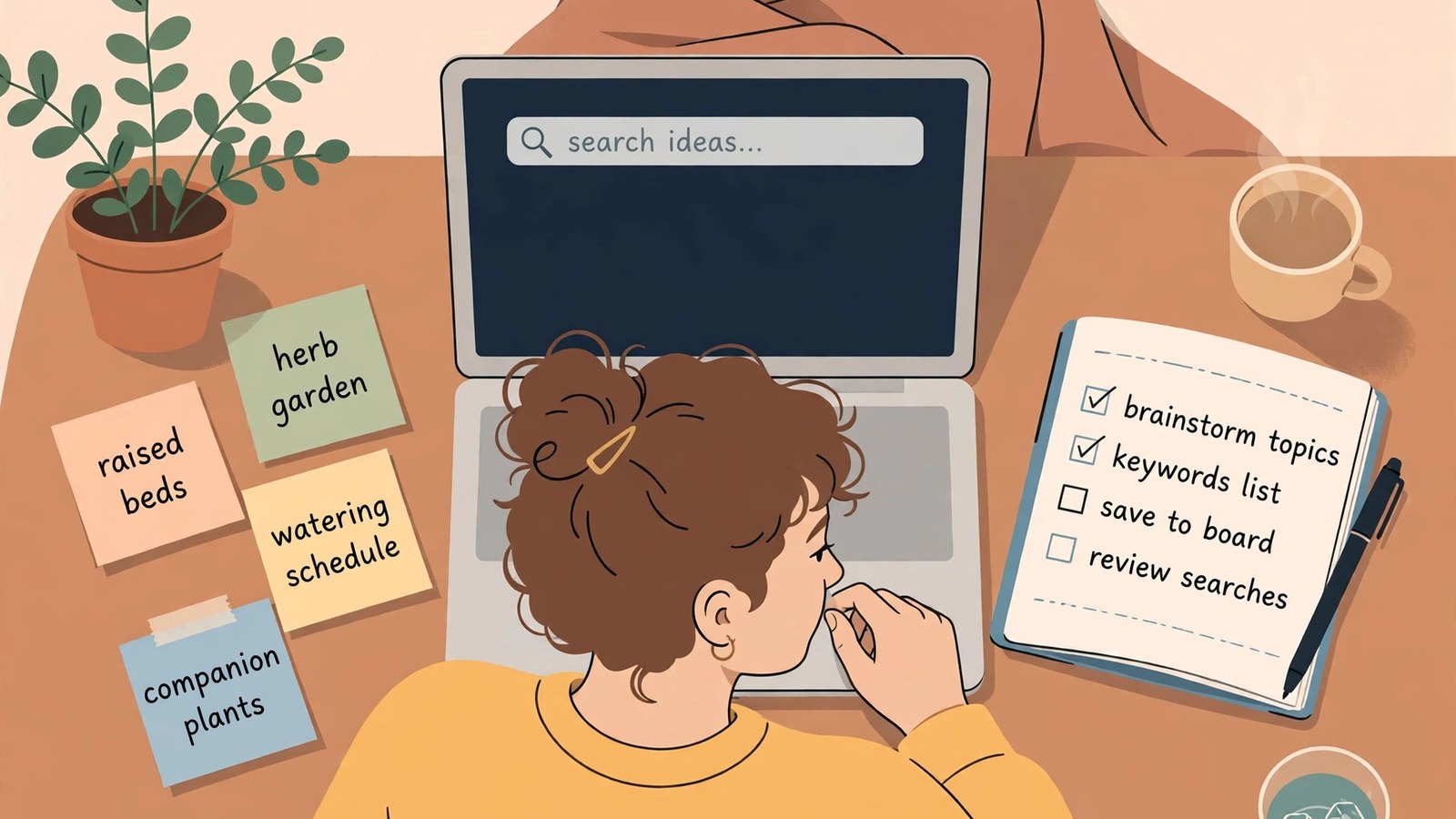
- Start with the searcher, not a seed list or a tool. Sketch who is searching, what job they are trying to get done, and what you will not promise. Then collect real phrases in four passes: the suggestions and guides Pinterest search itself shows, the language in boards and repeated questions, a timing check in Pinterest Trends, and patterns from your own results. Sort candidates by intent before popularity, score the survivors on fit, specificity, timing, and distinctiveness, and keep a small set you can serve well. Place one lead phrase per Pin, supported naturally in the description, the board, and the linked page. Trends, checked on 30 October 2026, shows relative interest indexed from 0 to 100, not search counts. Judge results in Pinterest Analytics over a patient window, separating impressions, saves, and outbound clicks.
Introduction
Pinterest keyword research is the work of learning the exact words people type when they are planning something, then matching your Pins, boards, and linked pages to that language. It is not a hunt for a magic phrase, and it does not guarantee impressions, clicks, saves, or sales. Pinterest itself describes Pins as visual bookmarks that people search for, save, and click to learn more, which is why the words attached to a Pin matter: they are how a searcher finds it and how the platform understands what it promises.
This guide takes a searcher-first route: sketch the person searching, collect the language they already use inside Pinterest, test timing, score each candidate against what you can honestly deliver, and keep one Pin focused on one search. A running example runs through it: a small creator who teaches container vegetable gardening for renters with balconies and small patios. The example phrases are illustrative only. They are not reported search figures, and no volume or difficulty number is claimed for them anywhere here. Platform statements were checked against Pinterest’s own pages on 30 October 2026 and are time-qualified throughout, because Pinterest features change often.
What Pinterest Search Can Read, and What It Cannot Tell You
Pinterest can only match what it can read. Its distribution guidance, checked on 30 October 2026, says that as users search, save, and engage with a Pin, Pinterest uses that engagement information to decide what content is most relevant to share, and it advises creators to review relevant keywords in the Pin title, Pin descriptions, board titles, board descriptions, and website URL, and to make sure the images, text, and keywords in a Pin match the details in the landing page.
That is why vague titles hurt. “My favorites” gives the platform almost nothing to match. “Container Tomatoes for a Sunny Balcony: A Beginner Planting Plan” tells searcher and platform what the Pin promises and who it is for. A new Pin has little engagement history, so its words and image carry most of the early weight. Over time engagement counts too, and Pinterest notes there is no set engagement window: a Pin can gain engagement hours, days, months, or even years after publication.
Pinterest does not publish a per-phrase search count: Trends reports a relative index, and suggestions show that a phrase is used, not how often. And alternative text is an accessibility field, not a keyword slot: Pinterest states that it explains what people can see in a Pin, makes it more accessible to people who rely on screen reader technology, and is only read to people using a screen reader.
Start With the Searcher, Not a Seed List
Most keyword work goes wrong by starting with a tool instead of a person. A tool can show you phrases, but it cannot tell you which searcher you can help, which constraint shapes their choices, or which promise you should avoid.
Build a one-page searcher sketch for each audience you serve. For the balcony gardener: lives in a rented apartment, has a balcony that gets sun for part of the day, worries about wasting money on plants that die, and wants a first harvest without much equipment. That sketch suggests language a generic list would miss: shade, pots, watering while away. It also rules phrases out: raised bed construction is a poor fit for a renter.
Next, list the jobs your audience is trying to get done, because jobs reveal intent better than topics do. For the balcony gardener: learn how much sun a tomato plant needs, plan a first container garden for spring, compare pot materials for a windy balcony, and solve yellowing leaves on a potted herb. Each job needs a different kind of page: an explainer, a checklist or calendar, a fair comparison, or a diagnosis.
Finally, write down what you will not promise. If you have not tested a variety on a windy, shaded balcony, do not claim authority on it. If your linked page is a general introduction, do not title the Pin as a complete step-by-step system. Skipping this step produces Pins that disappoint the readers they attract.
Collect Language in Four Passes
Once the sketch is clear, collect language systematically, gathering many candidates, including awkward and specific ones, before judging any of them. Judging too early leaves only obvious, crowded phrases. Record everything in one sheet, with each phrase’s source and the date you saw it.
Pass one: read what Pinterest itself suggests
The most direct evidence sits inside Pinterest search. Pinterest’s search help, checked on 30 October 2026, confirms both surfaces. In the search bar, you can click on a suggested term to explore new ideas. After you run a search, you may see suggested terms near the search bar: Pinterest calls these guides, describes them as its most popular search terms for narrowing a search, and explains that clicking a guide takes you to a new search with the guide term added to your original search.
Type a seed phrase, pause before pressing enter, and note the suggested terms. Then run the search, note the guides, and read the titles of the top results and the board names those Pins are saved to. Board names show how ordinary users group ideas. Treat every suggestion as a candidate, not a verdict: a guide is a popular term, but that does not tell you how often it is searched or whether its searchers want what you offer, so never convert a suggestion into a claimed search volume.
Pass two: read boards and repeated questions for missing words
Suggestions show the most common phrasing. Boards and repeated questions show the gaps. Open a popular board in your niche, read its description, and scan its Pins. Does it mix beginner and advanced projects, climates, budgets, or space sizes? Those mixes point to more specific phrases, such as balcony gardening in shade or gardening in a rental. Repeated questions are equally revealing: “Will this work without direct sun?” is a phrase family in the searcher’s own words.
Pass three: check timing and direction before you commit
A phrase can be real, relevant, and still badly timed. Some phrases hold steady all year, some spike around a season or holiday, and some fade after a brief burst. Pinterest Trends is the main first-party check, covered in detail below. For now, build the habit: before a phrase earns a place in your map, note whether its interest looks steady, seasonal, or declining, and the date you checked. A seasonal phrase has a deadline: publish it well before its peak.
Pass four: learn from your own results, and treat outside tools as estimates
If you already publish, your own analytics are a valuable, if limited, source. Look at which Pins earned saves and outbound clicks, read their titles and descriptions, and note the phrases they share. A phrase that already brought engaged readers is a stronger candidate than one that merely looks good in a tool. But one successful Pin does not prove a phrase: it may reflect a good image, good timing, or a single board placement.
Third-party Pinterest keyword tools can sit alongside these passes. Judge them by one standard: what data do they actually show, where does it come from, and what is estimated rather than measured? An estimate is not a measurement, and two tools can give different estimates for the same phrase. If a tool does not explain its method, treat its numbers as a rough sorting aid, not evidence.
Sort Phrases by Intent Before You Sort Them by Popularity
Sort each candidate by what the searcher wants to happen after they click, before you sort anything by popularity. Use five plain intent groups: plan, learn, compare, fix, and buy or gather. A plan searcher is gathering ideas for a project. A learn searcher wants understanding before action. A compare searcher is choosing between options. A fix searcher has a specific problem. A buy or gather searcher is looking for supplies, a printable, or a product. For the balcony gardener: balcony garden layout ideas, how much sun vegetables need, clay pots compared with plastic pots, yellow leaves on potted basil, and a printable balcony planting calendar.
Then test each phrase against its page. A plan phrase needs a page that helps someone plan: steps, a layout, a timeline, or a checklist. A fix phrase needs a page that diagnoses and solves the problem, not a general introduction. If no page serves an intent, write that page, narrow the phrase to something your existing page does serve, or drop the phrase for now.
Test Timing With Trends, and Read the Graph Correctly
Pinterest Trends is Pinterest’s own trend tool, and the best first-party check for timing. Its help page, checked on 30 October 2026, describes a historic view, up to the last two years, of top search, save, and shopping trends across regions and countries. You can use it to learn when people start searching, what people are saving, and whether a trend is seasonal. Some Trends features are in testing or region limited. A business account also shows top trends among your engaged users and followers from the past 90 days, updated daily, once an audience is large enough.
Pinterest states that it normalizes the data: it considers only the ratio of searches for a trend to the total number of searches in the same period, indexes the highest point of a term to 100 and the lowest point to 0, and plots the remaining points in proportion. An index value is not a search count. Suppose an illustrative phrase peaks at an index of 100 in May and reads 50 in August: 50 divided by 100 equals 0.5, so August interest is about half the peak level. What you cannot say is how many searches either month represents. The graph answers when and which direction, not how many.
Trends also lets you compare up to four keywords on one graph, including terms selected under Related trends. Look at the shape, not just the height. A phrase rising steadily for months before a season is a planning opportunity, and Pinterest’s Moments guidance makes the same point for seasonal events, showing how interest builds, peaks, and cools. A two-week spike may be tied to a news moment rather than durable demand. A flat phrase may be a steady evergreen topic, or too small to matter; the graph alone cannot tell you which, so pair it with suggestion evidence and your own analytics. That discipline turns a list of phrases into a calendar.
Score Candidates and Choose a Small, Defensible Set
After sorting and timing checks, you will still have more candidates than you can serve. Scoring forces the trade-offs into the open. The system below is a decision aid, with illustrative scores only. It is not a measurement of Pinterest demand.
Score each candidate from 1 to 5 on four questions: fit, how closely the phrase matches a page you have or can honestly write; specificity, how clearly it describes one searcher or problem; timing, how favorable the timing is now or soon; and distinctiveness, how different it is from Pins you already plan. Add the four scores. The maximum is 20, because 4 categories multiplied by 5 points equals 20.
- Candidate A, “container tomatoes for a sunny balcony”: fit 5, specificity 4, timing 4, distinctiveness 4. The sum is 5 plus 4 plus 4 plus 4, which equals 17.
- Candidate B, “vegetable gardening”: fit 3, specificity 1, timing 3, distinctiveness 1. The sum is 3 plus 1 plus 3 plus 1, which equals 8.
- Candidate C, “why potted basil leaves turn yellow”: fit 4, specificity 5, timing 3, distinctiveness 5. The sum is 4 plus 5 plus 3 plus 5, which equals 17.
A and C both total 17 but earn it differently: A is a strong planning phrase, C a strong problem-solving phrase, and B, at 8, would need a much better page and a clearer angle before it deserves a Pin. If a candidate scores high on specificity but low on fit, write a better page rather than forcing the phrase onto one that does not serve it.
Place Keywords Where People and Pinterest Can Both Read Them
Placement follows one principle: put the lead phrase where a searcher looks first, support it with related wording where a reader looks next, and keep the whole Pin honest about what the linked page delivers. How to use keywords on Pinterest is therefore less about repeating a phrase and more about aligning the Pin title, description, board, image, and linked page around one promise. Pinterest’s own optimization advice points the same way.
Start with the Pin title. Lead with the phrase, or place it near the front. A title can run to 100 characters, as of October 2026. “Container Tomatoes for a Sunny Balcony” works because the topic, the container constraint, and the light condition are visible at once. One Pin, one lead phrase, one clear promise.
Write the description as two or three helpful sentences, not a list of phrases: the first confirms the promise and names who the Pin is for, the second adds what the reader will learn or what problem the page solves. Related phrases belong here only where they fit naturally. A description can run to 800 characters, checked on 30 October 2026; descriptions do not appear in the home feed or search feed, and Pinterest states they are used by its algorithm to determine relevance for delivery.
Name boards with search language, and write a short board description for each. “Container Vegetable Gardening for Small Spaces” tells a visitor what to expect and gives Pinterest context for every Pin saved to it. Keep boards focused; split a board that mixes unrelated topics.
Put a short, readable version of the lead phrase or its promise on the image itself, in large, high-contrast type, and make sure the image shows the promise: containers on a balcony, not a generic garden. Write alt text that describes the image accurately, up to 500 characters as of October 2026, including the lead phrase only where it describes the image honestly.
Finally, check the landing page match. Pinterest’s distribution guidance advises making sure the images, text, and keywords in your Pin match the details in the landing page, and linking to a page with additional content clearly related to your Pin. If the page is general while the Pin is specific, narrow the Pin or strengthen the page. Good Pinterest SEO keywords are simply the visible result of a clear topic, a focused board, and a linked page that keeps its promise.
Build a Keyword Map a Small Account Can Actually Maintain
A keyword map is a simple sheet that turns research into a publishing plan. One row per lead phrase, with columns for lead phrase, intent group, linked page or page to write, board name, Pin angle, timing note, date checked, and status. The Pin angle column is the most important and the most often skipped. It records, in one sentence, what makes this Pin different from your other Pins on nearby phrases: for example, lead phrase “container tomatoes for a sunny balcony,” angle “a beginner planting plan for one sunny balcony pot.” Without it, a map fills up with near-duplicates.
The arithmetic shows why small is right. Suppose a creator commits to 12 lead phrases for a first quarter: 5 planning phrases, 3 learning phrases, 2 comparison phrases, and 2 problem-solving phrases. The sum is 5 plus 3 plus 2 plus 2, which equals 12. If each lead phrase gets 2 distinct Pins, the Pin count is 12 multiplied by 2, which equals 24 Pins. At 2 Pins per week, the time required is 24 divided by 2, which equals 12 weeks: a full quarter for a modest plan. A list of 100 phrases is not a plan for a small account. It is a backlog.
Measure What Changed Without Fooling Yourself
Pinterest Analytics requires a business account, and its Overview page shows overall performance, performance over time, and top boards and top Pins from the last 30 days, with real-time metrics described by Pinterest as estimates subject to change. The core metrics, with Pinterest’s own definitions checked on 30 October 2026:
| Metric | What Pinterest says it counts | What to ask |
|---|---|---|
| Impressions | Times your Pins were on screen | Did people find the Pin? |
| Saves | Times people saved your Pin to a board | Did the idea feel worth keeping? |
| Pin clicks | Clicks on your Pin so it opens in closeup | Did it earn a closer look? |
| Outbound clicks | Actions leading to a destination off Pinterest, measured from the date the link is added | Did it send a reader toward your page? |
Impressions speak to discovery, but do not prove the phrase was the cause. Saves suggest the Pin matched a planning need. Outbound clicks speak to whether the promise and the page matched. Many impressions with few saves may mean a clear image and a weak promise. Many saves with few clicks may mean inspiration readers keep but do not act on yet. Clicks with immediate exits suggest a landing page mismatch. Judge a Pin over a longer window, such as 28 or 90 days, and compare like with like: same board, same format, similar timing.
Traps That Make Keyword Research Look Successful While It Fails
The first trap is stuffing. Repeating a phrase in a title, description, board name, image text, and hashtags does not multiply relevance; it makes the Pin harder to read. Pinterest also warns against repeatedly saving the same Pins or uploading content that already exists on Pinterest, which may be flagged as spam.
The second trap is chasing broad phrases before you can serve them. “Vegetable gardening” covers climates, spaces, budgets, and skill levels no single page can serve well, and a small account that starts broad competes on the most crowded ground with the weakest page.
The third trap is treating a third-party estimate as a fact. Pinterest publishes trend direction through its own tool, not a public per-phrase search count table. If a tool’s volume or difficulty figure has no explained method behind it, use it, if at all, as a private sorting hint, and never quote it as though Pinterest published it.
The fourth trap is copying language instead of learning from it. Closely imitating another creator’s titles, descriptions, and images teaches you nothing about your own audience and risks complaints. Study public language for patterns, then write your own words.
A 90-Minute Starter Routine
Shrink the system to one 90-minute session that leaves you with a small, defensible map. Spend the first 20 minutes on the searcher sketch and jobs list: one audience, their constraints in plain language, and six to eight jobs. Spend the next 30 minutes collecting language inside Pinterest: two seed phrases, the suggested terms and guides, and the board names of top results. Aim for 30 to 50 raw candidates, and judge nothing yet. Spend the next 20 minutes sorting and scoring: assign intent groups, drop phrases no page of yours can serve, score the rest, keep the top 12, and write a one-sentence Pin angle for each. Spend the final 20 minutes on timing and placement: check seasonal candidates in Trends, and draft a Pin title, description, and board name for your strongest phrase. The minutes add up as 20 plus 30 plus 20 plus 20, which equals 90.
Before any Pin from the routine goes live, run the closing check: can you name the searcher and their job in one sentence? Does the title promise exactly what the linked page delivers? Does the image show that promise, and is the board focused enough that a visitor could predict its theme? If any answer is vague, the keyword work is not finished.
Frequently Asked Questions
Where do Pinterest keyword ideas actually come from?
The suggested terms in the search bar and the guides shown after a search come from real searching; Pinterest describes guides as its most popular search terms for narrowing a search. Board titles, repeated questions, Trends for timing, and your own Pins that already earned saves and outbound clicks complete the picture. Third-party tools can add estimates, but an estimate is a sorting aid, not evidence.
How many keywords should one Pin target?
One lead phrase. Build the Pin title around it, support it with related wording that fits naturally in the description, save the Pin to the board whose title and description match the same topic, and link it to the page that delivers that exact promise. You can add up to ten related topic tags at creation, but tags do not rescue a Pin trying to serve three different searches at once. If a page serves two distinct intents, make two distinct Pins.
How far ahead should I publish for a seasonal phrase?
Early enough that the Pin exists before interest peaks, not during the peak. Trends shows seasonal patterns over up to two years of history, and Pinterest’s Moments guidance describes interest building, peaking, and cooling for seasonal events. Check the phrase one season ahead, note the month interest starts rising, and plan to publish in the weeks before that rise. Judge the Pin afterward against the same season’s Pins.
Can I trust a Pinterest keyword tool’s volume or difficulty score?
Only as that tool’s estimate, never as a Pinterest measurement. Pinterest publishes direction through Trends, not counts, so any precise volume or difficulty figure was modelled by the tool from its own signals. If the tool does not explain its method, use the number, if at all, only to sort your own private list, and never quote it as though Pinterest published it.
Keep reading: Pinterest creator tools: A Practical Workflow for Planning, Designing, and Measuring Pins
Keep reading: How to Create Eye-Catching Pins: A Calm, Reader-First Design System for Pinterest
Keep reading: How to Grow Your Blog Using Pinterest Without Chasing Quick Wins
Sources & references
- Pinterest Business Help, Browse Pinterest Trends. Used for Trends displaying a historic view of up to the last two years of top search, save, and shopping trends across regions and countries, learning when people start searching, what people are saving, which shopping trends are growing, and what is trending among an audience, some features being in testing or region limited, the search trends view showing popular keywords, seasonality, and weekly, monthly, and yearly change, Moments showing how seasonal interest builds, peaks, and cools, the normalization method (ratio of searches for a trend to total searches in the same period, highest point indexed to 100, lowest to 0, remaining points proportional), comparing up to four keywords on one graph and selecting Related trends terms for comparison, and the business account audience view of top trends among engaged users and followers from the past 90 days, updated daily and shown only when the audience is large enough.
- Pinterest Business Help, Pin performance and distribution. Used for distribution using engagement information as users search, save, and engage to determine what content is most relevant to share, there being no set engagement window with engagement possible hours, days, months, or years later, engagement being affected by language, location, seasons, holidays, formats, and trending topics, the advice to review relevant keywords in Pin titles, Pin descriptions, board titles, board descriptions, and website URL, saving content to a relevant board, adding a title, description, or link and tagging topics for context, making sure Pin images, text, and keywords match the landing page, linking to a landing page with additional clearly related content, and the warning against repeatedly saving the same Pins or uploading existing content, which may be flagged as spam.
- Pinterest Help, Search for ideas on Pinterest. Used for clicking a suggested term in the search bar to explore new ideas, and for guides: suggested terms that may appear near the search bar after a search, described as Pinterest's most popular search terms designed to help you find what you are looking for, where clicking a guide takes you to a new search with the guide term added to your original search.
- Pinterest Help, Review Pin specs. Used for the Pin title limit of 100 characters and the description limit of 800 characters, descriptions not appearing in the home feed or search feed, and descriptions being used by the algorithm to determine relevance for delivery.
- Pinterest Business Help, Add alternative text to your Pins. Used for alt text explaining what people can see in a Pin, making a Pin more accessible to people who rely on screen reader technology, alt text being only read to people using a screen reader, alt text being available for standard Pins and video Pins, and the 500 character maximum.
- Pinterest Help, Create a Pin from an image or video. Used for the Pin creation fields (title, description, link, board) and for tagging up to ten related topics to help people searching for similar ideas find the Pin.
- Pinterest Help, Guide to creating Pins. Used for Pins as visual bookmarks people use to save content they love, people searching for Pins, saving the ones they like, and clicking a Pin to learn more, and adding a link giving the audience a clear next step, with many creators sending people to a blog or website.
- Pinterest Business Help, Review Pinterest Analytics. Used for viewing Analytics requiring a business account, the Overview page showing overall performance, performance over time, and top boards and top Pins from the last 30 days, real-time metrics being estimates subject to change, and the metric definitions for impressions, saves, save rate, Pin clicks, and outbound clicks, including outbound clicks being measured starting from the date the link is added.


