Short answer
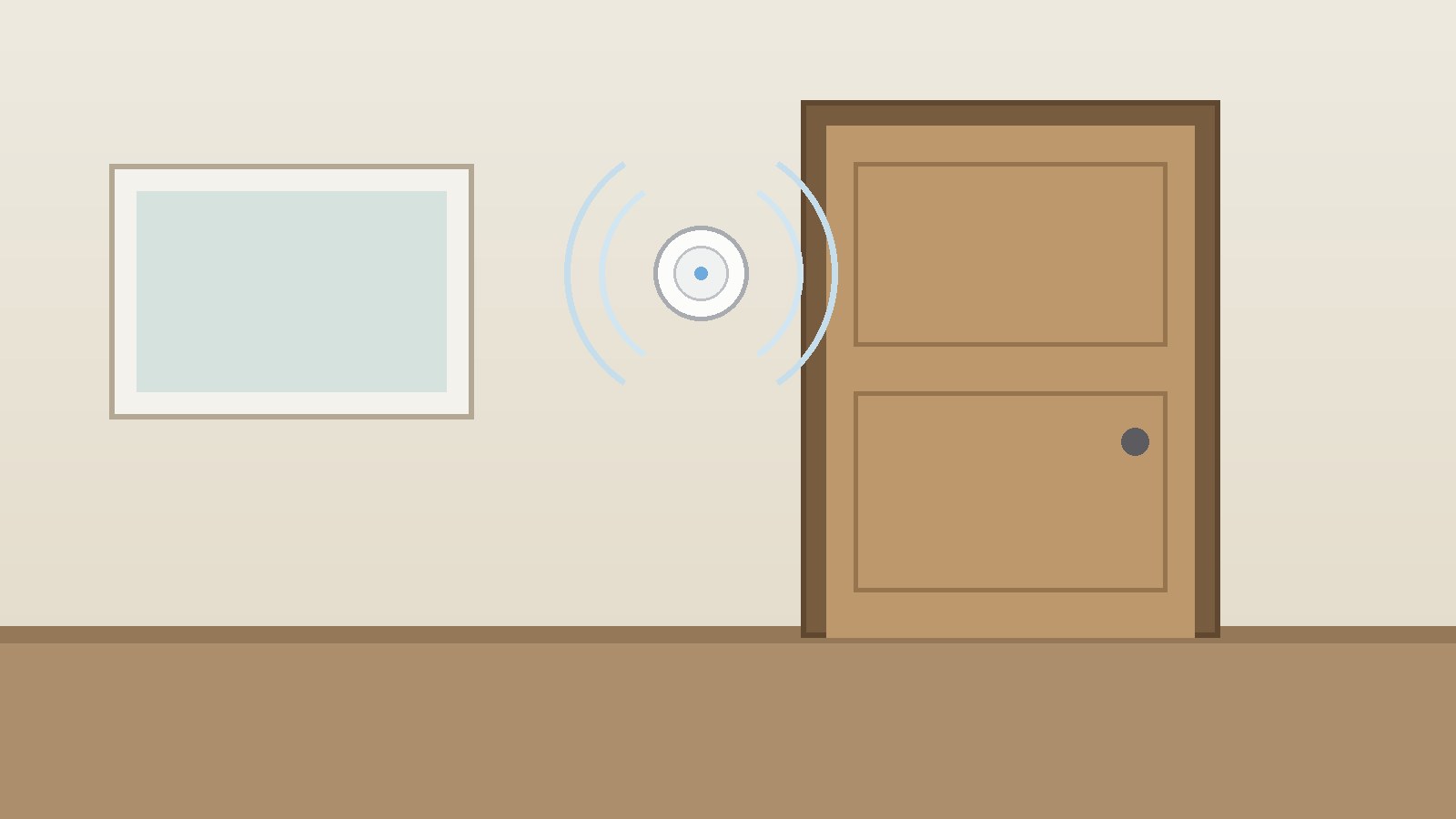
- A Bluetooth Low Energy beacon is a small wireless transmitter that repeatedly broadcasts a short identifier and related data using Bluetooth Low Energy, usually called BLE. A nearby phone, tablet, gateway, or other Bluetooth receiver picks up that broadcast, reads the identifier, and uses it to estimate proximity, identify a place or object, or trigger an action in an app or system that already knows what the identifier means. A beacon is normally a one way broadcaster, not a two way communicator. It sends its advertising packet and does not listen for, collect, or store information from your phone. Any tracking, logging, or notification happens only if a receiving app or system is designed to do it, has the permissions it needs, and acts on the identifier it receives. Beacons do not give a precise indoor location on their own. A single beacon gives a rough nearness estimate. More accurate indoor positioning needs several beacons, careful placement, calibration, and software that combines their signals. In short, think of a beacon as a radio lighthouse. It does not watch you. It shines a coded signal. Whether anything useful happens when you come into range depends on whether a receiver is listening, whether it recognizes the code, and whether it has instructions for what to do next.
Introduction
Walk into a large museum, an airport terminal, or a warehouse and your phone may know roughly where you are even when satellite navigation cannot help. One technology behind that trick is small and easy to miss: a Bluetooth Low Energy beacon. It is usually a small battery powered device, fixed to a wall, a shelf, or a piece of equipment, that repeats a short wireless message over and over. It has no screen, no keyboard, and no mobile connection of its own. Its whole job is to announce, in radio form, that it is here and to give its identifier.
That simplicity is the point. Because a beacon only broadcasts, it can be cheap, small, and long lived on a small battery. The more complex work happens elsewhere: in a phone app, in a fixed gateway, or in a back end system that knows what each identifier means. A beacon near a painting can trigger a description. A beacon on a trolley can help a warehouse system follow equipment. A beacon at a bus stop can help an app offer the right timetable. In each case the beacon itself is only the starting signal.
This guide explains the technology in plain terms: what a beacon broadcasts, how a receiver turns signal strength into a rough estimate of distance, why beacons differ from ordinary Bluetooth audio connections, how the main beacon formats differ, what affects range and battery life, where beacons are used, and where their limits and privacy risks lie. It does not recommend a particular product. The right choice depends on the space, the receiving devices, the accuracy needed, and the privacy rules that apply.
What Is a Bluetooth Low Energy Beacon?
Bluetooth Low Energy is a variant of Bluetooth designed for short bursts of data and very low power use. Classic Bluetooth was built for continuous streams, such as audio to headphones. BLE was built for devices that mostly sleep, wake briefly to send a small packet, and then sleep again. That pattern suits sensors, wearables, and beacons, where a small amount of information matters more than a fast continuous connection.
A beacon is a class of BLE device that uses the advertising feature of BLE. Advertising, in Bluetooth terms, does not mean a commercial advertisement. It means broadcasting a packet so that nearby devices can discover the broadcaster without first forming a connection. The Bluetooth Special Interest Group, known as Bluetooth SIG, explains that all peripheral devices begin in advertising mode, and that advertising lets a device broadcast information defining its intentions. A beacon takes that idea to its simplest form: it advertises, again and again, without asking a phone to connect to it.
Most beacons contain a small radio chip, an antenna, a microcontroller, and a power source, often a coin cell battery, although some use larger cells, rechargeable batteries, USB power, or mains power. A beacon can be a small disc, a card, a wristband, a key fob, a sticker, or a rugged box bolted to equipment. What matters is the radio signal, the identifier it carries, and where the beacon is placed.
It helps to separate three parts of a beacon system: the beacon, which broadcasts; the receiver, usually a phone app or a fixed gateway that scans for BLE signals; and the logic that gives the identifier meaning, which may live in the app, on a server, or in a building management system. A beacon identifier alone is just a code; the app or system must map it to a place, object, or action.
How a Beacon Works, Step by Step
A beacon system works through a short chain of events. First, the beacon wakes on a schedule set by its configuration, known as the advertising interval. It transmits an advertising packet on BLE advertising channels, then returns to sleep until the next interval. Shorter intervals mean faster detection and shorter battery life. Longer intervals save power but make detection slower, especially if the receiver is moving.
Second, a receiver scans for BLE advertising packets. On a phone, scanning normally happens only when Bluetooth is on and an app or operating system feature is listening for the relevant beacon format. A phone without a compatible app, or with Bluetooth turned off, will not act on the beacon even though the radio signal is still in the air. A fixed gateway, by contrast, may scan continuously and forward what it hears to a server.
Third, the receiver reads the packet. It extracts the identifier and any extra fields, such as a measured power value, often called Tx power, which tells the receiver how strong the signal was expected to be at a format-defined reference distance (1 meter for iBeacon; 0 meters for Eddystone ranging data). The receiver compares the signal strength it actually measures, known as RSSI, with that reference value to estimate how near the beacon is.
Fourth, the receiver looks up the identifier. In a museum app, the identifier might map to an exhibit description. In a warehouse system, it might map to a pallet or a tool. In an indoor navigation app, several identifiers together might map to a position on a floor plan. The action that follows depends entirely on that software. Finally, good systems combine repeated readings over time, because a single RSSI reading is noisy: walls, people, metal shelving, and phone orientation can all change it. The beacon does not do the thinking. It repeats a short message. The receiver and the software decide what that message means.
Inside an Advertising Packet
BLE advertising packets are small by design. That small size keeps power use low and broadcasts fast, but it also means a beacon cannot send a long message, a photograph, or a web page in a single legacy advertising packet. Later BLE versions added extended advertising with larger payloads, but classic beacon formats were built around the older, smaller limit, and many deployments still use that compact form.
The Bluetooth SIG describes BLE as having 40 physical channels in the 2.4 GHz ISM band, each separated by 2 MHz. Three of those channels are dedicated to advertising and 37 to data. The packet itself contains a header and a payload. The header says what kind of packet it is. The payload carries the useful data, such as flags, service information, and a manufacturer specific or service specific field that holds the beacon identifier.
Bluetooth SIG identifies four main advertising packet types for this discussion. ADV_IND is a connectable undirected advertisement. ADV_DIRECT_IND is directed at a specific device. ADV_NONCONN_IND is a non connectable undirected advertisement, used to broadcast information to any listening device without a connection. ADV_SCAN_IND is similar, but allows a scanner to request extra information in a scan response. Typical beacons use ADV_NONCONN_IND, because they do not need a connection at all: no pairing, no connection setup, and no ongoing link to maintain.
BLE Compared With Classic Bluetooth
Classic Bluetooth is associated with paired connections and continuous data, such as streaming audio to earphones. A classic Bluetooth device usually pairs with a phone, maintains a connection while in use, and consumes more power while that connection is active.
BLE, by contrast, is designed for short, infrequent exchanges. A BLE sensor may wake, send a temperature reading, and sleep again. A BLE beacon goes further and may never connect at all. It simply advertises. That is why a beacon can run for months or years on a small battery while a classic Bluetooth headset needs charging far more often. The trade is data rate. BLE is not built to stream high quality audio or large files in the same way. It is built to move small amounts of data efficiently.
BLE also shares the same 2.4 GHz radio band as classic Bluetooth and WiFi, so it must cope with interference from other devices in that crowded band. Using only three advertising channels and keeping packets short helps, but it does not remove interference entirely. Testing in the real space matters more than a specification sheet figure. Discovery also differs: classic pairing usually involves a visible device list and a user action, while beacon detection is often silent and automatic, governed by apps and permissions. That automation is useful, but it is also why privacy design matters.
Beacon Formats: iBeacon, Eddystone, and AltBeacon
There is no single beacon format. Several formats use the same BLE advertising mechanism but pack identifiers differently. An app built for one format will not necessarily understand another, so format choice affects which phones, apps, and tools can use a deployment.
The best known format is iBeacon. It was introduced by Apple in 2013 and is widely used in apps that run on Apple devices, although other platforms can also scan for it. An iBeacon advertisement carries a proximity UUID, a major value, and a minor value, plus a measured power value. The UUID, a 128 bit identifier, usually identifies an organization, an app, or a deployment as a whole. The major value, a 16 bit number, can separate groups within that deployment, such as separate buildings or floors. The minor value, also a 16 bit number, can separate individual beacons within a group, such as separate exhibits on one floor.
Eddystone is an open beacon format developed by Google. Eddystone-UID broadcasts a unique identifier made of a 10 byte namespace and a 6 byte instance. Eddystone-URL broadcasts a compressed web address, so a scanner can offer a web page related to a place. Eddystone-TLM broadcasts telemetry about the beacon itself, such as battery voltage, temperature, and a count of advertising packets sent, and it is normally interleaved with a UID or URL frame because it does not identify the beacon on its own. Eddystone-EID broadcasts an ephemeral identifier that changes over time and can only be resolved by a trusted resolver, a privacy oriented design for deployments that do not want a fixed identifier broadcast in the open.
AltBeacon is an open format designed to be usable across platforms, often used where a deployment does not want to depend on a single vendor format. Choose the format after deciding who will receive the signal, and write down the identifier plan before installation.
Range, Power, and Battery Life
Three settings control most of a beacon deployment: transmit power, advertising interval, and placement. Higher transmit power extends the distance at which a receiver can hear the beacon, but it drains the battery faster and increases overlap with neighboring beacons. Lower transmit power shortens range, saves battery, and helps separate nearby zones, but it makes detection less reliable at the edges.
A short advertising interval, such as several broadcasts per second, makes detection fast but uses more energy. A long interval, such as one broadcast every few seconds, saves energy but can miss a person walking past quickly. For a doorway trigger, a short interval matters. For a static asset that rarely moves, a long interval may be enough.
Battery life therefore has no single answer. Published claims of months or years depend on battery size, transmit power, advertising interval, and temperature. A coin cell beacon set to broadcast frequently at high power may last weeks or months. The same hardware set to broadcast rarely at low power may last much longer. Test the chosen settings, log when batteries are replaced, and plan replacements before beacons go silent.
Range figures need the same caution. A beacon may be heard at tens of meters in an open space with a clear line of sight, and at only a few meters through walls, metal, water, or a crowd. BLE signals at 2.4 GHz are absorbed and reflected by bodies, shelves, and building materials. Range is not a fixed circle. It is a rough, irregular zone shaped by the room. RSSI estimates add uncertainty: reflections can make a distant beacon look near, and different phone models measure RSSI differently. Experienced deployments therefore talk about proximity zones, such as immediate, near, and far, rather than exact meters.
Proximity, Positioning, and Tracking
Beacons support three different jobs. Proximity is the simplest. One beacon marks one place or object. When a receiver hears it strongly enough, an app acts: show a message, unlock content, or record a visit to that zone. Proximity does not need to know where the user is on a map, only that the user is near this beacon rather than that one.
Indoor positioning is harder. It tries to place a receiver on a floor plan, often by comparing signals from several beacons at known positions, or by matching live readings to signal patterns measured during a survey. Positioning can guide a person through a large building, but it needs careful surveying and regular maintenance. Moving furniture or adding a metal display case can shift the signal pattern and reduce accuracy until the survey is updated.
Tracking, in the asset sense, is a third job. Fixed gateways listen for beacons attached to objects, such as trolleys, tools, or medical devices, and a central system records the last gateway that heard each beacon. That tells staff which zone an asset was last seen in, not its exact shelf position. Tracking people works in a similar way, but it raises much stronger privacy questions, because the system is then recording where a person has been. The technology does not distinguish between tracking a trolley and tracking a person. The difference lies in consent, purpose, retention, and oversight.
A common misunderstanding is that a beacon knows where you are. It does not. The beacon only broadcasts. Location is inferred by the receiver and the system behind it, from the signals it hears.
Where Beacons Are Used
Beacons are used wherever GPS is weak, too coarse, or unavailable, and wherever a small, cheap marker can add context to a place or object. Indoor spaces are their natural home, because satellite signals are blocked or weakened by roofs and walls, and because rooms, floors, and exhibits need finer distinctions than a street address can give.
In retail and hospitality, beacons can offer location aware information, such as a store map or step free route guidance near an entrance, where the message is genuinely useful at that spot.
In museums, galleries, and heritage sites, beacons can trigger audio guides, text, or video tied to an exhibit without requiring the visitor to type a number or scan a code. This can support accessible formats, such as audio description or large text, triggered automatically near the relevant object. The same approach works in exhibitions, conferences, and trade shows, where beacons can mark stands, session rooms, or demo areas.
In airports, hospitals, and large offices, beacons can support wayfinding and help staff find equipment more quickly. In warehouses, beacons on pallets or tools can show the last known zone for an asset. In workplaces, beacons can support room booking or desk finding, with clear communication about what is recorded. Outdoor uses compete with GPS, but beacons can still help where GPS is imprecise, such as a stadium or trailhead.
What Beacons Cannot Do
Beacons are often oversold. A beacon cannot send a large amount of data. Its advertising packet is short. It can send an identifier, a short address, or a small amount of telemetry, but it cannot stream video, send a long document, or replace a network connection. Any rich content must already be on the phone, in the app, or fetched over the internet after the beacon triggers it.
A beacon cannot measure exact distance on its own. RSSI is an estimate, affected by obstacles, reflections, phone models, and body position. A single beacon can support a rough zone, not a precise coordinate. Claims of centimeter accuracy from beacons alone, without additional ranging technology and calibration, should be treated with skepticism.
A beacon cannot see through walls in a reliable way, and it cannot guarantee that a signal will be heard. Metal, water, and dense crowds weaken 2.4 GHz signals. Placement testing in the real space, with real phones, is essential. A beacon also cannot force a phone to act. The phone must have Bluetooth on, must be running software that recognizes the beacon format, and must have the permissions that software needs. A beacon cannot, by itself, identify a person: it broadcasts the same identifier to everyone in range. Personal identification happens only if a receiving app links the beacon event to an account or device identifier and stores that link. Finally, a beacon cannot work forever without maintenance, because batteries run out and mappings go stale when exhibits change.
Privacy and Security
Privacy is the most important design question for beacon deployments, especially those involving visitors, staff, or patients. The beacon itself is the least private part of the problem, because its broadcast is public to any scanner in range. Anyone with a BLE scanner app can see beacon identifiers, signal strengths, and any unencrypted data in the packet. A deployment should therefore assume that its identifiers are visible, and should not put sensitive information directly in the broadcast.
The larger privacy risk sits in the receiving system. An app that logs beacon encounters, together with time, device identifiers, and account details, can build a movement history. That history can reveal sensitive patterns, such as regular visits to a clinic or support service. Data minimization is the key principle: collect only what the stated purpose needs, keep it only as long as needed, and avoid linking beacon events to identified accounts unless that link is genuinely necessary and consented to.
Consent and transparency matter in practice, not just in a privacy policy. Visitors should be told, in plain language, that beacons are in use, what they trigger, and what, if anything, is recorded. Turning off Bluetooth, declining a permission, or deleting an app should stop the system from recording that person.
Security design follows the same logic. Fixed identifiers in the open can be copied, or spoofed, by another device pretending to be a beacon. Mitigations include rotating identifiers, as in Eddystone-EID, checking context, and never using a beacon event alone to authorize a sensitive action, such as opening a door.
The National Institute of Standards and Technology guide to Bluetooth security, NIST Special Publication 800-121 Revision 2, describes the security modes and levels for Bluetooth Low Energy and notes that the strongest LE mode requires authenticated LE Secure Connections pairing with Elliptic Curve Diffie-Hellman based encryption. That guidance matters mainly for connected BLE devices, not for simple non connectable beacons, which do not pair at all. For beacons, the relevant questions are what is broadcast, who can read it, how identifiers are managed, and what the receiving system does with the events it records.
Deploying Beacons Well
A good deployment is planned on paper before any beacon is stuck to a wall. Define the job in one sentence per zone: what should happen when a receiver hears the beacon, and what should not happen. If the sentence is vague, the zone is probably too large or the trigger is unclear.
Choose the format and identifier plan first. Assign UUIDs or namespaces, major and minor values, or namespace and instance values in a written plan, and reserve ranges for future expansion. Never reuse a retired beacon identifier for a different place without updating every mapping.
Survey the space with a scanner app and test phones, noting where signals are strong, weak, or blocked. Set power and interval for the job, not for the maximum, and record the settings for each beacon so replacements match the original behavior. Calibrate zones, not meters: test with the actual phones visitors use, define zones by observed signal behavior, and build in a small delay or threshold before switching zones, so a person standing on a boundary does not flicker between two contents.
Plan maintenance. Record each beacon location, identifier, battery type, install date, and owner. Schedule battery checks before the expected end of life, and check mappings after any refurbishment or exhibit change. Measure success by the job, not by beacon counts. Common problems are overlapping zones, missed triggers, stale mappings, and dead batteries, fixed respectively by lowering power, shortening the interval, tying beacon updates to label changes, and keeping a battery register.
Beacons, GPS, WiFi, and Other Location Technologies
Beacons are one tool in a larger location toolkit, and they are often combined with other technologies rather than used alone. GPS works well outdoors with a clear view of the sky, but it weakens indoors and cannot reliably distinguish rooms or floors. Beacons fill that indoor gap, at the cost of needing hardware installed in the building.
WiFi positioning uses known access points and signal strengths to estimate location. It can work where WiFi already exists, without installing beacons, but it depends on access point placement, which is designed for network coverage rather than location accuracy, and it may be less precise for small zones.
Ultra wideband, often called UWB, offers more precise ranging than BLE RSSI in suitable conditions, because it measures signal flight time rather than relying only on signal strength. It needs compatible hardware on both sides and is more complex to deploy, so it suits high accuracy jobs rather than simple proximity triggers. QR codes and NFC tags offer a different trade: they require an intentional action, such as scanning, but they are cheap, unambiguous, and private, because no broadcast is involved. The best system often mixes tools for each job.
Frequently Asked Questions
What is a Bluetooth Low Energy beacon?
A small transmitter that repeatedly broadcasts a short identifier using Bluetooth Low Energy. A compatible receiver reads that identifier and uses a stored mapping to identify a place or object, estimate proximity, or trigger an action. The beacon itself does not track you or collect your data.
Do beacons track my phone?
Not by themselves. A beacon only transmits and does not know your identity or store who passed by. An app or gateway system that hears it can log the encounter if it has permission to do so, so tracking depends on the app and system, not on the beacon hardware alone.
Do I need an app to use beacons?
In most cases, yes, for phone based uses. A phone needs software that recognizes the beacon format and knows what to do with the identifier.
How far does a beacon reach?
It depends on transmit power, placement, obstacles, and the receiver. In open space, a beacon may be heard at tens of meters. Through walls, metal, or crowds, usable range can fall to a few meters. Treat range as a rough zone, not a precise circle.
How long does a beacon battery last?
Battery life depends on battery size, transmit power, and advertising interval. A beacon that broadcasts rarely at low power can last much longer than the same hardware broadcasting frequently at high power. Published figures of months or years usually describe a particular configuration, not every configuration.
Are beacons the same as GPS?
No. GPS uses satellite signals to estimate outdoor position. Beacons use short range radio broadcasts to mark indoor places or objects. GPS is usually better outdoors. Beacons are usually better for distinguishing rooms, floors, or exhibits indoors, where GPS is weak or too coarse.
What is the difference between iBeacon and Eddystone?
Both use BLE advertising, but they pack identifiers differently. iBeacon uses a UUID plus major and minor values. Eddystone defines several frame types, including UID, URL, TLM, and EID. An app built for one format does not automatically understand the other.
Can a beacon work without the internet?
The beacon itself does not need the internet to broadcast and will keep advertising as long as it has power. Most useful actions after detection, such as fetching exhibit content, do need a connection on the phone or through a gateway. An app with content stored on the device can still respond offline.
Should I worry about beacons in public places?
Be aware, but not alarmed. A beacon broadcast is public and can be seen by any BLE scanner in range, so do not expect a beacon identifier to be secret. The more important question is what the receiving system records and retains. Keep Bluetooth off when you do not need it and review app permissions.
Sources & references
- Bluetooth Special Interest Group, Bluetooth Low Energy: It starts with advertising: BLE has 40 physical channels in the 2.4 GHz ISM band, three dedicated to advertising and 37 to data; typical beacons use non connectable undirected advertising, ADV_NONCONN_IND, to broadcast without a connection. https://www.bluetooth.com/ko-kr/blog/bluetooth-low-energy-it-starts-with-advertising/
- Bluetooth Special Interest Group, Bluetooth Core Specification, Link Layer Specification: advertising state, scanner state, and advertising packet structure for Bluetooth Low Energy. https://www.bluetooth.com/wp-content/uploads/Files/Specification/HTML/Core-60/out/en/low-energy-controller/link-layer-specification.html
- National Institute of Standards and Technology, Special Publication 800-121 Revision 2, Guide to Bluetooth Security, May 2017, updated 19 January 2022: LE Security Mode 1 levels, including the strongest mode requiring authenticated LE Secure Connections pairing with Elliptic Curve Diffie-Hellman based encryption. https://doi.org/10.6028/NIST.SP.800-121r2-upd1
- Eddystone protocol specification summaries, including UID, URL, TLM, and EID frame types, namespace and instance structure, and telemetry fields: consulted via the Eddystone specification documentation mirror at https://deepwiki.com/google/eddystone
- iBeacon identifier structure summaries, including proximity UUID, major, and minor values: consulted via identifier best practice documentation at https://reelyactive.github.io/diy/best-practices-ble-identifiers/


