Short answer
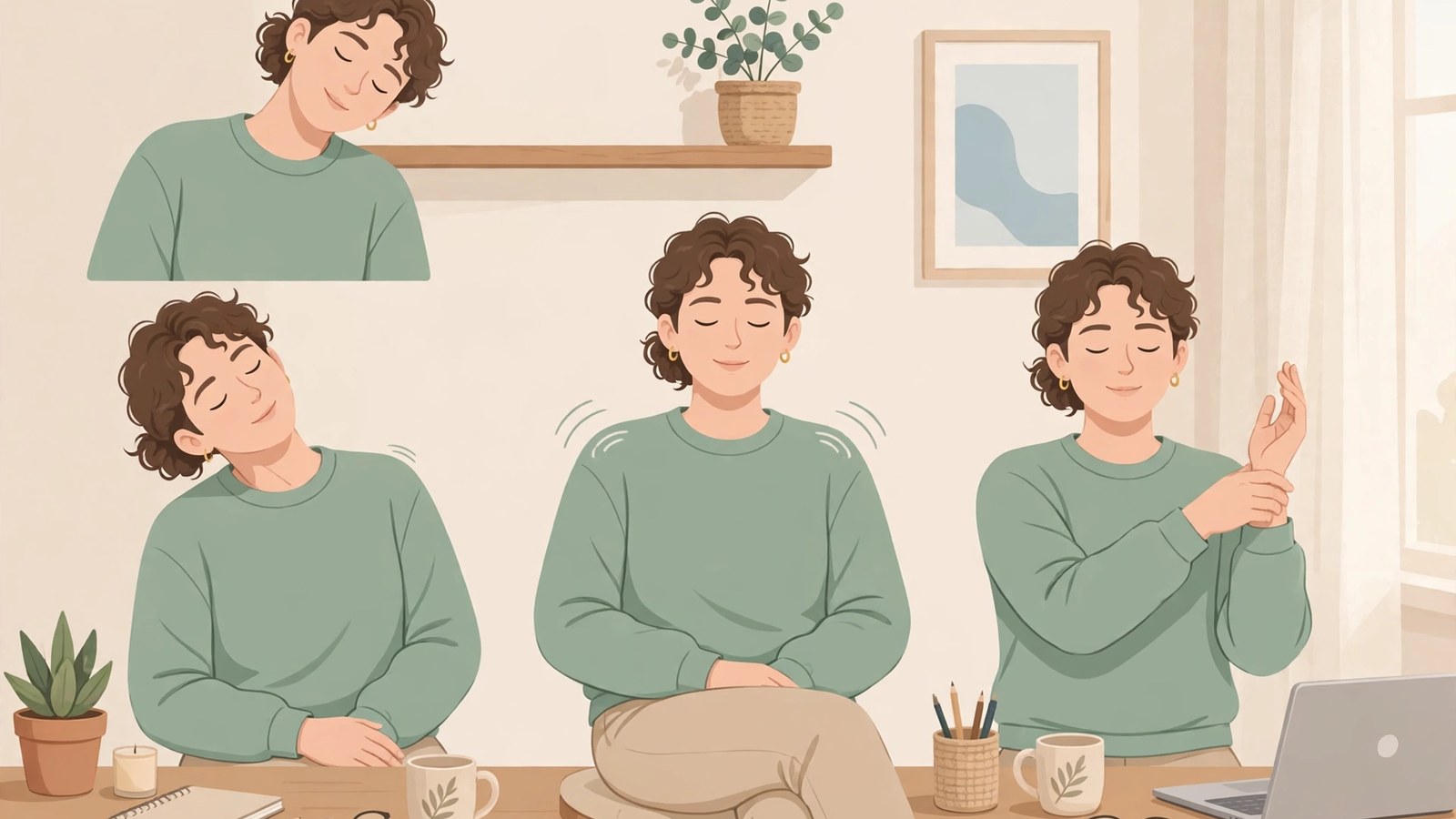
- A useful stretching routine for desk workers covers the neck, shoulders, chest, upper back, hips, legs, wrists, and hands, in short sessions repeated through the week. Start with a five-minute seated reset: a neck release, shoulder rolls with a chest opener, a seated spinal twist, wrist and forearm stretches, and a seated hip and ankle release, holding most stretches for about 20 to 30 seconds per side and never forcing into pain. With more time, add standing stretches for the hip flexors, hamstrings, calves, sides, and upper back for a fifteen-minute full routine. Stretching works best alongside regular position changes and a sensibly set up workstation, not instead of them. Health and Safety Executive guidance favors short breaks often, for example 5 to 10 minutes every hour, over longer breaks less often. If a stretch causes sharp pain, or you have persistent pain, numbness, tingling, or weakness, stop and seek professional advice.
Introduction
Sitting at a desk all day tends to pull the body into the same shape: shoulders rounded forward, head drifting toward the screen, hips folded at a right angle, and hands held in one position over a keyboard. Nothing about that shape is dramatic, which is exactly why it adds up. Hours of small, repeated strain can leave you feeling stiff at the end of the workday, even if you never did anything strenuous.
This guide offers a practical stretching routine for desk workers. It includes a five-minute version for busy days, a longer fifteen-minute version for a lunch break or the end of the day, and tips for building the habit so it actually survives a real workweek. This is general information only, not medical advice. If you have pain, numbness, tingling, a recent injury, or a medical condition, talk with a qualified health professional before starting a new routine, and stop any stretch that causes sharp pain.
Why Desk Work Makes You Stiff
When you sit for a long time, some muscles stay shortened while others stay lengthened and underused. The hip flexors stay folded, the chest tightens as the shoulders roll forward, and the back of the neck works overtime to hold your head up, while the wrists and forearms repeat small movements for hours. Stretching does not fix a workstation or replace movement, but it helps you notice where you are tight, change position, and move through a fuller range of motion.
The Occupational Safety and Health Administration, or OSHA, explains why a task that looks light can still tire the body. Computer work can involve maintaining postures or performing highly repetitive tasks for extended periods, which can lead to problems in localized areas. Using a mouse for a few minutes is not a problem for most people, but doing it for several uninterrupted hours exposes the small muscles and tendons of the hand to hundreds or even thousands of repetitions, with too little time between them for recovery. Holding a static posture, such as viewing a monitor, without a break can likewise fatigue the neck and shoulder muscles that support the head.
The NHS notes that research suggests many adults spend more than 7 hours a day sitting down, and that people aged over 65 spend 10 hours or more each day sitting or lying down. It also warns that you can hit your weekly activity target but still be at risk if you spend the rest of the time sitting. That is the gap a desk routine narrows.
What Stretching Can and Cannot Do
Keep expectations honest. Mayo Clinic notes that studies on the benefits of stretching have had mixed results: some show that stretching helps, others show little to no benefit before or after exercise, and some research shows that stretching does not reduce muscle soreness after exercise. What stretching can reasonably do, on that same guidance, is help improve flexibility and the range of motion of your joints, and better flexibility may improve performance in physical activities, decrease the risk of injuries, and help joints move through their full range of motion. Stretching also increases blood flow to the muscle.
For a desk worker, the realistic goal is narrower: daily comfort and mobility. Judge the routine by whether your shoulders feel less tight in the afternoon, not by how far you can reach. If stiffness keeps returning in the same place, treat it as information about your setup or a health issue to raise with a professional, not as a sign to stretch harder.
Ground Rules Before You Start
A few simple rules keep stretching useful and safe.
- Move gently, never forcefully. Stretch to mild tension, not pain. Mayo Clinic puts it plainly: expect tension, not pain, and if it hurts, you have pushed too far, so back off to a pain free point and hold there. You should be able to breathe normally and talk while holding a stretch.
- Do not bounce. Mayo Clinic advises a smooth movement without bouncing, because bouncing can injure a muscle and can actually contribute to muscle tightness.
- Hold, and breathe normally. Mayo Clinic advises holding each stretch for about 30 seconds, and around 60 seconds in problem areas. The shorter holds here suit brief desk breaks.
- Warm up first. Mayo Clinic warns not to treat stretching as a warmup, because stretching cold muscles can cause injury, and it advises warming up with light activity for 5 to 10 minutes first, or stretching after a workout when muscles are warm. At a desk, scale that down: walk around the room and march in place for a minute or two before the longer routine.
- Keep both sides even. Mayo Clinic advises striving for symmetry, equal flexibility side to side rather than matching a dancer or gymnast, and stretching both sides.
- Use major muscle groups. Mayo Clinic advises concentrating on major muscle groups such as the calves, thighs, hips, lower back, neck, and shoulders. This routine adds the wrists and forearms, because desk work loads them specifically.
- Stop if something hurts sharply. Mild tension is normal. Sharp, shooting, or joint pain is a signal to stop and, if it persists, to get professional advice.
You do not need special equipment. A sturdy chair without wheels, or with the wheels locked, a little floor space, and clothing you can move in are enough. The NHS sitting exercises give the same chair test: a solid, stable chair without wheels, feet flat on the floor, knees bent at right angles.
Set Up Your Chair and Workstation First
Stretching works better when the workstation is not recreating the same strain every hour. OSHA advises that a properly adjusted workstation can help minimize awkward postures: place the monitor in front of you so you can look straight ahead without tilting your head, place frequently used items within easy reach, arrange the chair and keyboard so you do not bend your wrists, and adjust your chair so your feet and back are well supported. Proper neutral postures allow you to work with minimal stress on the musculoskeletal system.
Use this quick check before your first session of the day. It is a comfort check, not a formal ergonomic assessment.
| Check | What to aim for | Why it matters here |
|---|---|---|
| Monitor | Directly in front of you, top not above your line of sight | Limits tilting the head, which fatigues the neck and shoulders |
| Keyboard and mouse | Close together, at about the same height, within easy reach | Reduces repeated reaching that fatigues the shoulder |
| Wrists | Straight and in line with the forearms, not bent up, down, or to the side | Bent wrists during repetitive finger work can damage tendons, on OSHA guidance |
| Chair and feet | Back and feet well supported, feet firmly on the floor or a footrest | Support lets you change posture instead of bracing in one position |
If your monitor is far too low, your chair offers no support, or your keyboard forces your wrists into an awkward angle, stretching will only partly help. For intensive laptop work, OSHA notes that a separate full size keyboard and monitor is a standard control worth asking about.
The Five-Minute Desk Reset
Use this version between meetings, after a long call, or whenever you catch yourself hunching. These desk stretches are mostly seated, so you do not need to change clothes or leave your desk. Hold each stretch for about 20 seconds, and repeat on both sides.
1. Neck release (one minute). Sit tall, feet flat. Drop your right ear toward your right shoulder until you feel a gentle stretch on the left side of your neck. Hold for 20 seconds. Return to center, then repeat on the other side. Next, tuck your chin slightly and look down, feeling a stretch along the back of the neck, for 20 seconds. Avoid rolling your head in full circles, which can pinch the neck. Slow half circles from ear to ear, through the front, are gentler. The NHS flexibility exercises use a similar pattern, tilting the head to one side while holding the opposite shoulder down.
2. Shoulder rolls and chest opener (one minute). Roll both shoulders up, back, and down in slow circles, five times, then reverse for five more. Then clasp your hands behind your back, or hold a towel between them if your shoulders are tight, gently straighten your arms, and lift your hands slightly away from your back while opening your chest. Hold for 20 seconds. The NHS sitting exercises include a chest stretch done the same way, sitting upright and away from the back of the chair with the shoulders pulled back and down.
3. Seated spinal twist (one minute). Sit tall, feet flat. Place your right hand on the outside of your left knee and your left hand on the chair behind you. Twist gently to the left, keeping your hips facing forward. Hold for 20 seconds, then repeat on the other side. Keep the twist in your upper back rather than forcing your lower back. The NHS sitting exercises describe the same twist, turning the upper body without moving the hips, to maintain flexibility in the upper back.
4. Wrist and forearm stretch (one minute). Extend your right arm in front of you, palm up. With your left hand, gently pull your fingers back until you feel a stretch in the inner forearm. Hold for 20 seconds. Then turn the palm down and gently press the back of the hand toward you for 20 seconds. Repeat on the other side. Follow with ten slow fist openings: spread your fingers wide, then make a soft fist. During desk work itself, keep your wrist straight. OSHA notes that tendons can be damaged when repetitive finger motion is performed with a bent wrist, and that hand tasks should use a straight, neutral wrist posture so the tendons can slide easily.
5. Seated hip and ankle release (one minute). Sit tall and cross your right ankle over your left knee, keeping the foot flexed to protect the knee. Gently press the right knee down until you feel a stretch deep in the right hip and buttock. These are simple hip stretches for sitting all day, done gently on both sides. Hold for 20 seconds, then switch sides. Finish by lifting one foot and drawing ten slow ankle circles in each direction, then switching feet. If crossing the ankle over the knee is not comfortable, use the NHS hip marching alternative: hold the sides of the chair, lift one leg with the knee bent as far as is comfortable, place it down with control, and repeat on the other side.
Stand up, shake out your hands, and take a short walk, even to refill a water bottle, before sitting back down.
The Fifteen-Minute Full Routine
When you have more time, add standing stretches for the hips, legs, and back. Move through the five-minute reset first, then continue with the following. Hold each stretch for 30 seconds unless noted. Mayo Clinic advises stretching regularly, at least two to three times a week, and notes that even 5 to 10 minutes at a time can be helpful, so this longer routine two or three times a week is a reasonable target.
Standing hip flexor stretch. Stand beside your desk or a sturdy chair for balance. Step your right foot back into a lunge position, front knee over your ankle, torso tall. Tuck your pelvis slightly under until you feel a stretch at the front of the right hip. Hold for 30 seconds, then switch sides. If balance is difficult, hold the chair and take a shorter step.
Hamstring stretch at the desk. Stand facing your chair or a low, stable surface. Place your right heel on it, leg straight but knee soft, not locked. Hinge forward slightly from the hips with a straight back until you feel a stretch behind the right thigh. Hold for 30 seconds, then switch sides. Keep your back flat rather than rounding forward to reach farther.
Calf stretch. Face a wall, place both hands on it, and step your right foot back, pressing the heel toward the floor. Keep the back leg straight and the heel down. Hold for 30 seconds, then switch sides. The NHS flexibility exercises describe the same shape: hands against a wall, one leg back and straight, both feet flat, back heel on the floor.
Side stretch. Stand with feet hip-width apart. Reach your right arm overhead and lean gently to the left, feeling a stretch along the right side of your torso. Hold for 20 seconds, then switch sides. Keep your hips level. The NHS sideways bend is gentler: slide one hand down your side as far as is comfortable.
Upper back and shoulder stretch. Stand or sit tall. Extend your right arm across your chest and use your left hand to draw it closer, feeling a stretch across the back of the shoulder. Hold for 20 seconds, then switch sides. Follow with a goalpost opener: arms at shoulder height, elbows bent at right angles, draw your elbows back and squeeze your shoulder blades together, hold for five seconds, and release. Repeat five times.
Standing forward fold with soft knees. Stand with feet hip-width apart, bend your knees generously, and fold forward, letting your arms and head hang heavy toward the floor. Hold for 30 seconds, then roll up slowly with your knees still bent. Skip this stretch if forward bending is painful for your back, and substitute the seated twist instead.
How Often to Move: Break Timing That Fits Real Work
The routine matters less than the rhythm around it.
The Health and Safety Executive, the British workplace safety regulator, states that there is no legal guidance about how long and how often breaks should be for display screen work, because it depends on the work. Its advice is to take short breaks often rather than longer ones less often: for example, 5 to 10 minutes every hour is better than 20 minutes every 2 hours, and ideally users should choose when to take breaks. Breaks should allow users to get up and move around, or at least stretch and change posture, and in most jobs a change of task, such as a meeting or a phone call, counts.
OSHA gives a similar pattern under the name micro breaks or rest pauses: build short pauses into computer use, and take a five-minute break from computer tasks every hour to look away, stretch, get up, or walk, because these pauses give muscles and tendons time to recover. It also suggests task rotation to minimize long blocks of uninterrupted computer time.
In practice, the five-minute reset once or twice a day is the floor, not the ceiling. Add hourly stand, walk, or stretch pauses between resets, even if each is only a minute or two, prompted by a phone alarm or by natural breaks such as a phone call.
Building the Habit Into a Workday
The best routine is the one you will actually do:
- Attach stretching to something you already do. Stretch after your morning coffee, before lunch, and when you shut down your computer.
- Change position often. Alternate between sitting and standing if you have a standing desk, or stand for phone calls. The goal is not perfect posture held all day, but regular changes of position.
- Start small and add slowly. Begin with the five-minute reset once a day for a week. When that feels automatic, add a second session. Mayo Clinic notes that skipping regular stretching means you risk losing the benefits you built, for example a range of motion gain that decreases again if you stop.
- Keep it visible. A printed list of the five moves on your monitor or a sticky note that says shoulders, neck, hips can be enough of a prompt.
- Track how you feel, not how far you stretch. Notice whether your shoulders feel less tight at 4 p.m., or your hands less stiff after typing.
Remember where this routine sits in the bigger picture. The Centers for Disease Control and Prevention, summarizing the Physical Activity Guidelines for Americans, notes that adults need 150 minutes of moderate-intensity activity a week and 2 days of muscle strengthening activity, that the 150 minutes can be broken up, for example 30 minutes a day, 5 days a week, and that some activity is better than none. This routine is a complement to that movement, not a substitute for it.
Common Mistakes to Avoid
Holding your breath. If you are holding your breath, you are pushing too hard. Ease back until breathing feels easy. Mayo Clinic advises breathing normally while you hold a stretch.
Bouncing to reach farther. Bouncing is specifically warned against, because it can injure the muscle and contribute to tightness. Move in slowly, hold, and come out slowly.
Only stretching what hurts. Neck discomfort often arrives alongside tight shoulders and a stiff upper back. Neck and shoulder stretches help more as part of the whole chain, neck, chest, upper back, hips, and wrists, than one neck stretch repeated all day.
Skipping the wrists. A minute of wrist stretches for desk workers is a low cost way to ease stiffness, though it is not a treatment for any hand condition. Persistent numbness, tingling, weakness, or pain in the hands deserves professional evaluation, not more stretching.
Stretching through pain to work it out. Stretching should feel like a gentle pull, not a battle. If a stretch consistently hurts, skip it and ask a physical therapist or another qualified professional which movements suit you.
Treating stretching as a fix for a bad setup. Stretching does not replace workstation adjustment, task variety, or medical care. OSHA lists signs to report early rather than stretch away, including numbness or a burning sensation in the hand, reduced grip strength, swelling or stiffness in the joints, pain in the wrists, forearms, elbows, neck, or back, and reduced range of motion.
Adapting the Routine for Different Bodies and Workdays
If you have limited mobility or use a wheelchair. Keep the routine seated. The NHS sitting exercises were designed to be done at home from a solid, stable chair, to help improve mobility, and their set, chest stretch, upper body twist, hip marching, ankle stretch, and neck rotation, maps closely onto the seated reset here. Skip any move your clinician has told you to avoid, and check with a general practitioner or a health professional involved in your care if you are unsure an exercise is suitable for you, as the NHS advises.
If you already use a standing desk. Standing all day is another static posture, not a cure. Alternate sitting and standing, and do not skip breaks because you are already on your feet.
If your workday has no natural breaks. Build the breaks artificially. The Health and Safety Executive notes that if there are no natural changes of activity in a job, employers should plan rest breaks, and that break monitoring software can remind users to take them. An hourly timer does the same job.
If you are returning after an injury or a long inactive period. Start with the gentlest version, shorter holds and a smaller range, and build up slowly, as the NHS flexibility guidance advises, gradually increasing repetitions over time. The Centers for Disease Control and Prevention advises people with a chronic condition such as heart disease, arthritis, or diabetes to ask their doctor about types and amounts of physical activity. It advises talking to your doctor before starting vigorous activity if you have been inactive, have a disability, or have overweight.
A Sample Week
You do not need a complicated schedule:
- Monday to Friday, mid-morning: five-minute desk reset.
- Monday to Friday, mid-afternoon: five-minute desk reset plus the standing hip flexor and calf stretches.
- Three days a week, for example Monday, Wednesday, and Friday: the full fifteen-minute routine at lunch or after work.
- Every work hour, briefly: stand, walk, look away from the screen, or do one stretch.
- Weekend: one full routine, ideally after a walk, when you are already warmed up.
If you miss a day, pick up the next one. Doubling up to catch up is unnecessary.
When to Get Professional Advice
Stretching is general self-care, not a diagnosis or a treatment. Seek professional advice promptly if you experience persistent or worsening pain, numbness or tingling in the arms or hands, weakness, reduced grip strength, pain after an injury, dizziness during neck movements, or symptoms that do not improve with rest and position changes. OSHA stresses that reporting musculoskeletal signs and symptoms as early as possible helps prevent serious injury or permanent damage. A physical therapist or your primary care clinician can assess what is going on and suggest movements suited to your situation. The Centers for Disease Control and Prevention also advises people with a chronic health condition to talk with their doctor about the types and amounts of physical activity that are right for them.
The Bottom Line
Desk work stiffens the body gradually, and a stretching routine works best when it is just as gradual: a few minutes, a few times a day, done gently and consistently. Start with the five-minute reset, a set of seated stretches for office workers that needs no special equipment, add the standing stretches when you have time, and let position changes and workstation adjustments do the rest. Everyday comfort, not dramatic flexibility gains, is the point.
Frequently Asked Questions
How long should I hold each desk stretch?
About 20 to 30 seconds per side suits most desk stretches. Mayo Clinic advises breathing normally and holding each stretch for about 30 seconds, and around 60 seconds in problem areas. Back off to a pain free point rather than forcing a full hold through discomfort.
How often should desk workers stretch?
Do the five-minute reset at least once a day, and add brief movement breaks through the day. The Health and Safety Executive favors short breaks often, for example 5 to 10 minutes every hour, and OSHA advises a five-minute break from computer tasks every hour to look away, stretch, get up, or walk. For flexibility, Mayo Clinic advises stretching at least two to three times a week, which is why the full routine runs three times a week in the sample week.
Do I need to warm up before desk stretches?
Yes, briefly. Mayo Clinic warns that stretching cold muscles can cause injury and advises warming up with light activity for 5 to 10 minutes before stretching in an exercise setting. At a desk, walk around the room, roll your shoulders, or march in place for a minute or two first, and keep the first stretches especially gentle.
Can stretching fix neck, shoulder, or hand pain from desk work?
No. Stretching can ease stiffness and help you move through a fuller range of motion, but it is not a diagnosis or a treatment, and Mayo Clinic notes that research on stretching benefits is mixed, including research showing stretching does not reduce muscle soreness after exercise. Seek professional advice for persistent pain, numbness, tingling, weakness, or reduced grip strength. OSHA advises reporting such signs as early as possible.
What if a stretch hurts or I have a medical condition?
Stop any stretch that causes sharp pain. Mild tension is expected. If you have a chronic health condition, a recent injury, or you have been inactive, talk with your doctor about which types and amounts of activity are right for you, as the Centers for Disease Control and Prevention advises. A physical therapist can adapt individual moves.
Sources & references
- Centers for Disease Control and Prevention, Adding Physical Activity as an Adult. Used for adults needing 150 minutes of moderate-intensity physical activity a week and 2 days of muscle strengthening activity under the current Physical Activity Guidelines for Americans, the 150 minutes being breakable into smaller amounts such as 30 minutes a day, 5 days a week, some physical activity being better than none, and the advice to talk to a doctor about types and amounts of activity if you have a chronic condition such as heart disease, arthritis, or diabetes, and before starting vigorous activity if you have been inactive, have a disability, or have overweight.
- Mayo Clinic, Stretching: Focus on flexibility. Used for not treating stretching as a warmup and warming up with light activity for 5 to 10 minutes first, striving for symmetry and equal flexibility side to side, focusing on major muscle groups including calves, thighs, hips, lower back, neck, and shoulders, not bouncing, holding each stretch for about 30 seconds and around 60 seconds in problem areas, expecting tension not pain and backing off if it hurts, stretching regularly at least two to three times a week with even 5 to 10 minutes at a time being helpful, losing benefits if regular stretching stops, and the mixed research picture, including stretching not reducing muscle soreness after exercise, alongside flexibility, range of motion, performance, injury risk, and blood flow points.
- Occupational Safety and Health Administration, Computer Workstations eTool, Additional Information. Used for awkward postures and neutral postures, a monitor too high fatiguing the neck and shoulders, a keyboard too low bending the wrists at extreme angles, tendons being damaged by repetitive finger motion with a bent wrist, keeping wrists straight and in line with the forearms, placing the monitor in front of you and frequently used items within easy reach, keyboard and mouse close together at about the same height, fully supported feet and back, separate keyboards and monitors for intensive laptop use, musculoskeletal signs and symptoms to report early including numbness, reduced grip strength, swelling or stiffness, pain, reduced range of motion, aching or tingling, cramping, and weakness, repetition and static posture fatigue including thousands of hand repetitions over uninterrupted hours, task rotation, and micro breaks of five minutes every hour to look away, stretch, get up, or walk.
- Health and Safety Executive, Working safely with display screen equipment, Work routine and breaks. Used for employers having to plan work so there are breaks or changes of activity, there being no legal guidance on break length or frequency because it depends on the work, taking short breaks often rather than longer ones less often, 5 to 10 minutes every hour being better than 20 minutes every 2 hours, users ideally choosing when to take breaks, using other tasks such as meetings or phone calls as changes of activity, planning rest breaks where no natural change exists, breaks allowing users to get up and move around or at least stretch and change posture, and break monitoring software as a reminder only.
- NHS, Flexibility exercises. Used for the exercises being gentle and easy to follow to help improve health and mobility, wearing loose, comfortable clothing and keeping water handy, building up slowly and gradually increasing repetitions, doing the exercises at least twice a week, the neck rotation and neck stretch patterns, the sideways bend pattern, and the calf stretch pattern with hands against a wall, one leg back and straight, and both feet flat on the floor.
- NHS, Sitting exercises, opened and verified at QA on 30 October 2026. Used for choosing a solid, stable chair without wheels, sitting with feet flat on the floor and knees bent at right angles, doing the exercises at least twice a week, the chest stretch, upper body twist, hip marching, ankle stretch, and neck rotation set, and checking with a general practitioner or a health professional involved in your care if you are unsure whether the exercises are suitable for you.
- NHS, Benefits of exercise, including the Why we should sit less guidance at the same NHS address. Used for many adults spending more than 7 hours a day sitting down at work, on transport, or in leisure time, people over 65 spending 10 hours or more a day sitting or lying down and being the most sedentary age group, sedentary behavior including using a computer, and being able to hit the weekly activity target but still be at risk if the rest of the time is spent sitting or lying down.


